Showing posts with label SKK LYNX OCTA. Show all posts

Wednesday, November 4, 2015

[ROM] Miui 7 5.10.15 Global Beta Ulefone Be Pure v1.5 Base ported to SKK LYNX OCTA

[ROM] Miui 7 5.10.15 Global Beta Ulefone Be Pure v1.5 Base ported to SKK LYNX OCTA
MIUI ROM

MIUI ROM 2

MIUI ROM 3


Quickboot Installed
FX File Explorer Installed with Root Add-On
Titanium Back-Up Pro v7.2.0 Installed
Greenify v2.6.1 Installed
Screen-Off Installed


ROM Flashing Instructions: Using CTR v3.0
Boot to Recovery Mode.
Tap Wipe Menu
Tap Wipe Data-Factory Reset
Tap Wipe Cache
Tap Wipe Dalvik-Cache
Install Miui 7 5.10.15 Global Beta UlefoneBePure.zip
Reboot.
After magboot you may Flash the following
SuperSU para ma root
Init.d enabler (optional kung mag flaflash ka pa ng tweaks like PPX, Nitro X)
Optional kung may NVRAM Error flash niyo lang ung NVRAM_Fix

REMINDER! Please make sure to back your NVRAM folder or IMEI before Flashing this one!
How to backup your imei [CLICKHERE]

Flash it with your own RISK!!!

I am not responsible for any damage or soft/hard brick will happened to your device!

Miui 7 5.10.15 Global Beta
Link: Click Here

Credits:
Adam Wade Gontier
MIUI

[ROM] ULEFONE BE_PURE 1.5_RC2 Ported to SKK LYNX OCTA

[ROM] ULEFONE BE_PURE 1.5_RC2 Ported to SKK LYNX OCTA

Ulefone be pure 1.5 rc2 ported rom for skk lynx screenshot 1

Ulefone be pure 1.5 rc2 ported rom for skk lynx screenshot 2

DISCLAIMER: Rooting your phone and using custom ROMS have risks, and if instructions aren't followed you can BRICK YOUR DEVICE. We are NOT responsible if your phone breaks, if world war occurs, or if your dog dies!!!!
Copying of my works, editing, rebuilding, and re-porting will give me respectful credits.


FEATURES:
1. Deodexed 
2. (FIX) Auto Brightness on Stock Camera
3. Better Battery Backup
4. Rooted with Latest SuperSU
5. Init.d support with Busybox
6. Debloated
7. Google Keyboard added
8. Marshmallow Boot Animation and Sounds
9. Still in Stock UI no Mods


 REMINDER! Please make sure to back your NVRAM folder or IMEI before Flashing this one!
How to backup your imei [CLICKHERE]

Flash it with your own RISK!!!

I am not responsible for any damage or soft/hard brick will happened to your device!

ROM LINK: Click Here


CWM/TWRP instructions:
Clear Data/Factory Reset
Clear Cache
Clear Dalvik
install zip from Sd Card
Reboot

PHILZ Recovery (Recommended)
go to "Wipe and Format Options"
choose "Clean to Install a New ROM", tap "Yes"
after wipe is done, go to "Install Zip"
Choose zip from (Where you saved the rom zip)
reboot after successful flashing 


Note: 1st boot up may take up to 5mins after flashing.

Warning:
DO NOT UPDATE VIA OTA!

Tips:
To "Backup or Restore" using Titanium Backup,
 Install Viper4Android Drivers and Root Explorer to function properly
open SuperSU app
under Security options, uncheck "Mount namespace separation"
Reboot
(might also work on other root apps)


CREDITS:
Nikko Angelo Esteves
Jay Navea
Lynx Porting Team


Thursday, October 15, 2015

[ROM] HTC ONE -- BASED ON MAX Ported to SKK LYNX OCTA

[ROM] HTC ONE -- BASED ON MAX Ported to SKK LYNX OCTA
HTC ONE ROM FOR SKK LYX PREVIEW 1

HTC ONE ROM FOR SKK LYX PREVIEW 2

HTC ONE ROM FOR SKK LYX PREVIEW 3

HTC ONE ROM FOR SKK LYX PREVIEW 3

HTC ONE ROM FOR SKK LYX PREVIEW 4

HTC ONE ROM FOR SKK LYX PREVIEW 5

HTC ONE ROM FOR SKK LYX PREVIEW 6


DISCLAIMER: Rooting your phone and using custom ROMS have risks, and if instructions aren't followed you can BRICK YOUR DEVICE. We are NOT responsible if your phone breaks, if world war occurs, or if your dog dies!!!!
Copying of my works, editing, rebuilding, and re-porting will give me respectful credits.

*******************************************************************************
 ROM FEATURES:
*Stock Deodex
*ClearMotion™
*Power Saving Management
*Zipalined
*Vacuuming
*HTC kitkat Apps
*Pre-Rooted by Kingroot
*Boom Sound Added
*Liquid Smoth UI
*Stock Kitkat HTC
*init.D Enabled
*300+ RAM USAGE!!!

REMINDER! Please make sure to back your NVRAM folder or IMEI before Flashing this one!
How to backup your imei [CLICK HERE]

Flash it with your own RISK!!!

I am not responsible for any damage or soft/hard brick will happened to your device!

 ROM LINK : Click Here

 SuperSU : Click Here

 DOLBY ATMOS : Click Here


BASAHIN PARA DI NA MAG TANONG: Mag wipe kayo then sunod install ROM, sunod Dolby Atmost, reboot! muna wag excited ah?.. then punta sa titanium backup! hanapin c kingroot.apk at mga files na di mo need then uninstall mo!. sunod reboot to recovery then flash SuperSu zip then reboot ENJOY :D


HOW TO USE?
ROOT YOUR LYNX/ MAKE SURE YOU HAVED CREATE A NANDROID BACKUP!
INSTALL CUSTOM ROMS VIA MOBILE UNCLE/ RSHR
INSTALL CUSTOM RECOVERY (PHILZ, CWM, TWRP) BUT I RECOMMENDED (PHILZTOUCH)
WIPE DATA, DALVIK/ART
FOR PHILZ IT IS EASY JUST CHOOSE CLEAN TO INSTALL ANEW ROM.
AFTER FLASHING REBOOT.
OTHER ROMS SAYS DISABLE RECOVERY.. CHOOSE NO!


CREDITS:
NIKKO ANGELO ESTEVES
LYNX PORTING TEAM
NEEDROMS.COM
XDA UNITED
MAXIMUM DEV. TEAM

Monday, October 5, 2015

[ROM] CyanogenOS 12.1 MT6592 -Skk Lynx Octa - Ulefone Be Pure (MTK)

[ROM] CyanogenOS 12.1 MT6592 - SKK Lynx Octa/Ulefone Be Pure (MTK)
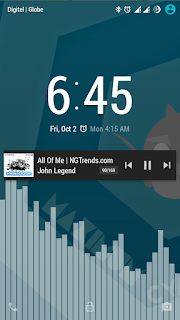
 CyanogenOS Rom for Skk Lynx Octa Preview 1

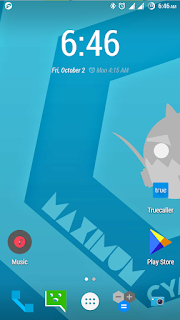
CyanogenOS Rom for Skk Lynx Octa Preview 2

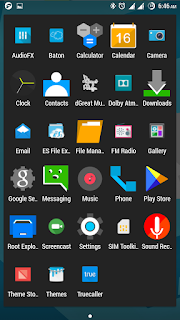
CyanogenOS Rom for Skk Lynx Octa Preview 3

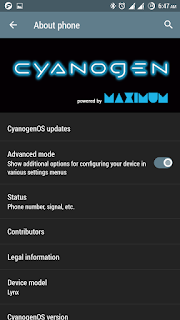
CyanogenOS Rom for Skk Lynx Octa Preview 4

CyanogenOS Rom for Skk Lynx Octa Preview 4

CyanogenOS Rom for Skk Lynx Octa Preview 5
CyanogenOS Rom for Skk Lynx Octa Preview 6

CyanogenOS Rom for Skk Lynx Octa Preview 7

Features:
All Cyanogen OS 12 Apps:
- Cyanogen OS Per App Themer
- Boxer Email App
- CameraNext
- CMFileManager
- CMWallpapers
- GalleryNext
- Hexo Theme from CyanogenOS 12 (activate it in the CM Theme Engine on your phone)
- LockClock
- MaxxAudioFX
- NextBit
- Truecaller (incoming in CyanogenOS 12.1, but I have it alreay here)
- Screencast
- CM Theme Showcase
- Sound Recorder
- Terminal
- Theme Store
- Trebuchet Launcher
- Google Conenctivity Services
- Ambient Core (Cyanogen OS 12 Account Manager - important, dont delete it!)
- Android For Work
- Eleven Music App
- Face Lock
- Media Provider
- Theme Chooser
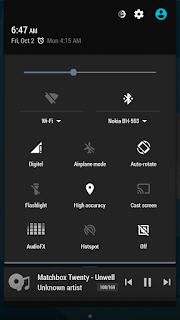
- Quickboot ( Enable quickboot in Developer Options)
- Cool Dark Theme by jonacxDGreat
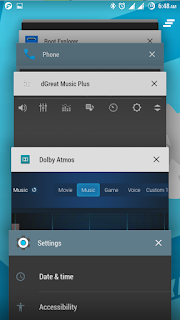
- DGreatMusicPlus
- Dolby Atmos added
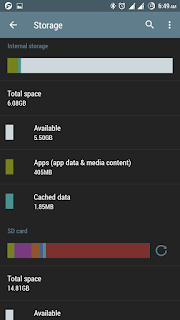
- Storage Fixed (Internal, SDCard and OTG)
- MTP enabled
REMINDER! Please make sure to back your NVRAM folder or IMEI before Flashing this one!
How to backup your imei [CLICK HERE]

Flash it with your own RISK!!!

I am not responsible for any damage or soft/hard brick will happened to your device!

DOWNLOAD LINK:
Philz Touch Recovery:
Click Here

Rom:
Click Here

Patch:
Click Here

Folder:
Click Here


How to Install:

Reboot to custom recovery
Install CyanogenOS_12.1.Lynx.JDG.zip
Reboot phone
Run phone as normal
Reboot again to recovery and install patch CyanogenOS_12.1_patch.zip (need to install this)
Reboot and enjoy...

Post Installation:

Open settings - About Phone - Enable Advance mode
Back to settings - Notification drawer - Quick Settings panel (Select and order tiles)
                             tap reset icon on right
Settings - Developer options - enable Advance reboot
Settings - Developer options - Root access - Apps and ADB
Settings - developer options - Enable QuickBoot mode (optional)

Special Thanks:
JonacxDGreat 
http://jonacxdgreat.blogspot.com/
Credits:
Maximum Dev/Port Team
Lynx Port Team and Admins
Lynx members and beta testers
Cyanogenmod Team
My rom followers


Wednesday, September 30, 2015

[ROM] OnePointSix For SKK LYNX OCTA

[ROM] OnePointSix For SKK LYNX OCTA


[ROM] OnePointSix For SKK LYNX OCTA Preview 1

[ROM] OnePointSix For SKK LYNX OCTA Preview 2

[ROM] OnePointSix For SKK LYNX OCTA Preview 3

[ROM] OnePointSix For SKK LYNX OCTA Preview 4

[ROM] OnePointSix For SKK LYNX OCTA Preview 5
Stock Rom 1.6
De-odexed
Rooted
Debloated
Modified boot.img that support and run init.d script during boot
Pacshit tweaks added
dGreat Music Plus
Dolby Atmos or Maxx Audio to be chosen during flashing
Flash with Aroma installer
All system apps (stock base)
Rom is safe and good for gaming
Ideal for porting as base rom
Stock launcher

Note:
After flashing, open xposed installer and enable all modules and update framework, done ans reboot.

Flashing Instructions:

- Boot to custom recovery
- Look for the zip file
- Flash....
- Choose Your Audio enhancher (Dolby Atmos or Maxx)
- Reboot

REMINDER! Please make sure to back your NVRAM folder or IMEI before Flashing this one!
How to backup your imei [CLICK HERE]

Flash it with your own RISK!!!

I am not responsible for any damage or soft/hard brick will happened to your device!
Download Link:

Credits:
jonacxDGreat