Showing posts with label My Views. Show all posts

Monday, October 19, 2015

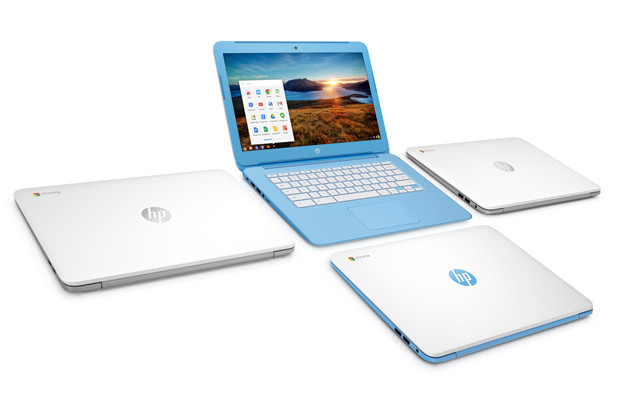
HP adds a colorful new 14-inch Chromebook!

I've till now reviewed, just a few Chromebooks or rather just one, The Acer C720 Chromebook, which was slate grey in color (If I didn't messup). But I just saw something pretty exciting on CNET, a Video featuring the New HP Chromebook 14. And the color caught my eyes. What was so exciting? Why don't you'll see it for yourself?


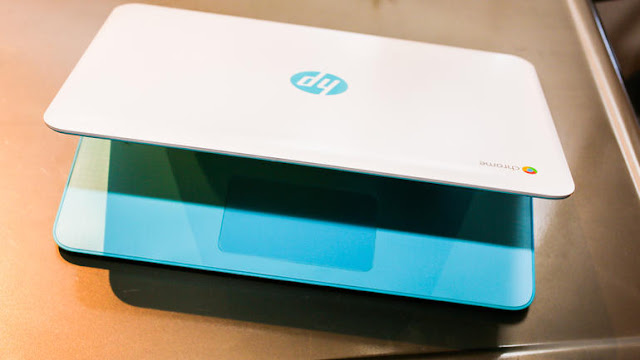
HP is adding to its Chromebook lineup a new 14-inch HP Chromebook 14. This slim laptop stays in the same low-end price range as most other budget Chromebooks and Windows laptops, and adds a handful of higher-end features to make it special

The first thing that caught my eye was the soft colors of the chassis. HP calls this design "Sky Blue," and it combines a soft blue interior and accents with a white lid (the system will also be be available in a silver design).

Image: Sarah Tew/CNET
It features the current-gen Intel Celeron processor, which won't offer any performance surprises(As CNET wrote it!). But what's surprising is the 14-inch display which has a full 1920x1080 resolution, and uses an IPS panel (in-plane switching) to prevent the image from looking faded at side angles. HP says the system will also include some potentially valuable extras, including a two-year 100GB Google Drive account and three Google Play movie rentals.

Chromebooks continue to be known for being the perfect low-cost computer, thanks to an increasing dependence on cloud-based tools, from email to video streaming to collaborative office applications. Built around the Chrome web browser from Google, this and other Chrome OS devices offer easy access and simple interfaces, but also lack the ability to install and run many common Windows and Mac software applications, or even store much data locally.

But, if you are Okay to live within these limitations, Chromebooks are an increasingly attractive way to get online access in a decent-looking hardware package without spending much money.

Reportedly, The HP Chromebook 14 will cost $249 in the US. The US release date, as well as international price and release details, are not available yet, but HP expects this system to ship in time for the upcoming holiday season.

Let's see if I can get my hands-on one!


Follow Me on Twitter>>> @iamBhavish
And like us on Facebook>>> The Gud1

Saturday, October 17, 2015

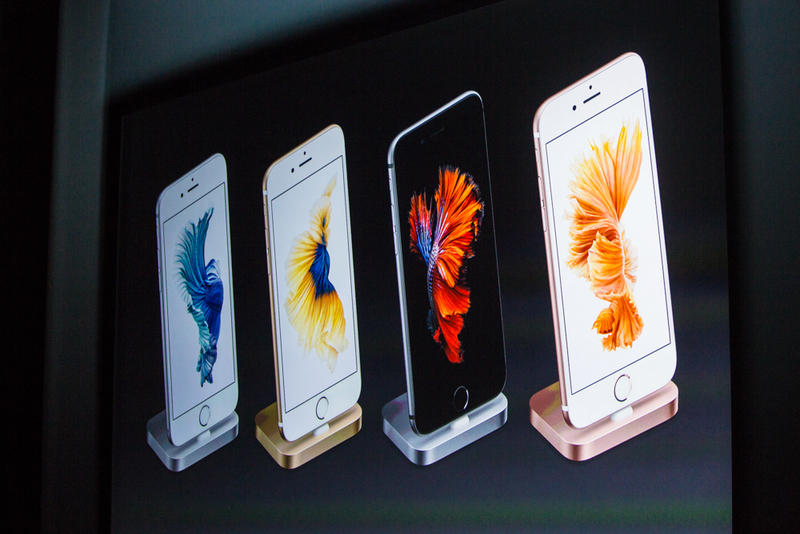
Which one to buy? The lavish iPhone 6s or the cheaper iPhone 6?


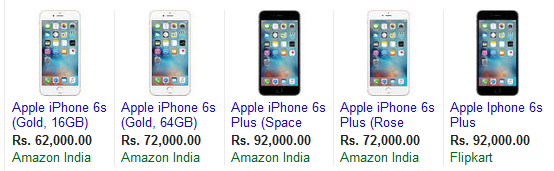
With Apple pricing the iPhone 6s at a steep Rs 62,000 for the 16 GB variant in India (even if 16 GB is just not enough today), and going up to a jaw-dropping Rs 92,000 for the iPhone 6s Plus 128 GB, price-conscious Indian customers have a tough choice to make. Do the new 6s and 6s Plus justify their price tags or should prospective iPhone customers wait for prices to fall–which is unlikely to happen soon. Or should they simply go for the year-old iPhone 6 and 6 Plus, which come at significantly lower prices?

For instance, the current e-commerce bonanza in India is seeing the iPhone 6 selling for as low as Rs 24,999 after discounts and an exchange offer, a massive difference as compared to the Rs 62,000 price tag on the 6s 16 GB.

Based on a little under a day of using the new iPhone 6s, here’s a quick overview of the some of the notable features of the iPhone 6s and 6s Plus and how they stack up against the iPhone 6.

So I'd say according to specs the iPhone 6s is the winner... But considering the price, I'd say only the successful people... Oh I mean only the 6sful people can afford it....
So which one to buy, completely depends on your bank balance, or you could try smuggling it...

Of Course Its faster!


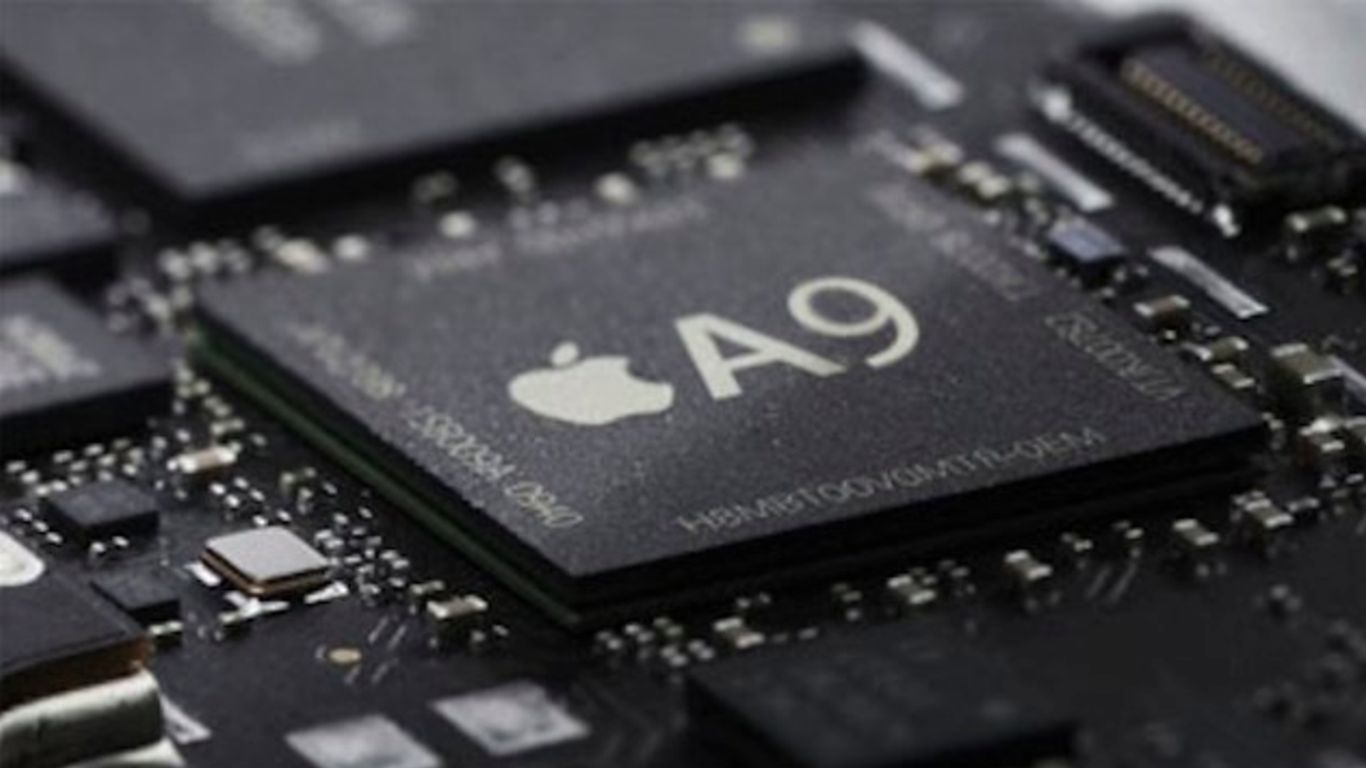
The A9 chip is Apple’s third-gen chip with 64-bit architecture and Apple claims CPU performance is up by close to 70 percent compared to the A8 chip powering the iPhone 6. Graphics performance is reportedly up 90 percent compared to A8. And the M9 motion coprocessor integrated into the A9 chip ensures that Siri is always on. Just say “Hey Siri” for Siri to come alive. But the iPhone 6 is no laggard either on the speed front.


Built tougher


The iPhone 6 faced Bendgate, though admittedly, it wasn’t like every second phone got bent. Apple learnt its lesson though and the 6s and 6s Plus use 7000 Series aluminium alloy, which is blended with Zinc to make it tougher. 7000 Series aluminium is used in the aerospace sector.(Well I copy-pasted that part!)

According to Unbox Therapy’s literal pressure tests, the iPhone 6S chassis is much tougher than the chassis of the 6 --- it didn’t start to bend until exposed to pressure of 80 lbs. The 6 chassis started to bend at 30 lbs of pressure. So, the 6s is clearly far tougher and better built than the 6 and hence it is slightly heavier too.

Futuristic 3D Touch


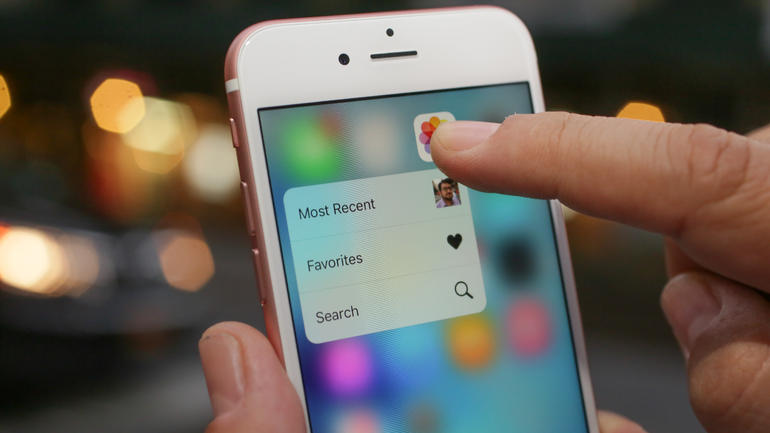
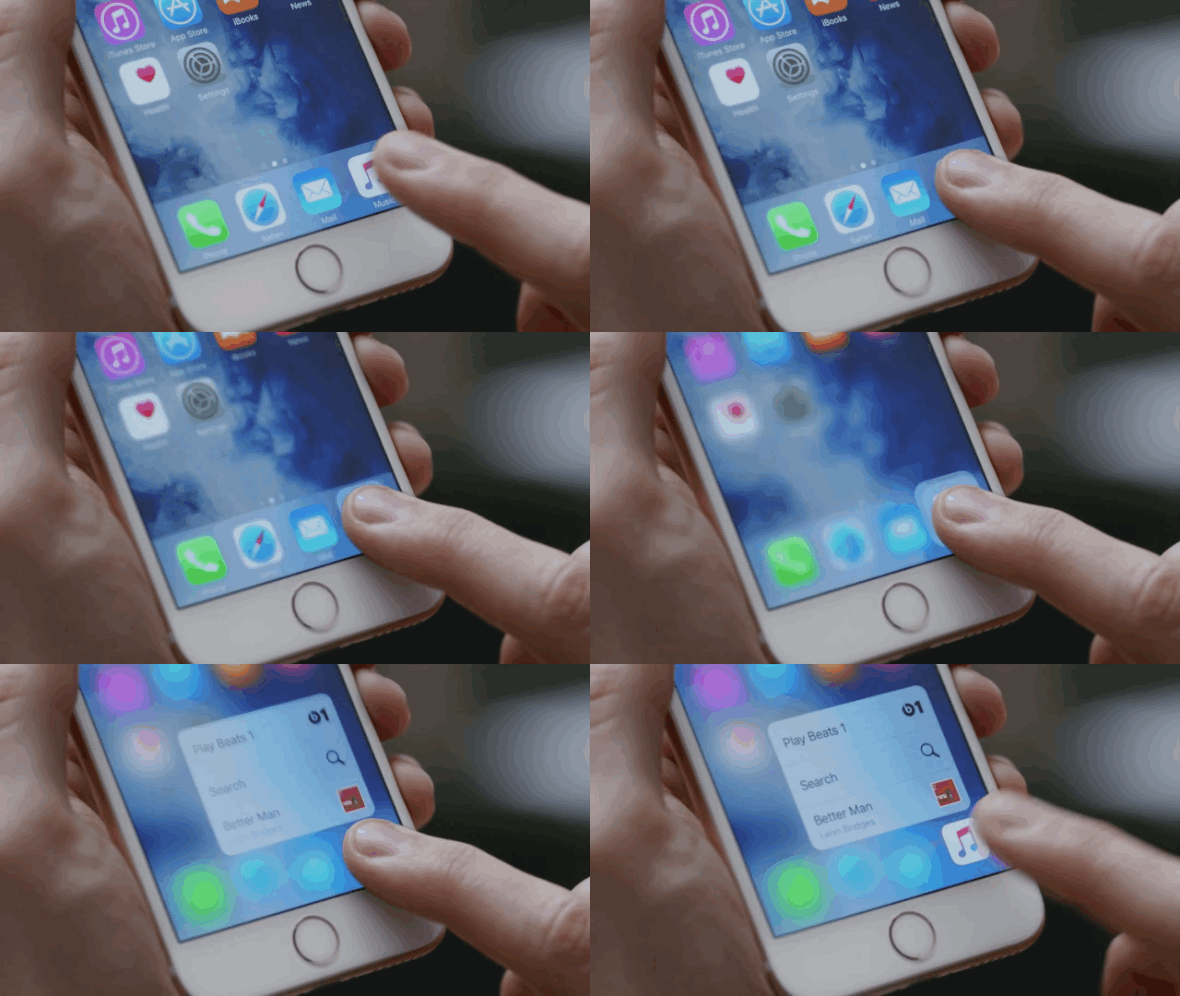
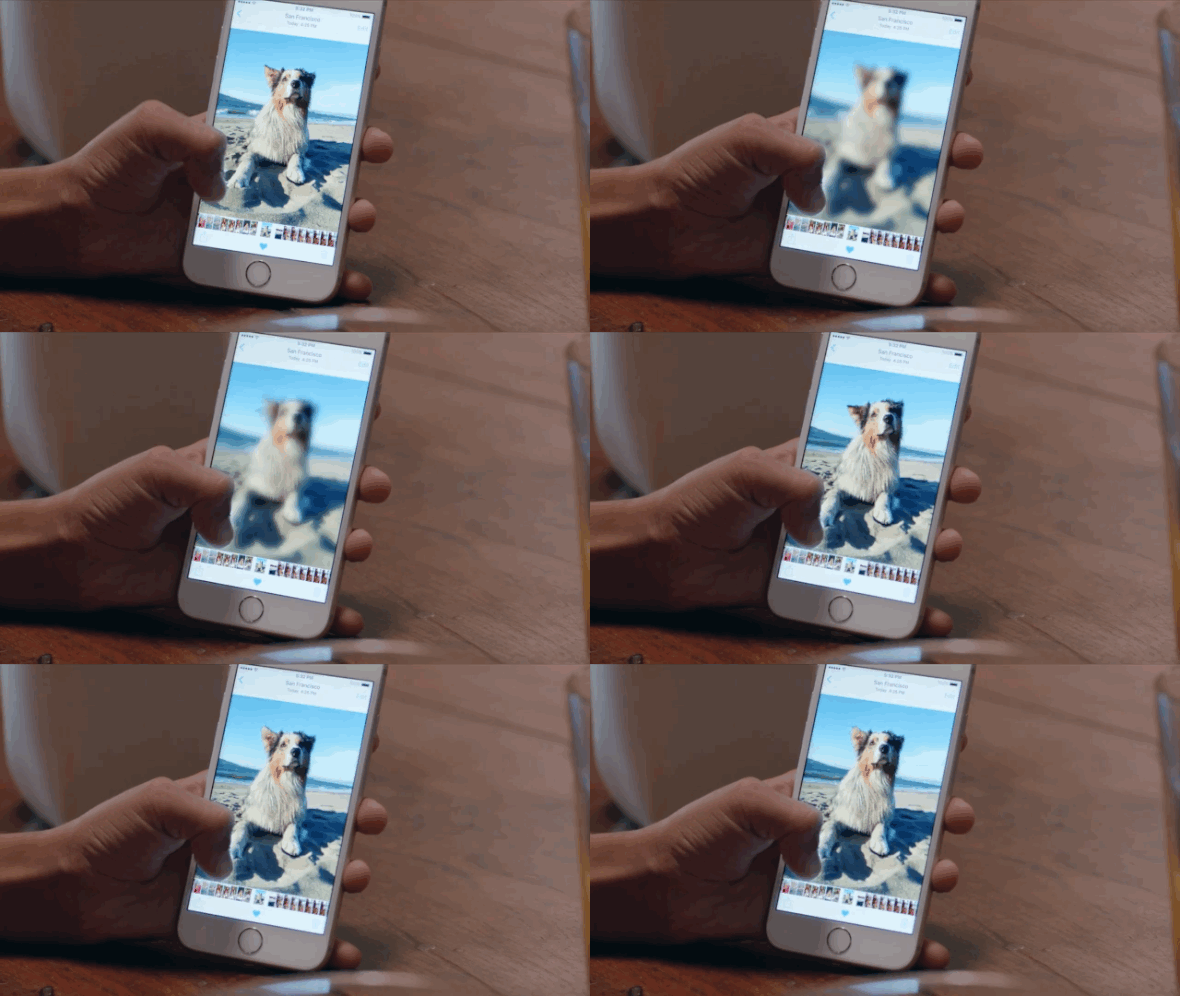
3D Touch is perhaps the coolest feature on the iPhone 6s and 6s Plus. The original iPhone borrowed gestures like pinch and zoom, but now has broken ahead of the pack by introducing Peek and Pop. The iPhone 6s senses how much pressure is applied to screen and it responds with subtle feedback. So not only will you see the results of a press on the screen—you will actually feel it.

Image: CNET

Pressing an icon brings that icon into focus while the background becomes hazy and you can select the sub-menu from the home screen itself. For instance, by pressing the camera icon, you get options like Take Selfie, Record Video, Record slo-mo or Take Photo. Conceptually, it’s a bit like clicking on the right button of a mouse. In a mailbox, it can definitely improve productivity because a push will get you a peek into an e-mail and options like Archive or marking it unread, and a further push will actually take you into that email. The Peek part gives you a look and you don’t need to click back to go back to the mailbox, thus eliminating an action and improving productivity.

Some app developers like Instagram have already started leveraging 3D Touch–no more clicking on a photo and clicking back to go back to the previous screen. It makes for a noticeable and welcome UI enhancement in games too and many, many iOS developers will leverage 3D Touch in the coming months.


From the perspective of future iPhones, 3D Touch is a big milestone on the way to an iPhone without the home button. But that’s perhaps a generation or two away. From the apps perspective 3D Touch will start making an increasing impact, but for the immediate future if your iPhone doesn’t have 3D Touch you would perhaps just miss the coolest futuristic tech on an iPhone in the recent past.

Live Photos


Falling somewhere in between a still image and a video, Live Photos–on by default–is about the iPhone 6s capturing a photo but also 1.5 seconds of video before and after with sound. Click on a Live Photo and it comes to life. File size is around twice of a regular photo but Live Photos is a superb addition and is perhaps a step towards the journey where we may not have still images shot as a still anymore but always as part of a video. You can view Live Photos on any iOS device running iOS 9, but to create one, you need an iPhone 6s. And apps like Facebook may soon enable playback of Live Photos too increasing its reach. Thanks to Apple’s market penetration, expect Live Photos to become a big trend soon.

Camera


The camera is bumped up from 8 MP on the iPhone 6 to a new 12 MP sensor with new pixel technology on the 6s. Apple claims that its new image signal processor on the iPhone 6s works with iOS 9 to provide far better pictures. Front camera has been bumped up to 5MP from 1.2 MP and includes Retina Flash for better lit selfies—the screen flashes three times brighter than usual, combined with True Tone technology to account for location colour tone and lighting. But DxOMark, an industry standard for camera and lens image quality measurements and ratings, says the iPhone 6s and 6s Plus are left behind by seven Android-smartphone cameras, including the Sony Xperia Z5 and the Samsung Galaxy S6 Edge and Galaxy Note 4. The reviewers are blunt, saying, “…those looking to upgrade from the iPhone 6 Plus might not find it (the camera on the 6s and 6s Plus) appreciably compelling.”

What’s great though is 4K video recording (and with optical image stabilisation on the 6s Plus). And the A9 processor makes for some deft video editing using iMovie.

Instantaneous Touch ID


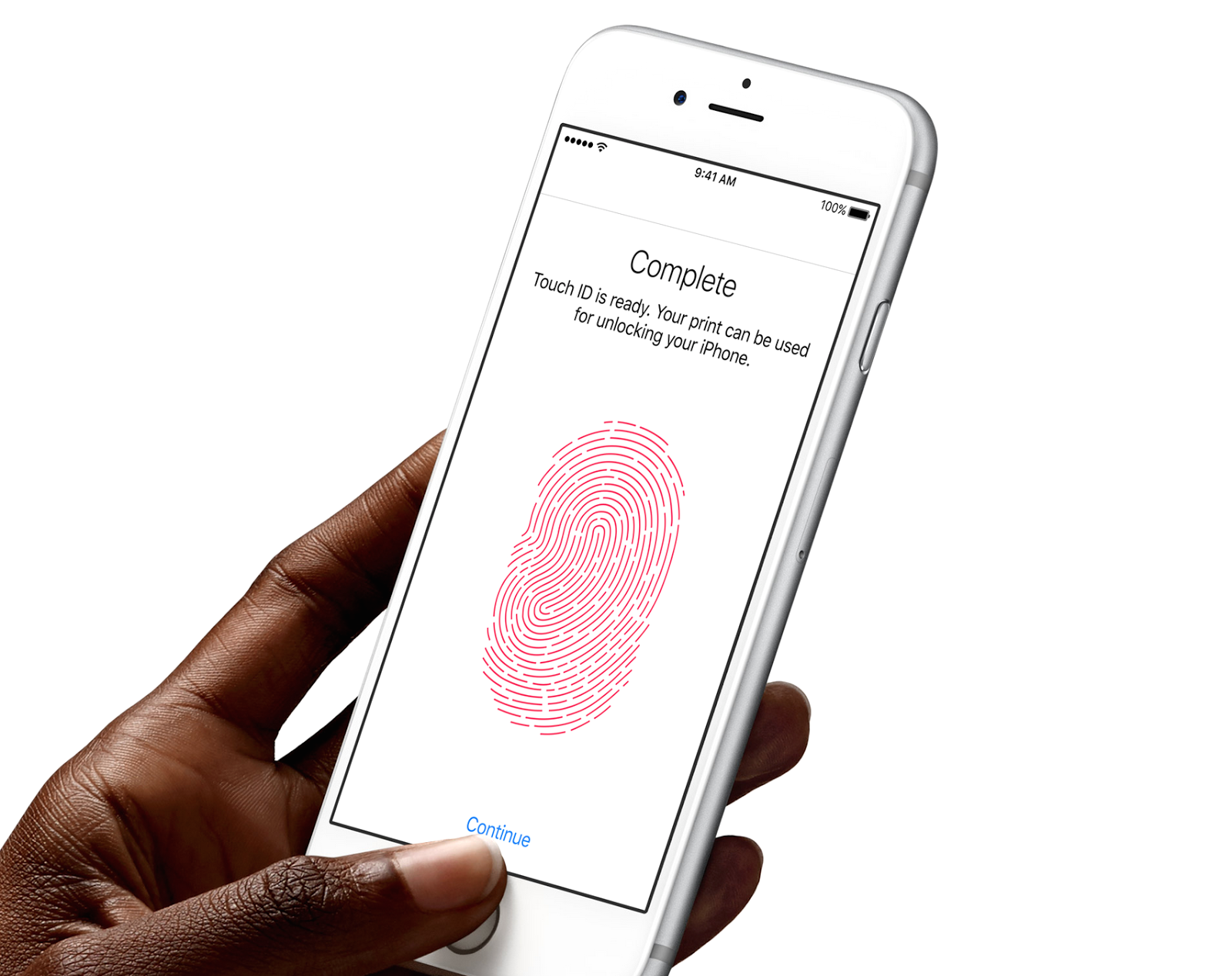
One thing I noticed was the near instantaneous working of TouchID, which integrates a fingerprint scanner into home button and does away with the need for punching in a 4-digit password. Apple made security unobtrusive with TouchID on the iPhone 5s and the 6s takes it one level higher, and it’s definitely another productivity win for Apple.

Battery Life, Won't last you Longer!

While the iPhone 6s and 6s Plus reportedly have slightly lower capacity batteries as compared to the iPhone 6 and 6 Plus, battery life has been reported to be the same by most reviewers and by Apple too, thanks to software enhancements. So perhaps nothing to worry about there, though bigger is always handier when it comes to battery life.


So I'd say according to specs the iPhone 6s is the winner... But considering the price, I'd say only the successful people... Oh I mean only the 6sful people can afford it....
So which one to buy, completely depends on your bank balance, or you could try smuggling it...

 I'll be reviewing the phones soon... So Stay tuned!!

Follow Me on Twitter>>> @iamBhavish
And like us on Facebook>>> The Gud1

Tuesday, July 21, 2015

My Views: 10 hacks every Android user should know!

10 hacks every Android user should know!

I'm back with my favorite genre of the website: My Views, where I provide my views or tips on various topics.

Since Android is an open platform, there’s plenty of room for customization. Beyond personalizing your phone, there are a few easy practices that can keep your phone neat and organized with plenty of battery life to last all day.

Here are 10 tips and tricks every Android user should know.

1. Set up Google Now

Think of Google Now as your personal assistant. Open the Google app, tap Get Google Now, and then fill in your preferences.

You can tell Google Now your favourite stocks, sports teams, and more to get personalized notifications. You can also tell Google Now your preferred mode of transportation for Google Maps.

2. Enable Power Savings mode

Power Saving Mode in Asus ZenFone 5
Navigate to the Settings menu and turn on the Power Savings mode to preserve battery life. Some phones come with a higher-level battery-saving mode, too.

Galaxy S6’s Ultra Power Savings Mode, for example, allows you to send calls, texts, browse the internet and use a few stock apps, but that’s about it.Not all Android phones have a battery-saving mode, but many do.(Luckily my Phone's got One!)

3. Use launchers and lock screen replacements


Sick of staring at that same weather widget every day? You can download apps in the Google Play store that actually let you change the interface of your Android phone. Check out some of our favourite Android launchers and lock screen replacements here.

4. Sign into Google Chrome


This actually isn't an unknown trick or actually a trick.But, If you sign in to your Google account in the Chrome browser on your phone, your bookmarks and preferences will automatically carry over.

5. Get an extra battery


All phones die eventually, and you may not always be near an outlet to charge it. Since many Android phones come with removable backs, you can replace the battery with a fresh one when you’re on the go.(Unlucky enough to have a non-removable battery)

6. Adjust bandwidth management in Chrome


You can turn on the “Reduce Data Usage” option in Chrome, which removes unnecessary whitespace and translates images into a smaller format in order to cut down on how much data it uses while you browse.

7. Organize apps into folders

You can create folders to divide your apps into different categories. This reduces clutter and also makes it easier to find what you need fast. To create a folder, press and hold down on an app and drag it up to the “Create Folder” option on the upper-left-hand side.

On some phones you can also drag and drop an app on top of another to create a folder, just like you can in iOS.

8. Use Google Authenticator to keep data safe

Google Authenticator provides two-step verification security for your Google account. So, when you log in, you’ll need a code generated by the app in addition to your password. This ensures that strangers can’t log in to your account.

9. Use a third-party keyboard


Sometimes it’s easier to swipe than it is to type. You aren’t restricted to Google’s keyboard in Android — there are plenty of keyboard apps to choose from in the Google Play store. Swype, for instance, lets you type by swiping to each letter rather than typing.

10. Change default apps


Ever want to change the default web browser your phone uses when you click on a link? You can change this and other defaults by navigating to Settings, head over to All, and press Clear Defaults.(Its different on various mobiles! If you need help just write below!)

Follow ME on Twitter>>> @iamBhavish
And like us on Facebook>>> The Gud1