Showing posts with label Windows 10 upgrade. Show all posts

Wednesday, July 29, 2015

Microsoft’s Windows 10 launches today: Here’s a checklist to follow before you upgrade

Microsoft’s Windows 10 launches today: Here’s a checklist to follow before you upgrade

Microsoft is revamping Windows. It’s newest flavour of the Windows operating system launches today. 29 July is marked on many calendars across the globe. Given that it’s the first time Microsoft is making a major release a free upgrade, it’s quite interesting! There’s a catch though. All genuine users of Windows 7 and Windows 8.1 are eligible for the free upgrade for up to a year.

Eligibility check

According to Microsoft, the Windows 10 operating system will be available as a free upgrade for qualified devices running Windows 7 and Windows 8.1. Yes, for free!

You may be desperate to claim something that is available for ‘free’ on the first day itself. And you need to decide whether or not you want to. The launch day is tomorrow. But you might just want to wait it out.

Before you decide to upgrade it’s important to understand the real deal behind Windows 10.

Check your system specifications

If you decide to not wait it out and opt-in for the upgrade, you will need to ensure that you run the latest update of the operating system. If you run Windows 7, then you should have installed SP1. If you haven’t, you can download it here. Similarly, if you are on Windows 8, then the Windows 8.1 update is a must to be eligible for the upgrade to Windows 10.

The minimum hardware specifications to run Windows 10 are as follows:

Processor: 1 Gigahertz (GHz) or faster processor or SoC
RAM: 1 Gigabyte (GB) for 32-bit or 2 GB for 64-bit
Hard disk space: 16 GB for 32-bit OS or 20 GB for 64-bit OS
Graphics card: DirectX 9 or later with WDDM 1.0 driver
Display: 1024×600


How do you upgrade?

I'd written before on how you could reserve your update for the new Windows 10. Here's in short for readers who haven't read it.


Assuming you have weighed all factors that need to be considered, and have decided to upgrade to Windows, all you need to do is install the Get Windows 10 app.

You could click on the Windows icon on the Windows icon on the system tray (at the right end of the taskbar).

Once you click on the same, you can Reserve your free upgrade!

What if you don’t upgrade?

You can still buy Windows 10! Windows 10 Home edition will cost you $119 (Rs 7,000 approximately). In comparison, Windows 10 Pro edition will cost you $199 (Rs 12,000 approximately). If you prefer upgrading from the Home edition to the Pro edition, you can opt for a Windows 10 Pro Pack at $99 (Rs 6,000 approximately).

Follow ME on Twitter>>> @iamBhavish
And like us on Facebook>>> The Gud1

Friday, July 3, 2015

Microsoft gears up for surge in Windows 10 demand; upgrades will happen in phased manner

Microsoft gears up for surge in Windows 10 demand; upgrades will happen in phased manner

Microsoft is going all out to ensure that a billion device run Windows 10 – its latest operating system. With a little over three weeks to go before Microsoft Windows 10 is available to consumers, Microsoft Executive Vice President of Operating Systems, Terry Myerson, said on the Windows blog, “We’ve been really pleased with the strong response to Windows 10 since we kicked off reservations in early June, with millions of reservations. We want to make sure all of you have a great upgrade experience, so we’ll roll-out Windows 10 in phases to help manage the demand.”

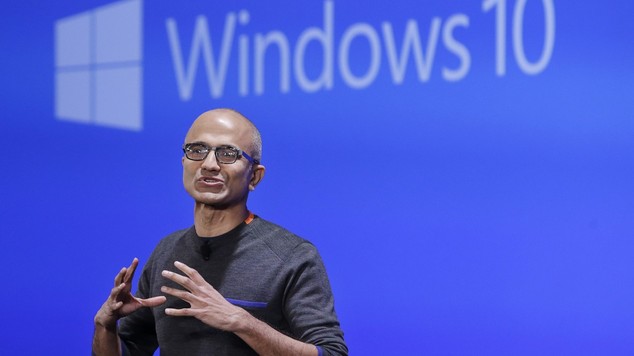
Late last month, Microsoft CEO Satya Nadella sent a memo which first appeared on Geekwire. According to the memo, Nadella laid emphasis on the new direction forward for Windows and the importance of cloud technologies. The key highlight of Nadella’s memo was:

“Every great company has an enduring mission. Our mission is to empower every person and every organization on the planet to achieve more. I’m proud to share that this is our new official mission statement. This mission is ambitious and at the core of what our customers deeply care about. We have unique capability in harmonizing the needs of both individuals and organizations. This is in our DNA. We also deeply care about taking things global and making a difference in lives and organizations in all corners of the planet.”

To ensure that there are no glitches due to a surge of demand, Microsoft will carry out the upgrade to Windows 10 in phases. The blog adds, “Starting on July 29, we will start rolling out Windows 10 to our Windows Insiders. From there, we will start notifying reserved systems in waves, slowly scaling up after July 29th. Each day of the roll-out, we will listen, learn and update the experience for all Windows 10 users.”

Microsoft wants to lay emphasis on experience with its most important upgrade till date. It is now an organisation-wide mandate from Nadella to:

“Reinvent productivity and business processes Build the intelligent cloud platform
Create more personal computing”

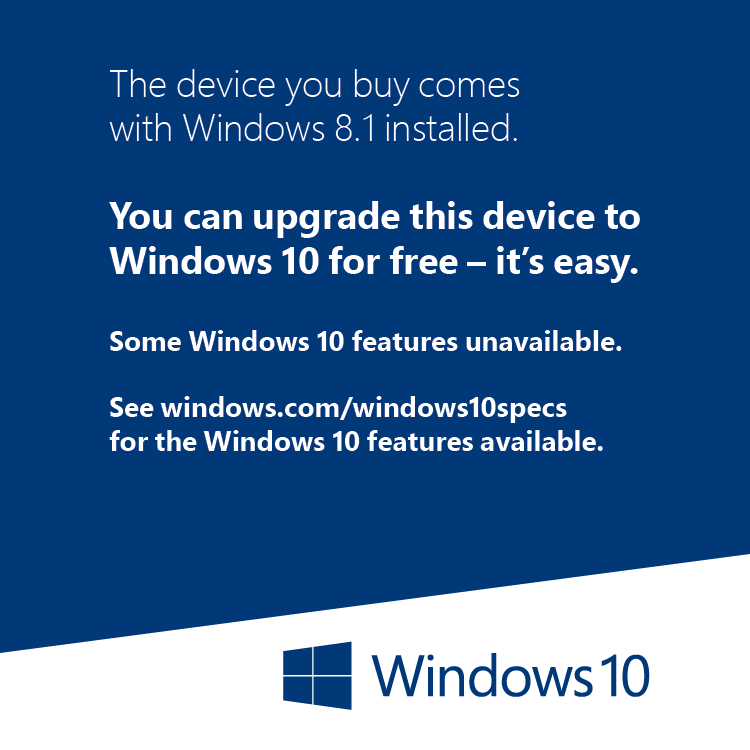
Microsoft is doing everything possible to give its customers the best possible user experience. Microsoft tools would check your system to ensure that it fully complies and it compatible with the requirements of Windows 10 before prompting you for an upgrade. Existing inventory in retail stores will have a compatibility check sticker on it to ensure it can provide the required user experience with Windows 10.


Earlier, Microsoft had announced that users could reserve their free upgrade that will be released on 27 July. Expectations from Microsoft Windows 10 are high, and many have pitted it as a viable option for Apple and Google that currently dominate the devices ecosystem.

Follow ME on Twitter>>> @iamBhavish
And like us on Facebook>>> The Gud1