Showing posts with label Microsoft Windows 10. Show all posts

Sunday, August 2, 2015

Windows 10 uses your Internet bandwidth to offer updates to others: Report

Windows 10 uses your Internet bandwidth to offer updates to others: Report –

Microsoft’s Windows 10 launched on July 29 and was available as a free update for Windows 7, 8 and 8.1 users. However, a feature known as Windows Update Delivery Optimisation, which is used to upgrade computers worldwide, might be eating into your internet connection to share updates with others across the web.


According to a reports, this feature is designed to help users get updates faster and is enabled by default in Windows 10 Home and Pro editions. Other Windows 10 editions such as Enterprise and Education too have the feature enabled but designed to use only the local network.

Users can disable this function but the option is buried in the Settings menu for the Windows Update. Users have to click Advanced Options’ and then ‘Choose how updates are received’. This feature works like torrents, with peer-to-peer distribution of files.
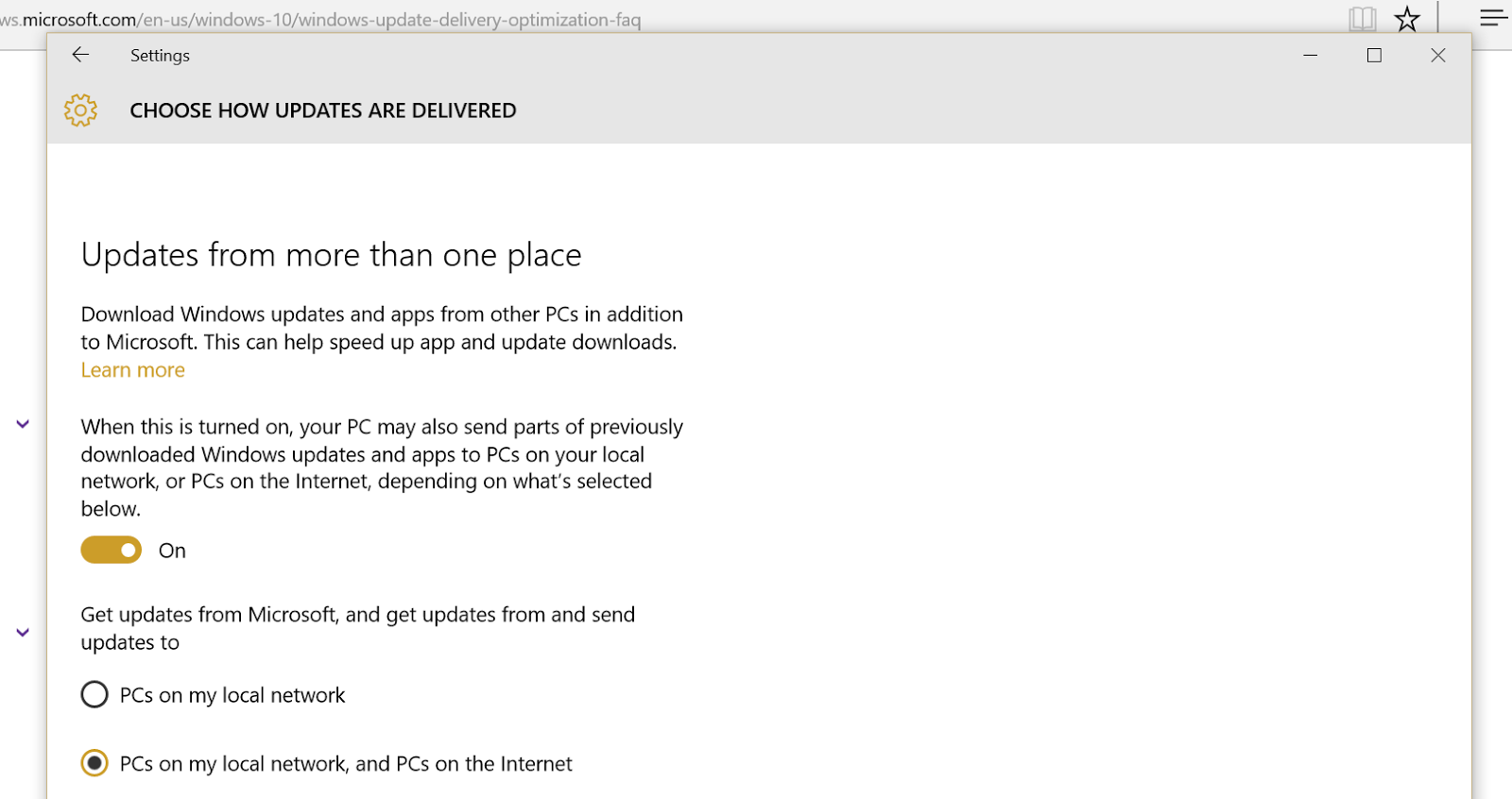

This move seems to be aimed at easing stress for the company’s servers but for most users around the globe these uploads will count against their bandwidth, the report added.

Microsoft responded to this criticism and stated that this feature “helps people get updates and apps more quickly if they have a limited or unreliable Internet connection”. It added that this move “does not slow down your internet connection” as it uses a ‘limited portion’ of idle upload bandwidth. The company also addressed privacy issues and clarified that the Windows Update Delivery Optimisation will not download or send personal content and that it only sends “parts” of the update cache.

Follow ME on Twitter>>> @iamBhavish
And like us on Facebook>>> The Gud1

Wednesday, July 29, 2015

Microsoft’s Windows 10 launches today: Here’s a checklist to follow before you upgrade

Microsoft’s Windows 10 launches today: Here’s a checklist to follow before you upgrade

Microsoft is revamping Windows. It’s newest flavour of the Windows operating system launches today. 29 July is marked on many calendars across the globe. Given that it’s the first time Microsoft is making a major release a free upgrade, it’s quite interesting! There’s a catch though. All genuine users of Windows 7 and Windows 8.1 are eligible for the free upgrade for up to a year.

Eligibility check

According to Microsoft, the Windows 10 operating system will be available as a free upgrade for qualified devices running Windows 7 and Windows 8.1. Yes, for free!

You may be desperate to claim something that is available for ‘free’ on the first day itself. And you need to decide whether or not you want to. The launch day is tomorrow. But you might just want to wait it out.

Before you decide to upgrade it’s important to understand the real deal behind Windows 10.

Check your system specifications

If you decide to not wait it out and opt-in for the upgrade, you will need to ensure that you run the latest update of the operating system. If you run Windows 7, then you should have installed SP1. If you haven’t, you can download it here. Similarly, if you are on Windows 8, then the Windows 8.1 update is a must to be eligible for the upgrade to Windows 10.

The minimum hardware specifications to run Windows 10 are as follows:

Processor: 1 Gigahertz (GHz) or faster processor or SoC
RAM: 1 Gigabyte (GB) for 32-bit or 2 GB for 64-bit
Hard disk space: 16 GB for 32-bit OS or 20 GB for 64-bit OS
Graphics card: DirectX 9 or later with WDDM 1.0 driver
Display: 1024×600


How do you upgrade?

I'd written before on how you could reserve your update for the new Windows 10. Here's in short for readers who haven't read it.


Assuming you have weighed all factors that need to be considered, and have decided to upgrade to Windows, all you need to do is install the Get Windows 10 app.

You could click on the Windows icon on the Windows icon on the system tray (at the right end of the taskbar).

Once you click on the same, you can Reserve your free upgrade!

What if you don’t upgrade?

You can still buy Windows 10! Windows 10 Home edition will cost you $119 (Rs 7,000 approximately). In comparison, Windows 10 Pro edition will cost you $199 (Rs 12,000 approximately). If you prefer upgrading from the Home edition to the Pro edition, you can opt for a Windows 10 Pro Pack at $99 (Rs 6,000 approximately).

Follow ME on Twitter>>> @iamBhavish
And like us on Facebook>>> The Gud1