Showing posts with label AU. Show all posts

Sunday, May 24, 2015

Comparison of a Samsung Galaxy S6 unlocked by Japan's big three carriers

As expected, Softbank Mobile announced that it will also adhere to the new guidelines and begin unlocking phones brought new to market from this month. This includes the Samsung Galaxy S6 Edge. The terms are exactly like Docomo's: unlockable from 180 days after purchase until 90 days after the phone is disconnected. Unlocking within that 90-day window for an out-of-contract product will also require a trip to certain softbank stores and therefore cost ¥3,000 plus tax.

Unlocking terms by carrier

KDDI docomo Softbank
Cost
Free (¥3,000+tax in store) Free (¥3,000+tax in store) Free (¥3,000+tax in store)
Applicable to devices released from
April 23, 2015 May 1, 2015 May 29, 2015
Wait time to unlock
180 days 6 months 180 days
Unlock possible after cancel service
forever for 3 months for 90 days

Galaxy S6 Edge Comparison

Right now, the only phone that will be unlocked by all three is the S6 Edge.

KDDI docomo Softbank
Cost with MNP (without)
¥33,480 (¥55,080) ¥29,808 (¥58,968) ¥21,600 (¥53,760)
Earliest unlocking date:
October 20, 2015* Now November 25, 2015
Unlock cost
free ¥,3000 free
LTE Bands:
1, 3, 18, 26, 28 1, 9, 19, 21, "700"* 1, 3, 5
WCDMA (3G) Bands:
1 1, 5 (or 6?), ? 1, 5, 8
* The exact bands are ambiguous. docomo simply lists "700" which could be one of 12, 13, 14, or 17 or perhaps all may be covered because the frequencies are either adjacent or overlapping. Also, both KDDI and docomo list support for "800". KDDI specifically states this is band 18. I believe that docomo uses band 19. The uplink frequencies are overlapping and the downlinks are close but not adjacent.

Figuring out which bands are supported

KDDI is the only carrier clearly indicating this an in easy to understand way. Their bands are published here. Softbank's are on the product's specs page (SBM S6 Edge). Docomo's are also listed on the spec page, but only for LTE (DCM S6 Edge). To get the 3G bands is a real pain, but docomo will be required to make this more transparent once they release phones under the new guidelines.

Docomo classifies the S6 Edge as a "class 5 world wing" device, which looking up here gives contradictory information. The product pages lists LTE bands "2GHz, 1.7GHz, 1.5GHz, 800MHz, and 700MHz". However a class 5 world wing device supposedly supports LTE Band 1 (2.1GHz), Band 3 (1.8GHz) and "others" such as Bands 4, 17, 20 "etc" as well as "3G" (whatever the hell that means) and "3G850".
LTE(Band 1(2.1GHz)、Band 3(1.8GHz)、その他(Band 4、Band 17、Band 20など))および3G、3G850、GSMネットワークをご利用になれます。
I'm just guessing here, but since the most common 3G band (except in North America) is Band 1 (2100 MHz), I am guessing that "3G" refers to Band 1 and that 3G850 refers to Band 5 (Actually I'm told that what docomo calls "3G850" is actually Band 6). I also assume that it doesn't support AT&T's Band 2 (1900 MHz, aka PHS) or T-Mobile's Band 4 (1700/2100 MHz, aka AWS).

Digging ever deeper into docomo's i–mode-like labyrinth of a website confirms no support for 3G in North America.

Sunday, May 3, 2015

KDDI SIM unlocking conditions are better than docomo's

Both KDDI (PR) and docomo (PR) have announced their respective unlocking conditions in compliance with the new Somusho guidelines. At this point in time, there appears to be some major differences in the KDDI and docomo conditions. Media inquires indicate that docomo will only unlock phones for the original owner, where as KDDI has responded that it will unlock any phone, irrespective of the current owner. (This of course won't apply to stolen phones). Additionally, the rumor is that docomo will only unlock phones for three months following termination of service, even for the original owner.

However, keep in mind the following two points:
  1. Neither company is actually unlocking phones under the new guidelines yet.
  2. Such glaring differences in service conditions have a way of leveling out. (Remember the debacle that was Softbank's tethering and 1.2 GB data cap)
So by the time six months have passed from the release of the docomo summer lineup, it is entirely possible that docomo will match KDDI's conditions (though on the other hand this is docomo who is used to being the ones to dictate conditions to the other carriers – so we'll just have to see). There were (are) no similar restrictions on the unlocking period for docomo phones to which the old guidelines apply.

KDDI docomo
Cost
Free (¥3,000+tax in store) Free (¥3,000+tax in store)
Applicable to devices released from
April 23, 2015* May 1, 2015
Wait time to unlock
180 days 6 months
Unlock possible after cancel service
forever for 3 months
* The "Galaxy S6 edge SCV31" on sale from April 23 from KDDI is subject to the new guidelines and will be unlockable 180 days from purchase. (This phone is also currently unlockable now from docomo but for ¥3,000.)

So is this a good or bad thing? It depends on how you look at it.

Previously, docomo was the only option for obtaining an officially-unlockable phone, and that cost money and time, lots of time if you ended up with incompetent shop staff. It was also difficult to figure out which bands a docomo phone supported. And most incredulously, unlocking your phone pretty much voided the warranty. All that crap will be finished, but there could now be a finite time window during which a docomo phone can be unlocked.

KDDI frequency bands

KDDI has already published a page showing WCDMA and LTE band support of its unlockable phones. Also, I can't help but roll my eyes at the "SAMSUNG" prefacing "Galaxy S6 Edge" ;)


As can be seen here the "Samsung" Galaxy SG Edge will work fine in most of the world except North America, where it lacks support for "GSM" carriers AT&T and T-Mobile. Maybe it'll work on EDGE, but the experience will be horrible.

What about Softbank?

As usual, there is no word at all from Softbank, and the only phones they list as unlockable are the same shitty ones that no one ever bought. They blatantly ignored the old guidelines for quite some a long time. I assume they'll comply this time but not sure when.


Monday, September 22, 2014

How to get a new iPhone with an old data plan

(Short answer: Don't switch to or stay with Docomo.)

All of the Japanese carriers have followed Docomo's lead and introduced new plans with unlimited calling and shared data. A comment on a previous post pointed out that this adds more complexity to the typical Japanese carrier strategy of throwing cash and discounts at people to induce them to switch because of increased minimum monthly costs. To be honest, this year's iPhone release was really boring. I was hoping to see some whacky promotions, but they just never happened, perhaps because the Ministry of Internal Affairs and Communications asked the carriers show a bit of restraint.
“But excessive cash-back promotions and extreme sales competition that create a sense of unfairness for other long-term users aren’t desirable.”

Cost of old and new plans

Comparison of old and new data plans
Old data plan New data plan
Basic voice plan
¥934 (¥743)
¥2700
ISP charge
¥300
¥300
Data plan
¥5,200 (7GB)
¥5,000 (5 GB)
TOTAL
¥6,434 (¥6,243)
¥8,000

The above prices are without tax. I haven't bothered to separate by carrier because they all charge the exact same price. The only difference is in Docomo's old voice plan (shown in parenthesis), but that's only a minor point because it doesn't exist anymore.

The difference in price between the old and new plans is ¥1,566, which equates to about 40 minutes of outgoing calls (at ¥20/30 seconds). Note that the old plan as shown doesn't include any free outgoing calls, even to users of the same network. For someone who makes zero outgoing calls, that's an increase in price of ¥37,584 over a 24-month contract. However this is only the case if you are getting your shiny new iPhone from Docomo.

Docomo forced "upgrade" to new data plan

Not only had docomo discontinued the old data plan as of September 1st of this year, existing customers MUST upgrade to the new data plans to be eligible for a monthly handset subsidy (月々サポート). There is no mention of the voice plan, but (as you may have guessed), getting the new data plan also requires getting the new voice plan. Yay.

The monthly subsidies are what allow you to walk out of a store with a new phone for somewhere between nothing and ¥20,000. The actual cost of the phone is often upwards of ¥100,000, split over your monthly bill for 12 to 24 months. Then the subsidy (typically an equal amount) is subtracted. Remove that subsidy and you will be charged ¥99,792 for a Docomo iPhone 6 Plus.

Softbank and KDDI still offer old plans – for now

You may have been told differently by random Softbank shop staff, but it IS still possible to get a brand new subsidized (and shiny) iPhone with the old, less expensive data plans. (See here for example.)
実質的に新プランしか選べないドコモに対し、au/ソフトバンクはMNPで新規契約する場合にも旧プランが選べ、「毎月割」「月月割」といった毎月の割引が同じように発生する。
Unlike docomo where the only reasonable choice is a new data plan, both AU and Softbank offer the old plans, even for new new users who port over a phone number.
The Softbank white plan is available for new contracts until November 30, 2014. The AU LTE Plan was previously shown to be available until the end of February next year, but there is currently no restriction displayed.

When porting in a new new number (MNP) to either KDDI or Softbank, the old plan base fee (¥934) is waived for two years. These two carriers will also buy back your old docomo iPhone 5S or 5C for about ¥30,000 or so.

Trade in a Docomo iPhone 5S


I'll consider a 1 year old 16GB Docomo iPhone 5S that was bought by an existing customer (no MNP discount). In that case, you probably owe about ¥40,000 on the phone, which is the amount you will be billed for if you cancel you contract and port out your number. Add to that about ¥10,000 for early termination, and the cost to leave Docomo becomes ¥50,000.

KDDI will buy that phone for up to ¥31,000, and the waived base fee (old plan) totals about ¥22,000 over 24 months, offsetting the cost of leaving Docomo assuming you don't then jump to Softbank when the new (and probably shiny) iPhone 6S Plus XL is released next year.

If you stay with Docomo, while they will buy back your iPhone 5S, they won't give you a discount for being a loyal customer, and they will force you to upgrade to the unlimited calling plan, a roughly ¥2,000 monthly increase over the current least expensive voice plan (an additional ¥37,584 over a 24-month contract).

Thursday, July 10, 2014

Paying for things in Korean Won cash using a Japanese Galapágos NFC phone

Android mobile cashbee app icon
mobile cashBee for Android; not just an app for Korean carriers and phones
In the previous posts, I covered how to use your Japanese phone in lieu of traditional "plastic" when traveling overseas outside of Japan. Using credit cards are convenient, especially for overseas travel where a lot of credit cards have mechanisms for after-the-fact disputes and fraud protection. However, depending on your card, you can also be charged fees for non-domestic transactions, and the just-in-time exchange rate between the card's currency and the local currency may not always be in your favor.

This begs the question: are there any countries like Japan where one can pay for things using pre-loaded cash (other than Japanese Yen) stored inside the Japanese phone's NFC?

As a matter of fact, yes: the Republic of Korea.

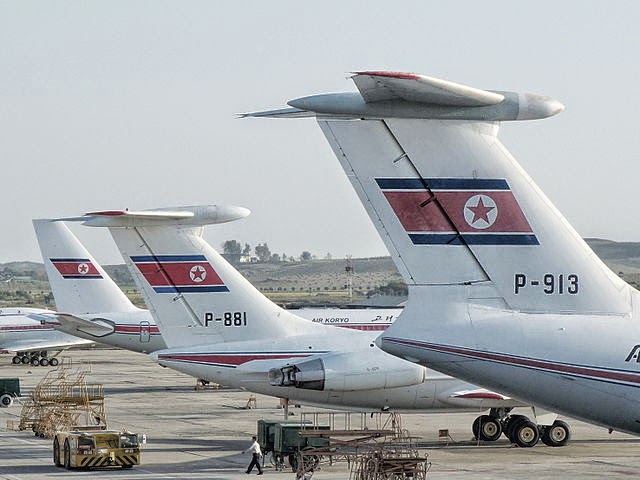
Il-76, Il-62 & Tu-204
No, not this Korea.
As any tourist or resident in Japan knows, having a NFC card or phone to get around the city by subway is super convenient, sparing you the details of having to understand fare charts for complicated transportation systems. The card enables you to slip in and out of the stations without worrying about whether you've underpaid or overpaid for your fare; you can focus on catching the correct train at the correct time. Additionally, the touch-and-go payment allows you to quickly grab a quick snack at a nearby kiosk without having to fumble with currency you're not familiar with.

The best part is: the technology is free with no fees or a required signup *. If you bought a card in Korea, you'd have to pay a deposit fee for the card (which is refunded when you return the card).

As South Korea is one of the closest countries to Japan, it is one of the easiest (and cheapest) international destinations to visit. Before you visit, it'd probably be wise to set this app up if your phone specifications qualify.

* Of course, using the app (rather than a charging station) to reload your NFC with more ROK won causes packets to be sent, and if you're overseas, depending on your broadband or Wi-Fi access (the app, unlike iD, works with either), might be significant. Additionally, your credit card company or bank, not the app, might card you a transaction fee for moving money into the NFC chip.

Competing Technologies in South Korea


Like Japan's pre-loaded cash options (Edy, nanaco, WAON, Suica), South Korea also has a variety of NFC solutions for paying via cash:

many cards are branded
t-money card (티머니 카드 {timeoni kadeu})
In the past, t-money was one of the first major NFC payment cards (introduced around the year 2000) and it is the biggest and still the most popular: primarily used in Seoul. If you were outside of Seoul, you used cashBee. Similar to Kantō (East Japan)'s Suica/Pasmo card vs the cards in Kansai (Western Japan). Nowadays, there's not as much difference geographically as to whether a card is better or more accepted. A big drawback for t-money, from a foreign user's point-of-view, is the proprietary solutions for mobile use: In order for a South Korean resident to use t-money with his phone, they must apply for a non-standard (not a NFC Type A/B) SIM to insert into their phone.
mobile cashBee (모바일 캐시비 {mobail kaesibi})
In the past, cashBee was more predominant outside of Seoul, but this is no longer the case. cashBee is rapidly catching up in popularity and places where it is accepted thanks to its major corporate backing; cashBee is issued my the big Korean corporation Lotte, so much like how anything associated with JR East (such as atre malls) will accept Suica, anything associated with Lotte in Korea will probably accept cashBee. Relatively new, cashBee is an evolution of the Korean NFC system "Mybi", which began in 2000, and all the systems that were compatible with it such as KB Free Pass and KTX Family Cards. The old eB cards (the "B" is where the "Bee" in cashBee came from), UPass, and Mybi were acquired and evolved into cashBee in 2010. The Mybi family of cards is still accepted in places, but the technology has been deprecated.

These are the two major payment systems in use today. Much like Japan, bigger companies are acquiring and re-branding other companies and technology all the time, so there are lots of other minor cards and special limited edition cards which are compatible with the two major ones listed here. And there are other, older systems which have fallen into disuse. Talking about all of them here, though, is outside of the scope of this blog and article. As a tourist, all you need to know is that the above two comprise most of the major offerings in 2014.

How to set up your phone to use it

cashBee, although very similar to Japanese preloaded cash systems used on FeliCa only, is a NFC Type A/B system. This means the same hardware/software requirements are needed that you would need for paying for things overseas with Visa/MasterCard payWave/PayPass:

Desired requirements for maximum usefulness:
  • A Japanese phone with hybrid FeliCa/NFC hardware.
  • A USIM that supports NFC Type A/B
Note that you can still install and use the cashBee app even if you do not meet the above requirements. However, the app will only work in "coupon mode", in that it will show you coupons you can use in Korea at participating cashBee stores, but you will not be able to purchase anything using your phone.

And even if you don't have a credit card, you can still "charge" your cashBee (provided you've launched the app and it has installed itself in the NFC area of your USIM) at vending machine like "charging stations" (or at convenience stores) throughout major cities in South Korea.

Both the NTT version and the KDDI version allow charging of the phone with Korean Won via credit card. The credit card will be billed in Japanese Yen.

Softbank's dog mascot urinating at a press conference
Softbank's mascot, otōsan, can't wait.

Softbank

There is a version of cashBee for both docomo and KDDI/au. The software is identical except that currently the au version is the only one that supports loading the cashBee via Japanese bank 振り込み {furikomi} (domestic wire transfer).

A Softbank version of the app was scheduled to be released on June 30, 2014, but it has been delayed. As of July 10, 2014, it has not yet been released yet.

iPhone and other unsupported app platforms

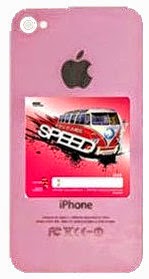
pink iPhone 5c with a NFC sticker on the back
The speed of Steve Jobs,
spinning in his grave
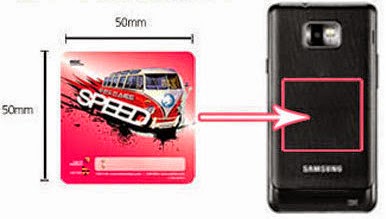
25cm² NFC adhesive sticker
You have a choice of designs to foul your phone
In addition to key chains and other non-traditional (meaning non-rectangular plastic credit card) shapes, cashBee and other forms of e-Money in Korea are available in adhesive sticker form, which you can attach to the back of your phone and pretend you have NFC capability.

You may have seen Japanese iPhone users do something similar to this by buying a case for their iPhone (so you can't really tell it's an iPhone anymore) and inserting their Japan mass transit IC card in between the back of the phone and the case that covers and protects the back. In fact, many iPhone "bumper" cases are sold which feature special slots where you can insert this card and pretend you have an Android phone.

Don't put one of these stickers on a phone that already has NFC and/or FeliCa: by design, NFC and FeliCa won't work in combination with other cards or stickers at the same time. They cancel each other out.


Where is cashBee accepted?

cashBee logo
Newer but heavily backed
T-Money logo
Older but more established
T-Money is the older, and thus more widely accepted, form of e-Money in Korea. However, cashBee is catching up extremely rapidly. While it's unlikely you'll be able to use cashBee at old fashioned mom & pop restaurants or shops or very high end places, most of the places in major urban areas that offer common consumer day-to-day goods and services offer support for at least one -- and often more than one -- form of electronic cash payment.

Public transportation (subway and buses)

The NTT/docomo version of the cashBee application got the ability to touch & go with the subway and bus systems this summer (2014).

The KDDI/au version of the cashBee will get the ability to tough & go with the subway and bus systems this Autumn (2014).

Like most subway and train systems in Japan, most of the subways in Korea charge based on the the distance you travel, and buses charge a flat fee.

Taxis

Gangnam Style
Probably has a cashBee in his pocket.
Taxis in the following areas of Korea currently take NFC payments:
  • All of 서울 {Seoul}, including:
    • 明洞/명동 {Myeong-dong}
    • 江南/강남 {Gang-nam}
  • 釜山/부산 {Busan}
  • 済州/제주 {Jeju}

Additionally, the taxi companies in these smaller areas also currently accept cashBee:

Korean Taxis
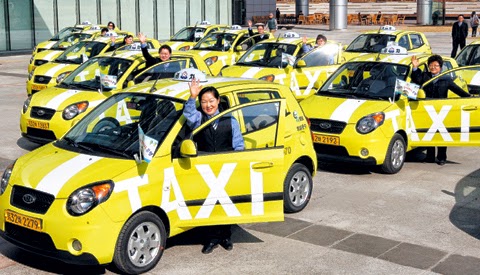
"Deluxe" taxis are black with a yellow sign on top.
  • 京畿/경기 {Gyeong-gi}
  • 仁川/인천 {In-cheon}
  • 江原/강원 {Gang-won}
  • 忠南/충남 {Chung-nam}
  • 蔚山/울산 {Ul-san}
  • 慶北/경북 {Gyeong-buk}
  • 慶南/경남 {Gyeong-nam}
  • 光州/광주 {Gwang-ju}

However, just like in Japan there is an occasional cab that does not accept credit cards or FeliCa payments, there are hired drivers in Korea that do not take anything other than physical cash. So be sure to check before you start the fare.

Convenience Stores

7-Eleven vs. MINISTOP
Residents of Japan are probably familiar with
  • 7-Eleven
  • MINISTOP
which are ubiquitous in Japan. They are also all over Japan. In addition to making purchases, you can also charge (add money) to your NFC card or phone with cash via the register without using a unmanned charging station.

In addition to the two above convenience stores, cashBee is accepted in at least the following "combini":
  • Buy the Way (a Lotte 7-Eleven franchise)
  • CU
  • GS25
  • StoryWay

Fast Food & Family Restaurants


『Q段チーズバーガー』
The Lotteria Japan promotional {}-level cheeseburger
Residents of Japan are probably familiar with:

  • Lotteria: a fast food burger joint by Korean über conglomerate Lotte)
  • Baskin Robbins: better known by its official name in Japan as 『サーティワン』 {"sāti wan"} (31)
  • Krispy Kreme Doughnuts: seems to do better in Asia than its native North Carolina
  • Dunkin' Donuts: the smaller Massachusetts based rival to the more popular (in Japan) known affectionately by its Japanese nickname of ミスド {misudo} (Mister Donut).
and Americans are probably familiar with:
In addition to the above, cashBee is also accepted at:

Lotte affiliated Shopping (Department Stores, etc.)

Lotte Department Store (Myeongdong)

Entertainment (movie theaters, etc)

Sajik Baseball Stadium

Other (Vending Machines, Universities, Toll Bridges & Tunnels)

Lotte "Seven Star" Vending Machine
Chilsung Cider tastes like Sprite/7-Up.

"Recharging" your cashBee

MasterCard and Visa logos
No JCB or AMEX yet.
The convenient part of the Japanese app is it's ability to load money in by billing your credit card. Currently, only MasterCard and Visa are accepted.

No fees are assessed on the cashBee side; whether your card charges you a fee or not depends on your card.

You will be billed in Japanese yen based on standard exchange rates for the day between Korean Won and Japanese Yen.

South Korean Won bills and coins.
Money used on the other side of the Sea of Japan ("East Sea")
The amounts you can choose to load on the NFC UIM Card are:

  • ₩10,000
  • ₩20,000
  • ₩30,000
  • ₩40,000
  • ₩50,000
  • ₩100,000
  • ₩300,000
  • ₩500,000
The credit card credentials are not saved, so your will need to enter the card number, cardholder name, expiration date, and CVC number every time.

If you don't want to charge your NFC UIM by using the internet (perhaps because you are already overseas your international roaming or Wi-Fi is too expensive or limited), you can find a convenience store or charging station machine and charge it with (Korean Won) cash.

Direct Bank Transfer with KDDI/au

au by KDDI
Something au does that DCM can't
Transferring money into your UIM Card via a bank transfer is only slightly more complicated than transferring via credit card; both transactions are instantaneous. Depending on the terms of your credit card or bank, one method may be more advantageous than the other (depending on limits, fees, etc.)

Currently, only three "net banks" (banks without physical branch locations and tellers and vaults) are supported:

Changing phones and limitations

From the application, the minimum amount you can charge (with Korean cash) your NFC UIM with is ₩10,000. The maximum is ₩500,000.

Similar to how most 電子マネー {denshi manē} (e-Money) systems in Japan limit you to a maximum of ¥50,000 per system (for sanity and safety and fraud concerns), cashBee limits you to a maximum charge of ₩500,000.

Money in the UIM card has an expiration date of 5 years from the last use or charge. If not used or charged after five years, the loaded money is voided and lost.

One point Korean/Japanese/English language lesson

『영어완전정복』 "Yeongeo wanjeonjeongbok"
A great 2003 romcom about
South Korea's English complex
In Japanese, the foreign loanword 『チャージ』 {"chāji"} ("charge") is usually used with the nuance of loading money onto a contact-less card or FeliCa/NFC phone; a fancy more specific loanword for the proper/generic Japanese word 入金 {nyūkin} (insert/receive funds/payment).

However, in Korean, the same imported English loanword has the nuance/meaning of "charging [the battery of a phone etc]".

This may lead to a misunderstanding if you ask to "top up/off" (British English) or "load your prepaid card" (American English) your cashBee at a convenience store in South Korea, as charging the batteries of mobile devices actually is a service they provide at many convenience stores in Korea.

It shouldn't be too hard to get your point across by saying "cashBee" and pointing to cash that you want put on your device, though.

Here's how to say

"Please reload 5000 won onto my mobile cashBee."
모바일{mo-ba-il} 캐시비에 {kae-si-bi-e} 5000원 {o-cheo-nwon} 충전해 {chung-jeon-hae} 주세요 {ju-se-yo}

Monday, June 16, 2014

KDDI offer public Wi-Fi free to au smartphone users in Keio train cars

Wi-Fi サービスが利用可能な車両に貼られるステッカー
Sticker at stores/stations/cars showing Wi-Fi support
Starting Tuesday, June 16th, Keio train lines began offering Wi-Fi to all of its smartphone users (Android and iPhone) on the two Keio lines:
  • Keio Line (京王線 {Keio-sen}): 698 cars
  • Inokashira Line (井の頭線 {Inokashira-sen}): 145 cars
The Keio Railway supports much of western Tokyo, with trains running from Shibuya and Shibuya Stations to the western suburbs.

The two main public Wi-Fi services, "au Wi-Fi SPOT" and "Wi2 300", are supported; those who aren't au phone owners but subscribe to the Wi2 service will still be able to access the service. Docomo's Wi-Fi service, "Flets Spot" (フレッツ・スポット {Furettsu·Supotto}), is already supported.

These Wi-Fi services aren't complimentary to the general public: they're complimentary for most Japanese smartphone users. Why offer Wi-Fi to people that already have a LTE or 4G connection? A few reasons:
  • Non-free Wi-Fi is almost always faster and has less latency (even compared to 4G) during rush hour when tens of millions of people are commuting and trying to use their phones all at the same time.
  • The Wi-Fi connection will work not just at stations, but inside tunnels as well.
  • Using the Wi-Fi does not count against monthly quotas your mobile data plan may have.
au Wi-Fi接続ツール
au's background helper app/widget
for Android
Because every carrier's "supplemental" Wi-Fi is not open, all the providers have provided applications (often with Android auto-connect apps/widgets or an automatic iPhone Profile) to allow you to connect to the Wi-Fi almost automatically without needing to authenticate through a "Wi-Fi capture portal".

I habitually connect to docomo Flets Spots — my current provider, although I've used them all — whenever I am at my commuting stations, as getting enough bandwidth to do something intensive (streaming video or updating an app) is very difficult during commuting rush hour.

In a previous post, I criticized the au Wi-Fi for its lack of coverage. It appears that KDDI is working to correct that deficiency by expanding its coverage beyond just au shop stores.

If you are a mobile phone user in Japan subscribed to a Japanese mobile plan and are frustrated by the performance of the network during peak usage times around the morning/evening commutes, you should probably consider configuring your phone to use your carrier's Wi-Fi for its subscribers.

Thursday, September 19, 2013

KDDI announces "U22" discount, one ups Docomo, Softbank


Looks like the guys at KDDI had to work late. This announcement showed up late last night. Following Softbank, KDDI has now matched Docomo's student discount. Three years waived voice fees and ¥1,050 discount on data.

This is better than the other two offers because it is not limited to students. Like Softbank, any LTE smartphone is eligible.

Tuesday, September 17, 2013

Nexus 7 LTE on sale in Japan


If you access the direct link for the LTE version on the play store, you can add the US version to your cart, and it indicates a 1-2 business days for shipping. However, on the official Japanese Nexus 7 site, it is currently listed as unavailable, though if you choose one of the other versions, you can change that for the LTE version (though the display language switches to English).

North America or European Version


Right now, only the US version is available from the play store in Japan. Both will work in Japan. Neither will grab the NTT Docomo's or KDDI's "800 MHz" bands. This is because there are a ton of bands that are called "800" (even "850" is sometimes called "800").

(Japanese frequency bands)

Docomo's "800" band is Band 19, and KDDI's is Band 18. The EU version supports Band 20, and there is not sufficient overlap on the downlink for this to support Docomo's low frequency (though the uplink does overlap). There is no overlap at all with KDDI at "800 MHz".

So, even though the EU version has "800 MHz" it won't have any benefit in Japan over the US version. This really won't matter at all for Docomo now because they don't seem to have deployed much LTE service on their "800 MHz" band.


North America: LTE Bands 1, 2, 3, 4, 5, 13, 17
Europe: LTE Bands 1, 2, 3, 4, 5, 7, 20

(To display the above information from the official Japanese Nexus 7 site, click 技術仕様, then スペック情報を表示)

Recommended to avoid KDDI


I stand by my earlier claim that the Nexus 7 will suck on KDDI for the immediate future. There are currently problems with Verizon in the US, another CDMA-2000 carrier, who just like KDDI, has rolled out an LTE network. However, the reason for the Verizon suckage is totally different from the reason why KDDI will suck.

[LTE is an evolution of W-CDMA which is in turn an evolution of GSM. CDMA-2000 is based on CDMA. W-CDMA and CDMA-2000 are both "3G" and they are totally different and incompatible technologies.]

Verizon has the proper network to support the Nexus 7, but they refuse to do so, citing the inability to activate a line of service for the device because it lacks a CDMA-2000 radio. If this is true, it's just temporary and mainly an excuse. At activation, the clerk fills out a form on a computer. There is a field for the CDMA radio ID, and if that field is blank, then the the form can't be submitted. Easy to fix — update the activation system.

There are two reasons to avoid KDDI with the Nexus 7 LTE:
  1. No CDMA-2000 radio in the Nexus 7 LTE, so the device can't fallback to "3G" when LTE is unavailable, which will be...
  2. All the damn time because KDDI's supported LTE network uses Band 1 (2100 MHz), and they recently got busted misrepresenting the coverage, stating Band 1 covered almost everyone when it in fact covered almost nobody at all.
Problem 1 above will remain until Problem 2 is fixed. I'm sure KDDI is building out the Band 1 network as fast as possible. The issue with Verizon just shows how difficult it can be to deal with a CDMA carrier, some of which don't even have RUIM cards.

Nexus 7 as an indicator of unlocked iPhone 5S/C performance with a Docomo Xi SIM


The iPhone 5 technically supported Docomo's Xi network (Band 1, 2100 MHz), but it never really worked. Using an unlocked device with a Docomo contract requires using Mopera as the ISP, as opposed to sp-mode. There has been speculation whether the problems with the Mopera APN were purposely caused by Docomo, Apple, or both.

I think there should be no problems with the iPhone 5S or 5C with a Docomo contract and Mopera as the ISP. I'd speculate that an Apple carrier.plist preference file was denying a connection to Xi with a Docomo (44010) SIM. I could be wrong.

If you can bring an unlocked Nexus 7 LTE to Docomo and use the Mopera ISP with no problems, then it shows that the Docomo is NOT actively preventing non-branded devices from accessing the Xi network.

Docomo iPhone 2-year total cost is the least expensive - for some


Here is a comparison of the total cost (over a two year contract) of the iPhone 5S on the three Japanese carriers. If you believe it, the 2-year cost of a docomo iPhone is in all cases either less expensive, or the same cost, as rivals KDDI and Softbank Mobile (SBM).

This is not quite the case.

As I mentioned previously, docomo is more heavily subsidizing the hardware cost and offering the same subsidy to both existing and new customers. However, docomo's MNP (Mobile Number Portability) discount is only for one year unless:
  • you are either a student (3 years) or
  • you are a returning docomo customer (2 years)
If you are neither, then add ¥780 x 12 months (¥9,360) to the MNP prices in the screenshot above, and over 2 years you'll pay ¥147,960, ¥158,040, or ¥168,120 for the 16, 32 and 64 GB models, respectively. This is exactly ¥9,360 more than the 2-year cost with KDDI and SBM's MNP discount.

The highest and lowest


Considering the full possible range of prices, docomo wins. The absolute lowest 2-year cost of a docomo iPhone 5S is ¥113,400 for a 16 GB model with MNP and student discount. The highest cost is ¥177,480 for an existing customer (or one who doesn't port over a phone number from another carrier) for the 64 GB model.

For KDDI and SBM, the range is ¥138,600 to ¥198,800, which is ¥21,320 to ¥25,200 to more expensive than docomo.

From where does this difference originate? In the case of the most expensive, Docomo is offering the standard Xi voice plan price of ¥780, ¥200 less than the other's voice plan, which adds up to ¥4,800 over 2 years. The remaining ¥15,000 reflects Docomo offering the same hardware subsidy to existing customers. The difference in the least expensive price originates from the data discount offered to students.

Bottom Line


Docomo costs less if:
  • you are a student (absolutely the best deal)
  • you a returning docomo customer
  • you have no existing mobile contract in Japan
  • you are an existing AU or SBM customer
Docomo costs more if:
  • you are not a former customer and porting over a number

Friday, September 13, 2013

Comparison of iPhone prices between Docomo KDDI and Softbank

Below is a table via engadget Japan comparing the subsidized final cost of the iPhone 5S and 5C for each carrier. NTT Docomo is not surprisingly the most aggressive with pricing, and they're the only one to offer the phone at the same price to both new and existing customers. The Docomo price for the 16GB 5C is not a typo.

Remember, these are subsidized prices. This is not the full retail price that you would owe if you cancelled your contract early. Docomo's unsubsidized prices are significantly higher than the other two carriers. The 16GB 5C costs well over ¥90,000 unsubsidized, which is nearly double the price of the though KDDI and Softbank.

For most people, this won't be an issue, but if there is any chance that you cannot complete your contract obligation, do not buy an iPhone from Docomo. Coming back to the 16 GB 5C, if you use it over the full two years, Docomo will pay you ¥ 6,300, but if you have to cancel after only a few months, you'll owe docomo close to ¥90,000.

docomo
Kddi
Softbank
New/Existing
New
Existing
New
Existing
iPhone 5S 64GB
¥20,160
¥20,640
¥34,680
¥20,640
¥34,680
iPhone 5S 32GB
¥10,080
¥10,320
¥24,480
¥10,320
¥24,480
iPhone 5S 16GB
¥0
¥0
¥14,160
¥0
¥14,160
iPhone 5C 32GB
¥0
¥4,800
¥14,160
¥4,800
¥14,160
iPhone 5C 16GB
-¥6,300
¥0
¥3,240
¥0
¥3,240

Thursday, September 5, 2013

A Docomo iPhone could FINALLY disrupt SIM locking in Japan


As far as I see it, the most interesting potential outcome of a Docomo iPhone is enhanced unlocking of phones between Japan's two large W-CDMA carriers, Softbank and Docomo. This will eventually encompass KDDI as Voice over LTE replaces 3G. (KDDI is currently immune to unlocking because they use an incompatible CDMA-2000 network for voice communications.)

Recap: The origins of SIM unlocking in Japan


SIM unlocking (as it's referred to in Japan) started several years ago, following Softbank Mobile's successful introduction of the iPhone 3G. NTT Docomo found itself on the defensive, for the first time ever, and you do have to sympathize just a little with the the arrogant bastards. Survey upon survey told them exactly what people wanted in a phone: mobile payments, water resistance, infrared, solar panels, one seg, pedometers, labyrinthine mazes of menu options, and an eyebrow plucker. The iPhone had none and this, Apple had no experience making phones, and Macs held a dismal share of the PC market in Japan.

And yet the iPhone quickly achieved unprecedented popularity in Japan, prompting Docomo to attempt to sidestep Apple by successfully pushing for the introduction of SIM unlocking guidelines.

(See our coverage of the debate, including an overview plus the opinions of Docomo and E-access, KDDI, and Softbank.)

"Guidelines" as set forth by the the Ministry of Infrastructure and Communications are just that - they are voluntary and not "requirements." However, in practice, telecommunications entities followed them. Up until now. Softbank simply refused to comply with the unlocking guidelines, even following contract completion (and even as they were buying back phones, unlocking them, and reselling them in emerging markets).

And so we fell into a stalemate.

KDDI and E-access (Emobile) are, for various reasons, not relevant to the SIM lock debate; it currently revolves around Docomo and Softbank. Softbank holds the coveted iPhone and no offering from Docomo has proved popular enough to make unlocking an issue to enough consumers. Here's why I think this will change if Docomo sells the iPhone.

Implications of an unlocked Docomo iPhone


Softbank phones are not compatible with the budget data and voice plans offered by MVNOs because Docomo provides the infrastructure. This means that only unlocked phones (or Docomo phones) are compatible. Several years ago, this would not have been an issue, but the MVNO space, led by Japan Communications Inc, has seen substantial growth.

(Comparison of all Japanese MVNOs.)

Many household names such as OCN, Panasonic, and Rakuten have entered the fray, lending legitimacy, in the eyes of the average (non-techy) consumer, to the notion of mobile phone service provided by an entity that is not an actual mobile phone carrier. This results in a higher intrinsic value for a device that works with Docomo versus one that does not (all other things being equal).

If NTT Docomo does indeed carry the iPhone, and if they continue with their tradition of unlocking all their devices, then this would create a large feature disparity between Japanese iPhone carriers. Any discrepancy in value is amplified by the fact that, once you wade through all the fuzzy math to arrive at the out-of-pocket cost of hardware and service, the total cost is almost always the same for similar devices across competing networks.

Recall that previous iPhone feature disparity, with respect to tethering and data caps, left Softbank on the brink of a customer revolt. This was narrowly averted by a yarimasho (aka executive order) from CEO Son. Softbank had no choice but to offer free tethering and ease data caps to match the value offered by KDDI. (Microsoft should have seen a similar reaction coming with the Xbox One versus the PS4.)

Unlocking phones is a slippery slope for carriers. I believe that NTT Docomo will, after making such a stink about unlocking and vowing to unlock all their phones, have no choice but to unlock any iPhone they may sell, just as they currently do for all Android device. If this creates a strong enough feature disparity, Softbank will be forced to follow, and they would lose any justification for keeping their Android devices locked.

win win.

Sunday, August 25, 2013

LTE version of Google Nexus 7 will probably suck with KDDI, for now

UPDATE: KDDI has announced the sale of the wifi-only Nexus 7, and Engadget Japan has a more detailed article [J]. ¥39,800 for the 32 GB LTE model. Supported technologies and frequencies are:

4G LTE 700, 750, 850, 1700, 1900, 2100 MHz (Bands 1, 2, 4, 5, 13 17)
HSPA+ 850, 900, 1900, 2100, AWS (1700, 2100) MHz (Bands 1, 2, 4, 5, 8)
GSM 850, 900, 1700, 1900MHz

As suspected, it does not support CDMA-2000 and it does not support LTE Bands 11 and 18 (1500 and 800 MHz), which means that with KDDI, the only option will be Band 1 LTE, which in May had extremely limited coverage.
N7 LTE with KDDI?
A new post on Engadget is, without any citing any sources, announcing that the LTE version of the Nexus 7 will be available in Japan within a few weeks. Unlike iPads sold in Japan, it will of course be unlocked ("SIM free") for use with any carrier. According to Mat Smith at Engadget:
Google says it'll work on all three of Japan's major carriers (DoCoMo, Softbank and KDDI's au).
Technically that is true, because all operate a Band 1 LTE (2100 MHz) network. However, if you intend to actually have a good mobile experience, we recommend staying away from KDDI, for now.

KDDI lacks the appropriate LTE coverage

You may recall that back in May, KDDI was caught greatly exaggerating their Band 1 LTE coverage. They claimed over 95% coverage, when in fact they had less than 15% and no plans for expansion. While KDDI is certainly working to increase coverage, that's just an amazing misrepresentation. KDDI does have the stated LTE coverage with Bands 11 and 18 (1500 and 800 MHz), but unless the modestly-priced N7 has some uber multiband LTE radio, the only way to support all Japanese carriers is with Band 1, and KDDI doesn't have the coverage.

KDDI 3G is likely incompatible

If you use LTE in Japan and pay attention to the network displayed in the status or notification bar, you'll notice that it often falls back to "H" or "3G", indicating no LTE signal. The problem is that, unless the N7 LTE model includes a dual WCDMA/CDMA-2000 radio in addition to the LTE radio, there will be no fall back for KDDI users.

Instead, what will most likely happen right now is, anytime you would see an "H" or a "3G" icon with a SoftBank or docomo SIM, you'll see a BIG RED X or 圏外 (out of area) icon with KDDI.

Wait for clarification

Of course anything is possible. Yes, LTE coverage will improve with time, and yes, Apple makes LTE hardware that fully supports SoftBank (WCDMA) and KDDI (CDMA-2000). Therefore it's not impossible for the N7 to do the same. It is just highly unlikely to get that in a budget tablet priced between 30,000 and 40,000 yen. Even a Japan-specific model seems unlikely at that price, given the total increase in manufacturing costs.

It could be as long as a month before it's available if the Engadget article is correct. We'll be sure to keep you appraised of carrier options. As we've long said, an MVNO is perfect for a second, data-only device.

Tuesday, May 21, 2013

KDDI advertising greatly misrepresented iPhone LTE coverage area

UPDATE: Nikkei article now online (in Japanese and behind a registration wall).
UPDATE 2: The government Consumers Affairs Agency has an official announcement here (PDF). All I can say is just WOW!

iPhone 5 75 Mbps LTE service [Band 1 (2100 MHz)] was extremely limited at launch. In addition, The stated plans for expansion to 96% was limited to the LTE bands used by Android smartphones [Bands 11 and 18 (1500 and 800 MHz)], and there were in fact no plans to expand iPhone LTE coverage. Thus, as of March 31, 2013, iPhone 5 75 Mbps coverage is at only 14% of the population.
対象役務の提供を開始した時点において、iPhone5を使用した場合に75Mbpsサービスを利用できる地域は極めて限られていた。また、前記アの表示をした時点において、平成25年3月末日までに全国のほとんどの地域において75Mbpsサービスを提供する計画があったのは、Android搭載スマートフォンが送受信できる対象役務に係る電波の周波数帯域に限られており、iPhone5が送受信できる対象役務に係る電波の周波数帯域については、平成25年3月末日までに全国のほとんどの地域において75Mbpsサービスを提供する計画はなかった。このため、平成25年3月末日時点において、iPhone5を使用した場合に75Mbpsサービスを利用できる地域は、実人口カバー率14パーセントの地域であった。

96% coverage including the iPhone by April 2013.
Back around the announcement of the iPhone 5, I recall being utterly amazed that AU by KDDI could build out their 2100 MHz (Band 1) LTE network from 0 to cover 96% in about half a year. Their existing network relied on 1500 and 800 MHz (Bands 11 and 18), which is what their other smartphones are using.

More on Japanese frequency bands.

I don't recall saying anything at the time, but I should have because it was indeed too good to be true. The 96% was the coverage percentage NOT for the iPhone network but for their OTHER networks.

The predicted coverage rate by April 2013 for KDDI's 2100 MHz iPhone LTE network was actually 14% at the time advertising was produced. The excuse I'm hearing is that the advertising team used the wrong information.

Friday, March 29, 2013

Using Wi-Fi in lieu of OTA on a Galapagos Android

We all remember the mythical good ol' days, when no access points had passwords on them, contracts weren't required, and the entire city was covered with them so you never had to pay for your own internet access? Right? Right? How our memories are so convenient. If you're just arrived to Japan from overseas, you will notice that:

  • There is plenty of Wi-Fi in Japan, but not much of it is unencrypted (a good thing, actually), and even less is free access or registration-less.
  • Most of the Wi-Fi access points in Japan are not for laptops in the coffee shop. They're for smartphones to augment their access speeds and data capacity. They're also for giving data access to shops, bars, and restaurants whose patrons can't get a cellular signal easily (many bars and restaurants are underground and/or have very radio-wave resistant walls.

I often read from people visiting Japan, hoping to avoid paying for net access while they vacation, that they are disappointed about the lack of "free Wi-Fi" in Japan. However, I travel to New York City or San Francisco or other big internet savvy cities, and the "public" or "free" Wi-Fi is often poorly maintained, slow, non-responsive, and unusable. Unfortunately, it's a bit of the "you get what you pay for" dilemma: the commercial Wi-Fi spots that are locked down tend to be fast and reliable because they have to maintain a service level for the paying customers.
    How did Japan get this way? How does it work? Is it any good? To start, let's begin with an ...

    data consumption: D > S

    Intro: 3G/LTE Demand Exceeded Supply

    If you haven't gotten the memo, smartphone technology has saturated the mobile airwaves. Despite Japan's advancements in 3G and LTE, what the provider manages to provide, the smartphones instantly use up.

    Softbank, who entered the smartphone business early in Japan with the iPhone 3G, was often criticized for its supposably substandard bandwidth available for its megabyte slurping Apple toy (Japanese net users have never had to deal with AT&T and the iPhone, so their standards are higher). People complained and complained how the minute Rival X offered the iPhone, they would switch over.

    I know, as I was one of the first early adopters of the Japanese market iPhone. The bandwidth crush would be so bad at times that using streaming applications such as YouTube would be impossible (buffering for up to ten seconds for every few seconds played) during "rush hour" — before 10am and from 5pm until the late in the evening, because that was when everybody else was using there smartphone.

    So I used Japan's regulated MNP (mobile number portability) service to switch to KDDI with an Android phone. Sure enough, KDDI was much, much faster. At least at first, when I was one of the few on the network. Now, KDDI, which was supposed to have a much more robust network than Softbank, has the same sort of traffic jams that people complained about on Softbank now that it has a rich CDMA lineup of iPhones and Androids. I then MNPed over to Docomo. First on 3G. Then with their new LTE network. Same situation. Fast at first when smartphone adoption was low, but now docomo also suffers from the similar bandwidth scarcity slowness as the other networks during rush hour commuter times.
    light waves > radio waves wrt bandwidth

    Wi-Fi Connected to Landlines to the Rescue

    While counterintuitive ("radio waves don't take up any space, why not just allow more radio waves?") to the layman, the problem is that the airwaves are actually scarce and precious resource, and there are literally hundreds of millions of devices in Japan alone competing for it. And they're putting ever more pressure on the airwaves as the devices get bigger (bigger batteries, meaning they're on and used more often), and more complex (applications that use more and more data).

    Wi-Fi is almost (but not always -- see below) connected to a broadband line. Broadband, while also under pressure, is not limited by airspace in that networks can expand capacity and speeds by simply adding more lines.

    Thus, the mobile carriers in Japan decided that it would be best to encourage their smartphone users to use Wi-Fi for their data instead of 3G or LTE as much as possible. This way, it would be a win-win; pressure would be taken off the airwaves, and users would get much less latency (3G and even LTE, which is technically not 4G, have serious startup latency compared to connected Wi-Fi) and probably much higher speeds.

    But "encourage" does not mean "give away": a lot of the providers weren't so gracious as to often the service for free to non-contract devices — especially to phones using competing carriers. But the Wi-Fi plans were added as a subsidized cheap add-on to a data plan, and they often merged their existing Wi-Fi services, and partnered & formed alliances with existing commercial public Wi-Fi providers (ex. FON and UQ for Softbank, FLETS SPOT for Docomo) to make their coverage as comprehensive as possible.

    not all Wi-Fi portals give your browser cookies

    Baking the Solution into the Device

    One of the common criticisms of Wi-Fi by novices, especially now that using them with security by default is no longer considered wise, is that they're too hard to configure. Asking an average non-power user to not only set up the SSID and WPA passwords, but also authenticate every time they wanted to use a hotspot would guarantee minimal adoption.

    Softbank first attempted to tackle this problem by using iOS's built in "Profile" feature in Apple's iPhone. Apple does not allow after-market third party additions to the iOS firmware, and they even scolded Softbank for allowing its salespeople to "helpfully" (meaning often without the customer asking) configure their iPhone by installing Softbank/Yahoo! Japan applications changing the default search engine. Customers had to go to Softbank's site on their phone and manually download and install the profile. Doing this would preprogram the Wi-Fi with all of Softbank's existing (including legacy) Wi-Fi SSIDs and WEP passwords. However, you still had to type your Softbank iPhone "i.softbank.jp" email address and password in the capture portal to connect to the outside world. As the original versions of iOS did not allow for much background internet activity, this was not that debilitating when you would be near a Softbank hotspot yet not logged in; no background applications would lose connectivity due to the switchover from OTA to (capture portaled with no outside access) Wi-Fi.

    The reality is that hardly any Japanese iPhone users installed that special profile. Softbank and other carriers learned from this initial early adopter experience. If they were going to get the average smartphone user to use these "public" access points, the setup would have to be painless, and no extra installation of applications necessary.

    Fortunately, open source Android allows carriers to do this.

    a giant Galápagos turtle

    Galapagos Japanese Android smartphones & Wi-Fi

    Android software is commonly modified by the carriers and the hardware manufacturers with add-ons. In addition to Japanese fonts and input methods that are often better than what the stock builds offer, Japanese carriers have been including Wi-Fi connection daemons in their firmware that can aggressively and automatically switch to a supported Wi-Fi spot whenever one is in range.

    These applications are built into the firmware (they're closed source), and they can be updated from the Play application market from the carriers exclusive channels (A docomo phone cannot see or download the au and SoftBank Wi-Fi applications, for example)

    The setup options are designed to be as painless as possible. In KDDI/au's case, it will extract the "login id" (the "au id") from the phone automatically (which is the phone's phone number), so all the user needs to configure is the password (which can be as simple as a 4 digit numeric PIN).

    How well do they perform? I've had a chance to play with three carriers solutions on a variety of phones over the years. While I need to caveat my information with the disclaimer that these apps are constantly being updated so my information may be a little out of date, I have used all three solutions within the last three months.

    I'll rate them from worst to best.

    Bronze: KDDI/au

    KDDI/au's software has the fewest amount of access points (most of them are inside the KDDI/au shop stores), and the least reliable access software; even when inside a au shop, the software would often fail to "hold on" to a connection or would fail to negotiate with a KDDI/au access point. Of course, during this negotiation phase, your phone will be unusable for about ten to fifteen seconds, wasting your time.

    The other problem with KDDI's software is that of the software solutions here (none are perfect), it is the least likely to "play nice" with the built-in Android Wi-Fi auto-connect logic. It is only through trial and error that I managed to get it to work well with the long list of password protected and non-protected list of SSIDs within my device.


    One unique feature of KDDI right now is the availability of its access points on some city buses. As to whether this will provide an advantage over using your own phone radio remains to be seen.

    KDDI's software is the easiest to configure of the three reviewed here. It's almost "install and go", if it's not already baked into the firmware.


    I have not had a chance to test out how well the KDDI iPhone connects to their network — only Android Gingerbread based devices.

    Silver: Softbank

    Softbank has made a lot of deals with affiliates such as FON and other Wi-Fi providers, and its software connects to them all. Softbank was the first to innovate in the "supplement their mobile with Wi-Fi" area out of necessity: they were the first to carry the iPhone in Japan, and the Apple users soon overwhelmed their capacity, especially during commuter rush hours.

    In addition to affiliates, they also have a lot of other legacy connection points due to their previous incarnations and deals with Vodaphone and J-Phone.

    Softbank's weakness is that some of their affiliates (which their software knows about and will attempt to connect to any of them indiscriminately) are of questionable quality and speed — especially the user crowdsourced access points. You are often better off using your own mobile radio than the "Softbank" Wi-Fi access.

    Fortunately, Softbank allows you to configure as to whether you want to connect to FON access points (the least reliable) separately from the Softbank access points.

    Gold: Docomo

    Docomo doesn't have as many access points or affiliates as Softbank. But when it chooses to partner with affiliates, it seems to choose partners that maintain a high service quality level. For example, docomo tends to work very will in the Tokyo Subway (not the Tokyo metro). It works well on the Narita Express as well.

    Docomo's software also allows you to connect to overseas Wi-Fi as well, called "World Wing Wi-Fi". This is a separate, non-free service with separate credentials that I have not had a chance to evaluate. I do not know how good the coverage is or how well it works.

    Docomo's drawback is that the software can be a bit hard to configure if you try to avoid carrier-lock in and don't use any carrier services. Initially, I found configuring the special ID and passwords can be trickier than the other services. Docomo goes overboard on security/configurability where it wants a separate user id and password for a lot of its services. Sometimes it difficult to remember which docomo username/password/pin corresponds to which service.

    Docomo does has a nice mode in its software called "home mode" where you can tell it the SSID and credentials of your "home" Wi-Fi and it will treat this as special; it will allow you to toggle auto-connect (even when you do not auto connect to Docomo networks) to your home network and gives you a visual indicator with its on-home screen widget.

    Weaknesses of all solutions and proposals for improvements

    • The logic in the auto-connect for KDDI/au and Softbank could be much improved. The problem with the aggressive auto-connect is that when you're walking down the sidewalk outside, you will inevitably walk by a few cafés and stores that have carrier-sponsored or carrier affiliated setups. The problem is the switchover: often times the switchover causes a disconnect/abort of whatever you happen to be downloading or streaming.

      If you're browsing web pages, this is not a problem as the cycle for web pages is download burst and disconnect, a long period of net inactivity while you read, then a click on a link for another burst.

      However, if you're watching a video or doing something that requires a connection, often the switchover from mobile to Wi-Fi causes whatever your doing to stop. Depending on the intelligence of the application, this may or may not require you to restart whatever you were doing manually; even worse, you may have to restart from the beginning.

      And if you do restart with the new Wi-Fi connection, often you will only have that connection for about 10 seconds before you walk out of range and have to restart the connection resume process again.


      The solution is to either sense that you're not simply "passing by" the Wi-Fi spot. Either a heuristic or manually configurable setting should allow you to tell the software to only connect if you're staying near the Wi-Fi spot for some time (for example, eating/drinking at the bar or restaurant with the Wi-Fi spot).
       
    • Softbank's network of Wi-Fi spots uses a lot of FON and user contributed devices ("crowdsourcing"). While this gives you access to a LOT of spots and availability, the quality of these "user maintained" access points is often questionable. The problem is some of these routers may be on but are often left unplugged into a landline broadband or mobile cellular device. Thus, the device connects yet it's a "road to nowhere" from net connectivity. These "bogus" spots are not deliberate. Some people physically disconnect their routers from the internet and forget to turn the router off. Others are simply neglected.


      The solution here is much harder; the solution would be to do what Android devices do: Android devices ping Google occasionally to see if the connection it has made (when the Wi-Fi meter turns from black to gray) can get to the outside world, and then turn the meter from gray to blue or green when a connection to the outside world can be confirmed.

      Unfortunately, this isn't something that user-level software can do without disrupting the existing mobile connection; standard Android builds don't yet allow for the use of the mobile broadband radio and the Wi-Fi radio at the same time.
       
    • A lot of bars and restaurants in Japan are located underground or in buildings that have difficulty getting a mobile cellular signal. These restaurants will provide, as a service to their patrons, a Wi-Fi router so their customers phones can use the internet via their Wi-Fi. What they'll do is put the Wi-Fi router near the stairwell or entranceway of the restaurant and connect this router to a mobile router, essentially "bridging" from where the mobile cell signal is reachable to the customers tables inside with Wi-Fi.

      The mobile carriers encourage this solution, giving the restaurants stickers to place on their entranceway to place alongside their "Visa and Mastercard and JCB accepted" stickers; patrons seeing this know they can relax without having to sacrifice (data) connectivity indoors.

      The problem with this solution is often the modern phones (LTE) the customers have are faster than the speeds the restaurant's mobile router provides (often just 3G). And even if the restaurant does have LTE or faster, multiple customers using the same access point mean the access point is often quickly saturated.

      Furthermore, the "bridge" is often located in a sub-optimal spot (not near a place with a good signal) and doesn't have "full bars", meaning the connection may not be full speed — or worse, drop out occasionally.


      The solution to this is to have the software judge the quality of the Wi-Fi provided and the speeds it provides. If your phone can get a better connection or faster speed with its own cellular radio, it should use that instead of the Wi-Fi spot. Unfortunately, this solution is similar to the previous solution, in that it's not something that user software alone can solve — a modification would be needed to the Android net stack to allow the Wi-Fi switching software to probe and test the connection while the cellular radio was still doing its thing for the user.
    All of the solutions, depending on their software version, have difficulty "cooperating" with the built-in Android Wi-Fi auto-connect software. Sometimes the daemon fights with the onboard daemon as to which one should take priority regarding which site to connect or disconnect to. The is especially true with Jellybean Android, which, similar to iPhone, understands the concepts of "login capture portals" and provides special support for them in the status bar and browser.

    As KDDI, Softbank, and docomo all make their own custom versions of Android, they should work on their version of Android to make sure that their solution is better integrated and their Wi-Fi auto-connect software works more in harmony with the built in Wi-Fi auto-connect software,