Showing posts with label Softbank. Show all posts

Sunday, May 24, 2015

Comparison of a Samsung Galaxy S6 unlocked by Japan's big three carriers

As expected, Softbank Mobile announced that it will also adhere to the new guidelines and begin unlocking phones brought new to market from this month. This includes the Samsung Galaxy S6 Edge. The terms are exactly like Docomo's: unlockable from 180 days after purchase until 90 days after the phone is disconnected. Unlocking within that 90-day window for an out-of-contract product will also require a trip to certain softbank stores and therefore cost ¥3,000 plus tax.

Unlocking terms by carrier

KDDI docomo Softbank
Cost
Free (¥3,000+tax in store) Free (¥3,000+tax in store) Free (¥3,000+tax in store)
Applicable to devices released from
April 23, 2015 May 1, 2015 May 29, 2015
Wait time to unlock
180 days 6 months 180 days
Unlock possible after cancel service
forever for 3 months for 90 days

Galaxy S6 Edge Comparison

Right now, the only phone that will be unlocked by all three is the S6 Edge.

KDDI docomo Softbank
Cost with MNP (without)
¥33,480 (¥55,080) ¥29,808 (¥58,968) ¥21,600 (¥53,760)
Earliest unlocking date:
October 20, 2015* Now November 25, 2015
Unlock cost
free ¥,3000 free
LTE Bands:
1, 3, 18, 26, 28 1, 9, 19, 21, "700"* 1, 3, 5
WCDMA (3G) Bands:
1 1, 5 (or 6?), ? 1, 5, 8
* The exact bands are ambiguous. docomo simply lists "700" which could be one of 12, 13, 14, or 17 or perhaps all may be covered because the frequencies are either adjacent or overlapping. Also, both KDDI and docomo list support for "800". KDDI specifically states this is band 18. I believe that docomo uses band 19. The uplink frequencies are overlapping and the downlinks are close but not adjacent.

Figuring out which bands are supported

KDDI is the only carrier clearly indicating this an in easy to understand way. Their bands are published here. Softbank's are on the product's specs page (SBM S6 Edge). Docomo's are also listed on the spec page, but only for LTE (DCM S6 Edge). To get the 3G bands is a real pain, but docomo will be required to make this more transparent once they release phones under the new guidelines.

Docomo classifies the S6 Edge as a "class 5 world wing" device, which looking up here gives contradictory information. The product pages lists LTE bands "2GHz, 1.7GHz, 1.5GHz, 800MHz, and 700MHz". However a class 5 world wing device supposedly supports LTE Band 1 (2.1GHz), Band 3 (1.8GHz) and "others" such as Bands 4, 17, 20 "etc" as well as "3G" (whatever the hell that means) and "3G850".
LTE(Band 1(2.1GHz)、Band 3(1.8GHz)、その他(Band 4、Band 17、Band 20など))および3G、3G850、GSMネットワークをご利用になれます。
I'm just guessing here, but since the most common 3G band (except in North America) is Band 1 (2100 MHz), I am guessing that "3G" refers to Band 1 and that 3G850 refers to Band 5 (Actually I'm told that what docomo calls "3G850" is actually Band 6). I also assume that it doesn't support AT&T's Band 2 (1900 MHz, aka PHS) or T-Mobile's Band 4 (1700/2100 MHz, aka AWS).

Digging ever deeper into docomo's i–mode-like labyrinth of a website confirms no support for 3G in North America.

Monday, September 22, 2014

How to get a new iPhone with an old data plan

(Short answer: Don't switch to or stay with Docomo.)

All of the Japanese carriers have followed Docomo's lead and introduced new plans with unlimited calling and shared data. A comment on a previous post pointed out that this adds more complexity to the typical Japanese carrier strategy of throwing cash and discounts at people to induce them to switch because of increased minimum monthly costs. To be honest, this year's iPhone release was really boring. I was hoping to see some whacky promotions, but they just never happened, perhaps because the Ministry of Internal Affairs and Communications asked the carriers show a bit of restraint.
“But excessive cash-back promotions and extreme sales competition that create a sense of unfairness for other long-term users aren’t desirable.”

Cost of old and new plans

Comparison of old and new data plans
Old data plan New data plan
Basic voice plan
¥934 (¥743)
¥2700
ISP charge
¥300
¥300
Data plan
¥5,200 (7GB)
¥5,000 (5 GB)
TOTAL
¥6,434 (¥6,243)
¥8,000

The above prices are without tax. I haven't bothered to separate by carrier because they all charge the exact same price. The only difference is in Docomo's old voice plan (shown in parenthesis), but that's only a minor point because it doesn't exist anymore.

The difference in price between the old and new plans is ¥1,566, which equates to about 40 minutes of outgoing calls (at ¥20/30 seconds). Note that the old plan as shown doesn't include any free outgoing calls, even to users of the same network. For someone who makes zero outgoing calls, that's an increase in price of ¥37,584 over a 24-month contract. However this is only the case if you are getting your shiny new iPhone from Docomo.

Docomo forced "upgrade" to new data plan

Not only had docomo discontinued the old data plan as of September 1st of this year, existing customers MUST upgrade to the new data plans to be eligible for a monthly handset subsidy (月々サポート). There is no mention of the voice plan, but (as you may have guessed), getting the new data plan also requires getting the new voice plan. Yay.

The monthly subsidies are what allow you to walk out of a store with a new phone for somewhere between nothing and ¥20,000. The actual cost of the phone is often upwards of ¥100,000, split over your monthly bill for 12 to 24 months. Then the subsidy (typically an equal amount) is subtracted. Remove that subsidy and you will be charged ¥99,792 for a Docomo iPhone 6 Plus.

Softbank and KDDI still offer old plans – for now

You may have been told differently by random Softbank shop staff, but it IS still possible to get a brand new subsidized (and shiny) iPhone with the old, less expensive data plans. (See here for example.)
実質的に新プランしか選べないドコモに対し、au/ソフトバンクはMNPで新規契約する場合にも旧プランが選べ、「毎月割」「月月割」といった毎月の割引が同じように発生する。
Unlike docomo where the only reasonable choice is a new data plan, both AU and Softbank offer the old plans, even for new new users who port over a phone number.
The Softbank white plan is available for new contracts until November 30, 2014. The AU LTE Plan was previously shown to be available until the end of February next year, but there is currently no restriction displayed.

When porting in a new new number (MNP) to either KDDI or Softbank, the old plan base fee (¥934) is waived for two years. These two carriers will also buy back your old docomo iPhone 5S or 5C for about ¥30,000 or so.

Trade in a Docomo iPhone 5S


I'll consider a 1 year old 16GB Docomo iPhone 5S that was bought by an existing customer (no MNP discount). In that case, you probably owe about ¥40,000 on the phone, which is the amount you will be billed for if you cancel you contract and port out your number. Add to that about ¥10,000 for early termination, and the cost to leave Docomo becomes ¥50,000.

KDDI will buy that phone for up to ¥31,000, and the waived base fee (old plan) totals about ¥22,000 over 24 months, offsetting the cost of leaving Docomo assuming you don't then jump to Softbank when the new (and probably shiny) iPhone 6S Plus XL is released next year.

If you stay with Docomo, while they will buy back your iPhone 5S, they won't give you a discount for being a loyal customer, and they will force you to upgrade to the unlimited calling plan, a roughly ¥2,000 monthly increase over the current least expensive voice plan (an additional ¥37,584 over a 24-month contract).

Wednesday, September 17, 2014

Softbank iPhone 6 America Unlimited plan to provide inexpensive roaming

Updated with a correction on application requirements and some images.
Free calls to both Japan and the United States using Sprint's network.

No service application or service fee for plans over 5 GB.

I was planning on writing up a post comparing each of the Japanese carrier's iPhone 6 plans but that really gets tiring. They are all basically the same. As soon as one carrier outdoes the rest with some promotion, campaign, discount, offer, or other gimmick, the others quickly devising a similar scheme.

Thus, the answer to the question of which carrier is best for you shiny new iPhone is always the same: not you current carrier because
  1. The discounts and cash back offered to people who port their number to a new carrier offset the early termination fee for leaving.
  2. The new plans allow unlimited calling to all mobiles/land lines, so it no longer matters which carrier your friends and family use.
  3. All carriers now have similar coverage across multiple high and low frequency bands.
  4. All carriers now have similar issues with congestions and network slow downs.
However, this year is different. For American expats or people who frequently travel to the United States, SoftBank appears to be the clear winner in the iPhone 6 competition. After purchasing a majority stake in US carrier Sprint, SoftBank is now able to offer deals that Docomo and KDDI simply cannot match.

SoftBank "All You Can America" Plan

The full details are still scarce, but unless there is something profound that is being held back, the new US roaming plan from Softbank looks pretty nice.
  • Roaming on Sprint's CDMA-2000 (3G) and TD-LTE ("4G") network (the latter will come sometime this (fiscal?) year)
  • ¥980 per month only during months the service is used (free during the initial promotion period and).
  • While in the US, voice, SMS, and data are available just as if you were in Japan
  • Apparently unlimited calling in the US (according to tech blogs but there in no mention on SoftBank's press release)
  • No need to apply for the service and no fee for people with data plans over 5 GB 

iPhone A1586 (iPhone 6) and A1524 (iPhone 6 Plus) frequency bands (SoftBank and Sprint bands)
CDMA EV-DO Rev. A and Rev. B (800, 1700/2100, 1900, 2100 MHz)
UMTS/HSPA+/DC-HSDPA (850, 900, 1700/2100, 1900, 2100 MHz)
TD-SCDMA 1900 (F), 2000 (A)
GSM/EDGE (850, 900, 1800, 1900 MHz)
FDD-LTE (Bands 1, 2, 3, 4, 5, 7, 8, 13, 17, 18, 19, 20, 25, 26, 28, 29)
TD-LTE (Bands 38, 39, 40, 41)

Only for the iPhone 6, for now

To do this requires the usage four separate technologies across multiple spectrum bands. SoftBank is a WCDMA carrier, but Sprint (like KDDI) is a CDMA-2000 carrier. While in Japan, the iPhone 6 would use SoftBank's WCDMA (1), FDD-LTE (2), and TD-LTE (3) networks. While in the US, it will use Sprint's CDMA-2000 (4) network, and (eventually), also their TD-LTE network. While some earlier iPhone models are technically compatible with Sprint, these will be excluded (presumably) because they are locked to the technology of the activation carrier. That is, an iPhone 5 activated on a WCDMA carrier can only ever be used with other WCDMA carriers. I guess that could be patched, but then that would remove the inducement to buy a new phone.

There are currently no other phones except for the iPhone 6 that support this combination of bands and technologies. SoftBank is considering releasing an Android phone that would also be compatible. An unlocked iPhone 6 will be ineligible for the all-you-can-america plan. It is also possible to expand usage to FDD-LTE bands 25 and 26 that Sprint is building out.

Coincidence or Planning?

The TD-LTE network that will provide the 4G data connection in the US was originally built out by Clearwire. Sprint at one point owned just over a 50% stake in Clearwire before scaling back to just under 50% in around 2011. Then after SoftBank CEO Son took control of Sprint and injected lots of cash, Sprint bought all the remaining Clearwire shares, obtaining a lot of spectrum and, by chance, a TD-LTE network, using the exact same frequency band (TD-LTE band 41, 2500 MHz) as SoftBank.

Makes me wonder how much that network figured into the decision.

Wednesday, August 20, 2014

Reasonably priced voice and data rental SIMs finally come to Japan: B-Mobile PAYG


SIM card rental in Japan is exorbitantly expensive because law prohibits non-residents from obtaining cellular voice contracts, blocking them out of the (relatively) reasonably priced market. The only options are rental services.

The rental market predates 3G, and Japan never used GSM. In the past, visitors had no choice but to rent hardware, which created an environment that (somewhat) justified premium pricing. There was no significant decrease in price following the start of SIM card rental after introduction of 3G networks, and once smartphones proliferated, mobile data options were added data but at laughable prices.

Not anymore.

Inexpensive data with a voice rental SIM

The B-Mobile line of SIM cards from Japan Communications, Inc. (JCI) got a new product today, the prepaid PAYG rental SIM, which provides 60 minutes of outgoing voice calls (incoming is free) and 3GB of 3G/LTE data for ¥9,980. The SIM is active for 7 days, after which any remaining data and minutes become invalid. The specifics are:

B-Mobile PAYG Rental Voice and Data SIM
  • ¥9,980 for 7 days
  • 60 outgoing domestic/international minutes
  • 3 GB 3G/LTE data
  • 5/75 seconds deducted for domestic/international SMS
  • Free tethering
  • incoming calls and SMS free
  • Prepaid (no worry of unexpected, additional charges)
  • Nano, micro, standard SIM card sizes
The SIM card can be purchased in stores (Yodobashi Camera) or preordered. Unfortunately, complying with Japanese law complicates the activation process. If you preorder, you will first set an activation date and upload a scan or image of the passport page with your photo. Then, following activation but within 24 hours of arrival in Japan, you will have to also upload pictures of 1) your entry stamps and 2) the image of the same passport page originally uploaded. If you buy in a store, then you will need to upload all this together as soon as possible and wait for activation.

In a press release, JCI indicated they are working with the government to try and smooth the activation process. By the way, if Tokyo police have their way, this will be required for ALL SIMs sold to non-residents, even data-only SIMs, which means that most MVNOs won't bother to go through the effort and just start requiring residency for data-only SIMs, just like for voice SIMs.

Traditional data costs with a rental voice SIM

At ¥110/day and ¥110 per minute (with a ¥315 service fee), the current SoftBank rental SIM would cost ¥7,685 over a 7 day period if a comparable 60 minutes were used – a better value for just voice. However, if you want to have minimal background data usage for mail, maps, etc., the SoftBank rental costs increase quickly.

Softbank rental data fees are ¥0.32/packet (128 bytes). Doing the math yields the following:
  • 1 KB: ¥3
  • 1 MB: ¥2,621
  • 2 MB: ¥5,243
  • 250 MB: ¥655,360 ($6,500US)
  • 1 GB: ¥2,684,355 ($27,000US)
  • 3 GB: ¥8,053,064 ($80,500US)
Yes, current Japanese rental SIMs value 3 GB of mobile data at 80,000 US dollars. As I said, laughable. Of course no one would ever use this much, and the daily maximums are capped I believe, so it wouldn't be possible anyway. However, because the traditional rentals are postpaid with a credit card, there will always be the concern of incurring additional charges.

A more realistic comparison

Long time readers will recall that I once did an experiment over about 8 months with a b-mobile FAIR data-only SIM. (There is an interactive chart showing how I consumed data during those 240 days at the bottom of this post.) The FAIR is wide open with no proxy or speed restrictions (and accordingly priced). 1 GB of data costs about ¥8,000 and is good for four months. This translates to 250 MB for ¥2,000.

All the other MVNO SIMs, especially the other b-mobile products, are speed restricted and relatively high latency. Because of this, I think it would be near impossible to use 3 GB with the PAYG SIM in 7 days (or even in an entire month). So comparing prices based on high data consumption is completely unrealistic.

Rather, I will compare prices based on my experience with the FAIR SIM because I think my behavior regarding data usage with a 250 MB monthly quota is a good analog for the way people use traditional Japanese rental SIMs. That is, I thought about the cost of everything I did with the phone. On light-usage days, I would consume around 2 MB, which is the equivalent of uploading one or two photos.

Let's compare costs by taking about a quarter of my light-day usage, 500 KB. Seven days with a Softbank rental SIM, using 500 KB per day and 60 minutes total, would cost ¥16,645. To bring the cost down to the PAYG SIM price over 7 days, total data usage over the entire week must be limited to just under 1 MB. One. Megabyte.

Good luck with that.

Monday, August 18, 2014

Thin bezels are thin. Heavy bulkware is heavy.


An article by Ishikawa Tsutsumu discussing the effects of Docomo releasing the iPhone late last year made brief mention of a Sharp Android phone for both Softbank and Sprint.
Softbank is hoping that Sharp’s expertise in LCD technology will help Sprint to differentiate itself from its competitors in the US market. The company plans to develop a single Android device for both countries.
Based on that, we knew this phone's defining characteristic would be it's screen.

While Mr. Son knows first hand what an exclusive, must-have phone can do for a carrier, he also knows that phones with just as thin or thinner bezels will be released by every maker soon. In a country with the population spread thinly over a large area, network coverage and quality (as opposed to phones) become much more important factors when choosing a carrier. Unlike Japan, where network coverage – and congestion – is pretty much equal in all major metropolitan areas, there are absolutely stunning differences between the four major US carriers across even highly populated areas. (I used Sprint for a week in San Francisco, and it was the most frustrating mobile experience in recent memory.)

It seems the US-based tech sphere is enamored with this phone, but I wonder how they'll feel after experiencing the quirks of a galasuma. In particular, domestic makers have been pretty bad at removing expected functionality. Some American consumers could be in for a shock with their first Japanese smartphone.

Having said that, however, Sharp is one of the domestic makers to survive the initial release of Android, which means that their firmware didn't suck as bad as NEC and Panasonic et al's. That one of our contributors loves Sharp phones also shows that Sharp is doing something right.

Specs

Preorders started today for the Aquos Crystal, and it goes on sale at the end of this month. Really, the only thing this phone has going for it is the screen. No one seg, no osaifu-keitai, and NO WATER RESISTANCE. Wut?! I thought the whole "aquos" brand was marketed around waterproofing. Silly me, I forget that brand predates mobile.

The Crystal X is the much better phone, but it still LACKS WATER RESISTANCE. It does have one-seg, osaifu-keitai, and VoLTE, though, so if I were to opt for one, it would be the Crystal X. However, it won't be available until the end of the year, perhaps even next year (12月以降), at which point I bet we'll already see similar thin bezels from other makers.

Thursday, July 10, 2014

Paying for things in Korean Won cash using a Japanese Galapágos NFC phone

Android mobile cashbee app icon
mobile cashBee for Android; not just an app for Korean carriers and phones
In the previous posts, I covered how to use your Japanese phone in lieu of traditional "plastic" when traveling overseas outside of Japan. Using credit cards are convenient, especially for overseas travel where a lot of credit cards have mechanisms for after-the-fact disputes and fraud protection. However, depending on your card, you can also be charged fees for non-domestic transactions, and the just-in-time exchange rate between the card's currency and the local currency may not always be in your favor.

This begs the question: are there any countries like Japan where one can pay for things using pre-loaded cash (other than Japanese Yen) stored inside the Japanese phone's NFC?

As a matter of fact, yes: the Republic of Korea.
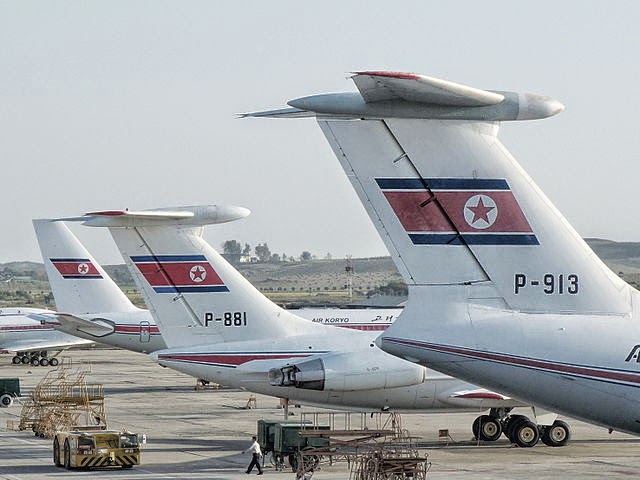
Il-76, Il-62 & Tu-204
No, not this Korea.
As any tourist or resident in Japan knows, having a NFC card or phone to get around the city by subway is super convenient, sparing you the details of having to understand fare charts for complicated transportation systems. The card enables you to slip in and out of the stations without worrying about whether you've underpaid or overpaid for your fare; you can focus on catching the correct train at the correct time. Additionally, the touch-and-go payment allows you to quickly grab a quick snack at a nearby kiosk without having to fumble with currency you're not familiar with.

The best part is: the technology is free with no fees or a required signup *. If you bought a card in Korea, you'd have to pay a deposit fee for the card (which is refunded when you return the card).

As South Korea is one of the closest countries to Japan, it is one of the easiest (and cheapest) international destinations to visit. Before you visit, it'd probably be wise to set this app up if your phone specifications qualify.

* Of course, using the app (rather than a charging station) to reload your NFC with more ROK won causes packets to be sent, and if you're overseas, depending on your broadband or Wi-Fi access (the app, unlike iD, works with either), might be significant. Additionally, your credit card company or bank, not the app, might card you a transaction fee for moving money into the NFC chip.

Competing Technologies in South Korea


Like Japan's pre-loaded cash options (Edy, nanaco, WAON, Suica), South Korea also has a variety of NFC solutions for paying via cash:
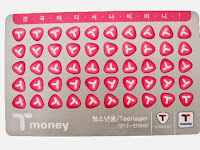
many cards are branded
t-money card (티머니 카드 {timeoni kadeu})
In the past, t-money was one of the first major NFC payment cards (introduced around the year 2000) and it is the biggest and still the most popular: primarily used in Seoul. If you were outside of Seoul, you used cashBee. Similar to Kantō (East Japan)'s Suica/Pasmo card vs the cards in Kansai (Western Japan). Nowadays, there's not as much difference geographically as to whether a card is better or more accepted. A big drawback for t-money, from a foreign user's point-of-view, is the proprietary solutions for mobile use: In order for a South Korean resident to use t-money with his phone, they must apply for a non-standard (not a NFC Type A/B) SIM to insert into their phone.
mobile cashBee (모바일 캐시비 {mobail kaesibi})
In the past, cashBee was more predominant outside of Seoul, but this is no longer the case. cashBee is rapidly catching up in popularity and places where it is accepted thanks to its major corporate backing; cashBee is issued my the big Korean corporation Lotte, so much like how anything associated with JR East (such as atre malls) will accept Suica, anything associated with Lotte in Korea will probably accept cashBee. Relatively new, cashBee is an evolution of the Korean NFC system "Mybi", which began in 2000, and all the systems that were compatible with it such as KB Free Pass and KTX Family Cards. The old eB cards (the "B" is where the "Bee" in cashBee came from), UPass, and Mybi were acquired and evolved into cashBee in 2010. The Mybi family of cards is still accepted in places, but the technology has been deprecated.

These are the two major payment systems in use today. Much like Japan, bigger companies are acquiring and re-branding other companies and technology all the time, so there are lots of other minor cards and special limited edition cards which are compatible with the two major ones listed here. And there are other, older systems which have fallen into disuse. Talking about all of them here, though, is outside of the scope of this blog and article. As a tourist, all you need to know is that the above two comprise most of the major offerings in 2014.

How to set up your phone to use it

cashBee, although very similar to Japanese preloaded cash systems used on FeliCa only, is a NFC Type A/B system. This means the same hardware/software requirements are needed that you would need for paying for things overseas with Visa/MasterCard payWave/PayPass:

Desired requirements for maximum usefulness:
  • A Japanese phone with hybrid FeliCa/NFC hardware.
  • A USIM that supports NFC Type A/B
Note that you can still install and use the cashBee app even if you do not meet the above requirements. However, the app will only work in "coupon mode", in that it will show you coupons you can use in Korea at participating cashBee stores, but you will not be able to purchase anything using your phone.

And even if you don't have a credit card, you can still "charge" your cashBee (provided you've launched the app and it has installed itself in the NFC area of your USIM) at vending machine like "charging stations" (or at convenience stores) throughout major cities in South Korea.

Both the NTT version and the KDDI version allow charging of the phone with Korean Won via credit card. The credit card will be billed in Japanese Yen.

Softbank's dog mascot urinating at a press conference
Softbank's mascot, otōsan, can't wait.

Softbank

There is a version of cashBee for both docomo and KDDI/au. The software is identical except that currently the au version is the only one that supports loading the cashBee via Japanese bank 振り込み {furikomi} (domestic wire transfer).

A Softbank version of the app was scheduled to be released on June 30, 2014, but it has been delayed. As of July 10, 2014, it has not yet been released yet.

iPhone and other unsupported app platforms
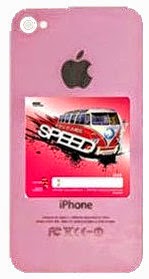
pink iPhone 5c with a NFC sticker on the back
The speed of Steve Jobs,
spinning in his grave
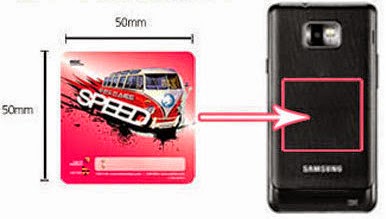
25cm² NFC adhesive sticker
You have a choice of designs to foul your phone
In addition to key chains and other non-traditional (meaning non-rectangular plastic credit card) shapes, cashBee and other forms of e-Money in Korea are available in adhesive sticker form, which you can attach to the back of your phone and pretend you have NFC capability.

You may have seen Japanese iPhone users do something similar to this by buying a case for their iPhone (so you can't really tell it's an iPhone anymore) and inserting their Japan mass transit IC card in between the back of the phone and the case that covers and protects the back. In fact, many iPhone "bumper" cases are sold which feature special slots where you can insert this card and pretend you have an Android phone.

Don't put one of these stickers on a phone that already has NFC and/or FeliCa: by design, NFC and FeliCa won't work in combination with other cards or stickers at the same time. They cancel each other out.


Where is cashBee accepted?
cashBee logo
Newer but heavily backed
T-Money logo
Older but more established
T-Money is the older, and thus more widely accepted, form of e-Money in Korea. However, cashBee is catching up extremely rapidly. While it's unlikely you'll be able to use cashBee at old fashioned mom & pop restaurants or shops or very high end places, most of the places in major urban areas that offer common consumer day-to-day goods and services offer support for at least one -- and often more than one -- form of electronic cash payment.

Public transportation (subway and buses)

The NTT/docomo version of the cashBee application got the ability to touch & go with the subway and bus systems this summer (2014).

The KDDI/au version of the cashBee will get the ability to tough & go with the subway and bus systems this Autumn (2014).

Like most subway and train systems in Japan, most of the subways in Korea charge based on the the distance you travel, and buses charge a flat fee.

Taxis

Gangnam Style
Probably has a cashBee in his pocket.
Taxis in the following areas of Korea currently take NFC payments:
  • All of 서울 {Seoul}, including:
    • 明洞/명동 {Myeong-dong}
    • 江南/강남 {Gang-nam}
  • 釜山/부산 {Busan}
  • 済州/제주 {Jeju}

Additionally, the taxi companies in these smaller areas also currently accept cashBee:
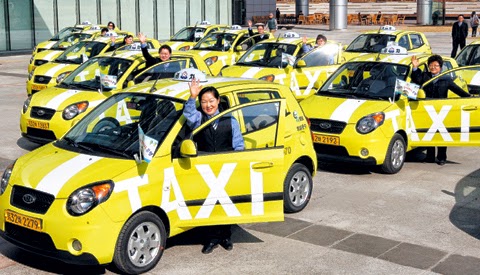
Korean Taxis
"Deluxe" taxis are black with a yellow sign on top.
  • 京畿/경기 {Gyeong-gi}
  • 仁川/인천 {In-cheon}
  • 江原/강원 {Gang-won}
  • 忠南/충남 {Chung-nam}
  • 蔚山/울산 {Ul-san}
  • 慶北/경북 {Gyeong-buk}
  • 慶南/경남 {Gyeong-nam}
  • 光州/광주 {Gwang-ju}

However, just like in Japan there is an occasional cab that does not accept credit cards or FeliCa payments, there are hired drivers in Korea that do not take anything other than physical cash. So be sure to check before you start the fare.

Convenience Stores

7-Eleven vs. MINISTOP
Residents of Japan are probably familiar with
  • 7-Eleven
  • MINISTOP
which are ubiquitous in Japan. They are also all over Japan. In addition to making purchases, you can also charge (add money) to your NFC card or phone with cash via the register without using a unmanned charging station.

In addition to the two above convenience stores, cashBee is accepted in at least the following "combini":
  • Buy the Way (a Lotte 7-Eleven franchise)
  • CU
  • GS25
  • StoryWay

Fast Food & Family Restaurants
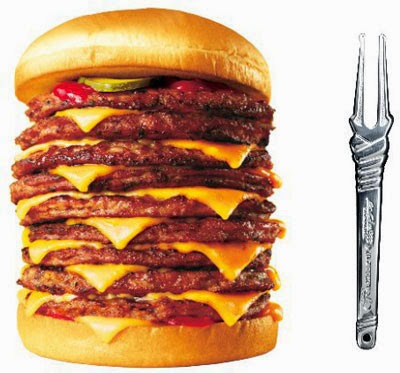

『Q段チーズバーガー』
The Lotteria Japan promotional {}-level cheeseburger
Residents of Japan are probably familiar with:

  • Lotteria: a fast food burger joint by Korean über conglomerate Lotte)
  • Baskin Robbins: better known by its official name in Japan as 『サーティワン』 {"sāti wan"} (31)
  • Krispy Kreme Doughnuts: seems to do better in Asia than its native North Carolina
  • Dunkin' Donuts: the smaller Massachusetts based rival to the more popular (in Japan) known affectionately by its Japanese nickname of ミスド {misudo} (Mister Donut).
and Americans are probably familiar with:
In addition to the above, cashBee is also accepted at:

Lotte affiliated Shopping (Department Stores, etc.)

Lotte Department Store (Myeongdong)

Entertainment (movie theaters, etc)

Sajik Baseball Stadium

Other (Vending Machines, Universities, Toll Bridges & Tunnels)
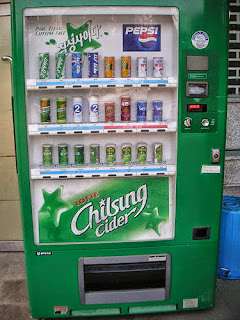
Lotte "Seven Star" Vending Machine
Chilsung Cider tastes like Sprite/7-Up.

"Recharging" your cashBee

MasterCard and Visa logos
No JCB or AMEX yet.
The convenient part of the Japanese app is it's ability to load money in by billing your credit card. Currently, only MasterCard and Visa are accepted.

No fees are assessed on the cashBee side; whether your card charges you a fee or not depends on your card.

You will be billed in Japanese yen based on standard exchange rates for the day between Korean Won and Japanese Yen.
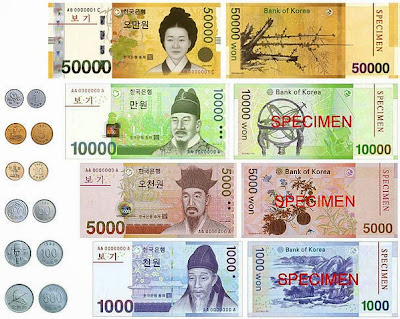
South Korean Won bills and coins.
Money used on the other side of the Sea of Japan ("East Sea")
The amounts you can choose to load on the NFC UIM Card are:

  • ₩10,000
  • ₩20,000
  • ₩30,000
  • ₩40,000
  • ₩50,000
  • ₩100,000
  • ₩300,000
  • ₩500,000
The credit card credentials are not saved, so your will need to enter the card number, cardholder name, expiration date, and CVC number every time.

If you don't want to charge your NFC UIM by using the internet (perhaps because you are already overseas your international roaming or Wi-Fi is too expensive or limited), you can find a convenience store or charging station machine and charge it with (Korean Won) cash.

Direct Bank Transfer with KDDI/au

au by KDDI
Something au does that DCM can't
Transferring money into your UIM Card via a bank transfer is only slightly more complicated than transferring via credit card; both transactions are instantaneous. Depending on the terms of your credit card or bank, one method may be more advantageous than the other (depending on limits, fees, etc.)

Currently, only three "net banks" (banks without physical branch locations and tellers and vaults) are supported:

Changing phones and limitations

From the application, the minimum amount you can charge (with Korean cash) your NFC UIM with is ₩10,000. The maximum is ₩500,000.

Similar to how most 電子マネー {denshi manē} (e-Money) systems in Japan limit you to a maximum of ¥50,000 per system (for sanity and safety and fraud concerns), cashBee limits you to a maximum charge of ₩500,000.

Money in the UIM card has an expiration date of 5 years from the last use or charge. If not used or charged after five years, the loaded money is voided and lost.

One point Korean/Japanese/English language lesson

『영어완전정복』 "Yeongeo wanjeonjeongbok"
A great 2003 romcom about
South Korea's English complex
In Japanese, the foreign loanword 『チャージ』 {"chāji"} ("charge") is usually used with the nuance of loading money onto a contact-less card or FeliCa/NFC phone; a fancy more specific loanword for the proper/generic Japanese word 入金 {nyūkin} (insert/receive funds/payment).

However, in Korean, the same imported English loanword has the nuance/meaning of "charging [the battery of a phone etc]".

This may lead to a misunderstanding if you ask to "top up/off" (British English) or "load your prepaid card" (American English) your cashBee at a convenience store in South Korea, as charging the batteries of mobile devices actually is a service they provide at many convenience stores in Korea.

It shouldn't be too hard to get your point across by saying "cashBee" and pointing to cash that you want put on your device, though.

Here's how to say

"Please reload 5000 won onto my mobile cashBee."
모바일{mo-ba-il} 캐시비에 {kae-si-bi-e} 5000원 {o-cheo-nwon} 충전해 {chung-jeon-hae} 주세요 {ju-se-yo}

Sunday, July 6, 2014

Part 2: How to pay for things overseas using your Galapágos Android NFC and PayWave

This Verifone terminal does them all
In the previous article I talked about how to pay for things outside of Japan using a Japanese phone and a NFC terminal. In particular, using iD required at least two things:
  1. a docomo phone (since the iD service, while available for a variety of plastic credit cards, is only currently offered on docomo as of July 2014)
  2. a Japanese MasterCard that supports PayPass
But what if you have a Visa card? What if you have your phone/carrier isn't docomo? There are options.

Minimum Requirements for any overseas NFC Use


First of all, you will still need the bare hw/sw requirements that were mentioned in more detail in the previous post:
  • A docomo/au/Softbank phone that supports NFC types A/B/F (NFC Type F is the same thing as "FeliCa")
  • A USIM that supports NFC Type A/B. If you bought your phone recently your phone probably already has one of these and you don't need to talk to your carrier for an upgrade.
  • Your NFC R/W P2P needs to be "off" when using payment systems, which expect the NFC to be in client/master mode (the phone is the "client," the Point-of-Sale terminal is the "master")

Bank Provided Apps for Japanese Galapágos Phones

Finally, you will need a bank that supports NFC credit cards through its own app (or one that it partners with). Currently, there are two credit card companies that offer overseas credit card ability: Sumitomo-Mitsui Visa (PayWave) and Orico Visa (PayWave) & MasterCard (PayPass). Orico was the first in Japan to offer Visa's payWave.

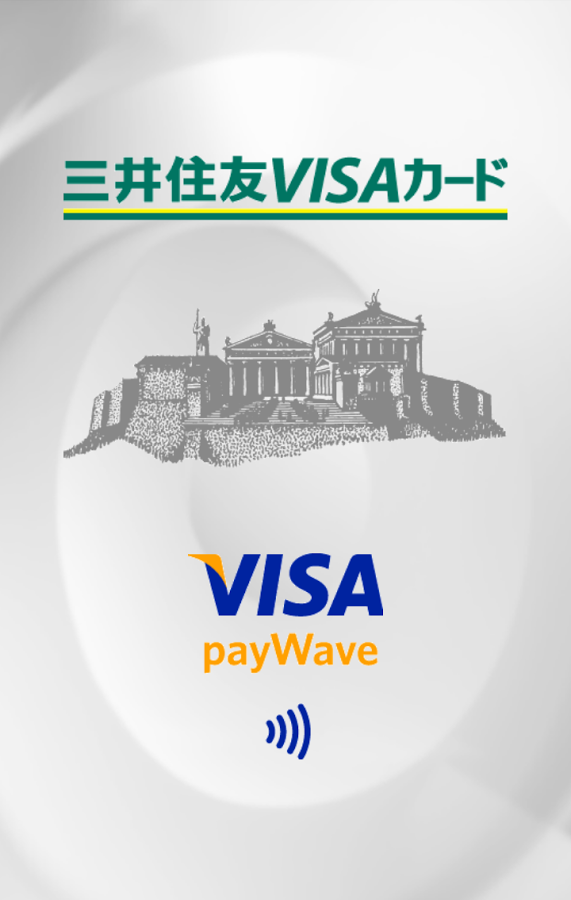
三井住友VISAカード VISA payWave
Sumitomo-Mitsui's Visa PayWave
Orico VISA payWave / MasterCard PayPass
Orico's payWave/PayPass


These applications can be installed on compatible docomo, au, and Softbank phones. If you have a Orico MasterCard, you can choose to use the Orico app to set it up, or choose the iD app.

Just like the instructions in the previous post, simply possessing the correct card and a working app/phone is not enough; you need to contact your credit card company (either at application or afterwards) and tell them to you wish to use this functionality, and they will send you a one-time use "access code" and password to activate it.

As PayPass and PayWave services are still very new in Japan, it is likely that additional banks and cards will offer this service in the future.

VISA payWave accepted mark
Visa payWave (& most probably MasterCard payPass;
maybe American Express expresspay/Discover zip OK

Card Compatibility at the POS Terminal

VISA payWave can be used almost anywhere MasterCard PayPass is accepted, especially in the United States. If you see the payWave mark, you can almost always use PayPass/MasterCard as well, the same way how almosty all stores that accept Visa also accept MasterCard. There are some rare exceptions.

American Express' NFC service is called "expresspay". It too can be used where the "wave" mark is present and the merchant accepts it.

Currently no American Express cards issued by Japanese banks support expresspay (that will probably change in the future).

Discover Card's NFC system is called "zip". While Discover Card is not issued in Japan, Japanese Diner's Club and JCB cards can be used wherever Discover is accepted and vice-versa (normally there will be a small Discover logo on the back of these Japanese cards).

NFC Credit Card Android Apps: set it up then forget/delete it


One does not simply "Set It And Forget It"
A dissenting opinion
A note about all the Android apps: The iD App, Orico NFC Service, and Sumitomo-Mitsui Card Visa payWave apps do not have to be on your phone at all time to use NFC. These apps are used to "set up and program" the data block(s) on the UIM card, as well as query it (find out the card number, name, expiration date, etc) stored on it.

Deleting the Android app that initialized the NFC type A/B/F record does not delete the corresponding NFC data.

However, for some FeliCa/NFC apps, deleting the app — or doing a full reset of the phone, wiping user data — then re-installing may cause the new instance(s) of the app to not recognize or locate the old data. This depends on how the app is designed. Poor software design, yes. But caveat emptor.

Don't forget to assess your personal balance between convenience and risk and set your phone's security (and your NFC's security) appropriately.

Non NFC Credit Card Android apps: useful for balance, transaction history, etc.

One app to set it (NFC), another app to check it (cloud).
On the other hand, keeping the app around, especially for NFC apps that have a balance on them (pre-loaded cash or points), is handy so you can check to see how much money (often through custom Android widgets on your home screen) you have left and to top off the balance with more money. You can do this at specialized terminals and ATMs throughout the country too. As a credit card has no "balance" on the chip, these apps don't have as much value. There may be a side function (or a completely separate app for your credit card, or a mobile web site) that checks how much credit you have remaining. For example, Sumitomo-Mitsui has the Vpass app to check its credit card status and transaction details, American Express Japan has an app to check its Japan based AMEX cards, and Rakuten Card has an app to check its cards' balances and activity.

Friday, June 13, 2014

Softbank new data plans include data roll over

As expected, Softbank Mobile announced new voice and data plans that directly match Docomo's pricing structure. Softbank's new plans are called Suma-hōudai, a play on smartphone and unlimited (as in tabehōudai). To add some semblance of differentiation, as opposed to just copying exactly what Docomo did, Softbank has added data roll over to their 5 GB and larger Suma-hōudai data plans.

Data Roll Over

Data rolls over in 100 MB increments and is valid for only one month. For example, if you have the 5 GB plan and consume 4,701 MB one particular month, 200 MB will roll over to the next month. (For simplicity, I am assuming that 5 GB is equal to 5,000 MB.) Your quota for the next month would be 5,200 MB. If you again used only 4,701 MB, then the original 200 MB would expire and (I think), another 200 MB would roll over.

I say that I think because that is logically how it should work, but the rules of logic never apply in these situations. Telcoms basically make stuff up as they go along.

Plan Pricing

Aside from the roll over data, everything else is exactly the same as Docomo.
  • Unlimited domestic calling (with 2-year contract):
    • Smartphone: ¥2,700
    • feature phone: ¥2,200
  • Data plans
    • Data Flat Pack 2: 2GB ¥3,500
    • Data Flat Pack 5: 5GB ¥5,000
    • Pack Flat Pack 10: 10GB ¥9,500
    • Pack Flat Pack 15: 15GB ¥12,500
    • Pack Flat Pack 20: 20GB ¥16,000
    • Pack Flat Pack 30: 30GB ¥22,500
  • Additional data: ¥1,000/1GB
  • Share option:
    • Smartphone: ¥500 + ISP fee
    • Tablet: ¥1,700 (newly-introduced bullsh!t base fee) + ¥500 + ISP fee
  • Data discount for multiple lines with 2-year contract:
    • 5GB Plan: -¥300
    • 10GB Plan: -¥1,000
    • 15GB Plan: -¥1,500
    • 20GB Plan: -¥2,000
    • 30GB Plan: -¥3,000

Beware of Data Plan Contracts

These discounts on the data plans are tricky and you should be careful when deciding to take them. As I've explained before, the 2-year contracts are traditionally applied to the voice plan. (Without the 2-year contract, you pay a stupid, ridiculous, unjustifiably high price for the base voice fee. In the case of the new Softbank unlimited voice plan, the monthly cost is ¥4,200 (!) if you don't add a two year contract.)

As long as you keep your line, you can change plans, get a new phone, do whatever you want to your contract, and you will not encounter the early termination fee (ETF). There are very few things that can trigger an ETF for the voice plan, and even if you get charged an ETF, because it is only about ¥10,000, it's still cheaper than paying for about half a year with no contract.

However, if you also add a contract on your data plan, the actions on your part that can trigger an ETF increase dramatically.

Imagine you share a 5 GB plan between a phone and a tablet. Then you get a new tablet that is wifi-only and you just tether to your phone. You no longer need the extra SIM card and you cancel it. There is a 96% chance that you will get hit with the ETF because there is only 1 month out of 24 that you can cancel the two-year, auto-renewing contract on your data plan.

So to save ¥300 each month, which only totals ¥7,200 in two years, by signing a contract to keep two SIM cards, you just got hit with a ¥10,000 fee. Not to mention that now have not just one, but TWO contracts THAT DO NOT NECESSARILY HAVE THE SAME START AND END DATES making it that much more difficult, confusing, and costly to cancel service entirely.

Thursday, October 31, 2013

Both Nexus 5 models appear compatible in Japan


The Nexus 5 is now official. From the product page, select the "tech specs" in the drop down menu, then "View full tech specs". The "leaked" service manual appears to have been for the "Rest of the World model" (I'll call it international).

It is my understanding that Docomo's planned 150 Mbps LTE downlink will be using Band 3, which the international model supports, but not the North American model.

(Japanese frequency bands)

For people who are based in Japan but make trips to North America, the international model looks like the best route. You will NOT get LTE service in the US, but it is compatible with T-Mobile 3G (WCDMA Band 4) and AT&T 3G (WCDMA Band 2). We've all happily lived with 3G for years now. It is totally sufficient.

For people who are based in North America but make trips to Japan, the North American model is best. It is compatible with both T-Mobile and AT&Ts LTE networks (LTE Band 4), and also with what is currently the primary LTE band in Japan for Softbank and NTT Docomo (LTE Band 1). However, lacking Band 3 might become a hinderance in Japan using Docomo or MVNOs as Band 3 seems to be central to Docomo's expansion plans.

Monday, October 7, 2013

Supposedly leaked Nexus 5 service manual indicates support for Japanese LTE bands.


If this is really the Nexus 5 service manual, then this is good for Android users in Japan: Support for LTE without having to deal with a device that locks you out of mobile network settings.

FDD-LTE: Bands 1, 3, 5, 7, 8, 20.
WCDMA (HSDPA 3G): Bands 1, 2, 4, 5, 8

Band 1 is Docomo and Softbank's 2100 MHz, used for both LTE and 3G. As far as I can tell, the Nexus 5 does not support the low frequencies of either carrier, though.

CDMA is mentioned in the manual, but as you can see below, it is not listed as a "Supporting Standard". Therefore, my guess is that the reference to CDMA is probably just a standard copy-paste, to be read as "IF this did CDMA, here's what it would be."

However, as far as I can tell, CDMA is unsupported. (Also FeliCa, mobile Suica, etc. is not supported.)


Tuesday, October 1, 2013

Softbank Mobile incorrectly reported good-standing accounts as delinquent to credit reporting agencies

63,133 people who received subsidies for a new phone and are paying in installments had their credit history temporarily fubared by a Softbank internal reporting error. If you are a softbank customer and have a current 2-year contract with:
  1. a phone that is less than two years old and
  2. you are paying in installments for the phone
Then you could have been reported as delinquent. Fortunately, the problem has been noticed and it should be corrected. Reporting agencies have sent notices to individuals of the mistake.

The credit check for softbank is a totally opaque and ridiculous process, and if you've ever failed the 審査 you can easily be left wondering if there isn't some sort of error somewhere. They don't give any indication as to what the problem is. They just ask you to try again, this time with a drivers license, or with a utility bill, or with a credit card. Is my name in katakana somewhere and romaji somewhere else? Does one place lack my middle name? Did someone misspell something?

So, I'm totally not surprised to hear this news.

Those who have been reading this blog for a while know that I'm also thankful to softbank. Their opaque 審査 is the reason for the existence of Japan Mobile Tech, who has been faithfully serving your English-language need for carrier news and views since 2009.

How to tell if you are paying for a phone in installments


This is easy.

If you DID NOT pay at least ¥60,000 up front for the phone at the time of purchase, you are paying in installments. If you got a phone for ZERO YEN, you are paying in installments. If you got a shiny new iPhone (or Android) for around ¥20,000, you are paying in installments.

Thursday, September 19, 2013

iPhone price war begins: Softbank matches Docomo's student discount


Softbank Mobile and KDDI, the existing two Japanese iPhone carriers offered (as usual) the exact same pricing and discounts. NTT Docomo, the new iPhone carrier, beat them in price in just about every category, the most significant being their Student discount.

This waived the base voice fee for 3 years and gave a discount on data of ¥1,050.

Of course, Softbank has now matched this, which comes as absolutely no surprise. No word from KDDI yet, but I assume they'll also match this discount.

Tuesday, September 17, 2013

Docomo iPhone 2-year total cost is the least expensive - for some


Here is a comparison of the total cost (over a two year contract) of the iPhone 5S on the three Japanese carriers. If you believe it, the 2-year cost of a docomo iPhone is in all cases either less expensive, or the same cost, as rivals KDDI and Softbank Mobile (SBM).

This is not quite the case.

As I mentioned previously, docomo is more heavily subsidizing the hardware cost and offering the same subsidy to both existing and new customers. However, docomo's MNP (Mobile Number Portability) discount is only for one year unless:
  • you are either a student (3 years) or
  • you are a returning docomo customer (2 years)
If you are neither, then add ¥780 x 12 months (¥9,360) to the MNP prices in the screenshot above, and over 2 years you'll pay ¥147,960, ¥158,040, or ¥168,120 for the 16, 32 and 64 GB models, respectively. This is exactly ¥9,360 more than the 2-year cost with KDDI and SBM's MNP discount.

The highest and lowest


Considering the full possible range of prices, docomo wins. The absolute lowest 2-year cost of a docomo iPhone 5S is ¥113,400 for a 16 GB model with MNP and student discount. The highest cost is ¥177,480 for an existing customer (or one who doesn't port over a phone number from another carrier) for the 64 GB model.

For KDDI and SBM, the range is ¥138,600 to ¥198,800, which is ¥21,320 to ¥25,200 to more expensive than docomo.

From where does this difference originate? In the case of the most expensive, Docomo is offering the standard Xi voice plan price of ¥780, ¥200 less than the other's voice plan, which adds up to ¥4,800 over 2 years. The remaining ¥15,000 reflects Docomo offering the same hardware subsidy to existing customers. The difference in the least expensive price originates from the data discount offered to students.

Bottom Line


Docomo costs less if:
  • you are a student (absolutely the best deal)
  • you a returning docomo customer
  • you have no existing mobile contract in Japan
  • you are an existing AU or SBM customer
Docomo costs more if:
  • you are not a former customer and porting over a number

Friday, September 13, 2013

Comparison of iPhone prices between Docomo KDDI and Softbank

Below is a table via engadget Japan comparing the subsidized final cost of the iPhone 5S and 5C for each carrier. NTT Docomo is not surprisingly the most aggressive with pricing, and they're the only one to offer the phone at the same price to both new and existing customers. The Docomo price for the 16GB 5C is not a typo.

Remember, these are subsidized prices. This is not the full retail price that you would owe if you cancelled your contract early. Docomo's unsubsidized prices are significantly higher than the other two carriers. The 16GB 5C costs well over ¥90,000 unsubsidized, which is nearly double the price of the though KDDI and Softbank.

For most people, this won't be an issue, but if there is any chance that you cannot complete your contract obligation, do not buy an iPhone from Docomo. Coming back to the 16 GB 5C, if you use it over the full two years, Docomo will pay you ¥ 6,300, but if you have to cancel after only a few months, you'll owe docomo close to ¥90,000.

docomo
Kddi
Softbank
New/Existing
New
Existing
New
Existing
iPhone 5S 64GB
¥20,160
¥20,640
¥34,680
¥20,640
¥34,680
iPhone 5S 32GB
¥10,080
¥10,320
¥24,480
¥10,320
¥24,480
iPhone 5S 16GB
¥0
¥0
¥14,160
¥0
¥14,160
iPhone 5C 32GB
¥0
¥4,800
¥14,160
¥4,800
¥14,160
iPhone 5C 16GB
-¥6,300
¥0
¥3,240
¥0
¥3,240