Showing posts with label SIM. Show all posts

Thursday, February 18, 2016

Rakuten Global Roaming: at least it's cheaper than docomo

Rakuten announced a global roaming SIM in combination with Cubic Telcom. The idea is that you buy the SIM in Japan, and it just works when you land (in 190 countries). Having a SIM active immediately can be very convenient, especially if you are somewhere you don't speak the language well, not to mention it removes the hassle of getting a new SIM activated and connected.

Thus, I've actually considered Docomo's world wing roaming service... for about 5 seconds until I stopped being stupid – I'd pay more in one day than I would in total for a local SIM. For example, when in Vienna, I always pick up a Nimm3 data SIMfrom Drei Austria (3) for 9.90 euros that covers me for the entire time I'm there. I can easily get a couple of weeks in Germany with either a Vodafone or (god forbid) Lycamobile SIM. I've got a pile of used T-Mobile SIMs from the US, most of which cost $3/day for 200 MB, and even O2 in the UK is going to be cheaper than Docomo.

So what about the Rakuten Global Roaming SIM? Well, I guess it's cheaper than Docomo.

In the screenshot above, you can see that in Hawaii, the Rakuten Global Roaming SIM will get you a whopping 30 MB of data for 880 yen. Docomo costs 980/day. So if your usage is reasonable, 50 MB could last for several days. Heck, I used to use only 200 MB in an entire month, so at that pace, I'd get a week out of ¥880 in Hawaii, compared to ¥6,860 with Docomo (albeit with much more data).

However, comparing to a T-mobile SIM in mind that T-Mobile offers 500 MB for $5/day on their revamped "pay as you go" plans.

It really depends on what your plans are. Will you be primarily with access to wifi, and really only need data occasionally when outside hunting for a particular place? Maybe all in all, this Rakuten SIM could be a good deal in that case. If there is a reasonable validity period on the Global Roaming SIM, I might actually pick one up, but if it expires after a very short period of non-usage, I'm not interested.

Below are the particulars as currently known.

  • Available from March 10, 2016
  • ¥3,000 to purchase the SIM
  • Loaded with a 30 MB change
  • Will be limited to 3G or GSM apparently
  • Choose between prepaid or post paid (credit card)
  • Prepaid plans by region, post paid by zone
  • Data only, or data with voice/SMS
  • Prepaid validity limited to 30 days for North America and 7 days for everywhere else


  • Comes with a SIM card case a "present"


  • There is no word on the how long the SIM itself is valid. That is, after how many months of non-usage does the SIM become invalid?


  • No idea what the units are on the post paid data packages. ¥18 for... what exactly? a single packet?


  • The reason for lack of LTE is practical. The bands are all over the place. In North America, frequency bands are allocated differently than pretty much the rest of the planet, and as a result, rarely do Japanese phones get a 3G signal. This means you would fall back to a non-3G connection, which trust me, is absolutely unusuable on a smartphone. If you do not have a phone that is known to be compatible with T-Mobile or AT&T in the US, DO NOT WASTE YOUR TIME AND MONEY on a roaming data plan.

    Prepaid Data Plans


    50MB 200MB 500MB
    Europe ¥820 ¥1,930 ¥3,850
    North America ¥880 ¥2,040 ¥4,240
    Asia ¥1,040 ¥2,310 ¥4,950

    Prepaid Voice and SMS


    100 min / 100 SMS 300 min / 300 SMS
    Europe ¥3,190 ¥7,150
    North America ¥4,290 ¥9,680
    Asia ¥4,070 ¥9,020

    Post paid plans


    There are 7 zones with variabile pricing. Much of Zone 1 covers Europe, Zone 2 has much of Asia, and Zone 3 captures North America (except for Alaska, which is Zone 7), Australia, and New Zealand, and Zone 4 is the Middle East. The Phillippines and Cambodia fall into Zone 5, Vietnam is all alone in Zone 6, and the rest of the world is Zone 7.

    Data in Zone 3 is the cheapest at ¥18 and Zone 7 is very expensive at ¥743. Don't ask me what the units are, because it doesn't say. A packet? A kilobit? Who knows.

    Tuesday, September 15, 2015

    SIM card vending machines coming to Narita Airport


    Man, have we ever came a long way. (It only took five years.)

    U-Next Inc. announced (PDF) they have installed SIM card vending machines at all three Narita Airport terminals. These are stocked with prepaid SIMs using their "U-mobile" data service. The SIM cards will go on sale from September 16th (tomorrow). The vending machines are located in the arrival lobbies of Terminals 1 and 2, and at the entrance of the main building of Terminal 3 (the new LCC terminal).

    There is a 7-day and 15-day version for ¥2,000 and ¥3,500, respectively. Normal, micro, and nano SIMs are available.

    The SIMs are from NTT Docomo and support LTE. The SIMs from the vending machines are data-only. LTE bands are all over the place, so your phone may or may not get LTE. Don't count on it. If your phone is from North America, unless it's an iPhone, it probably won't work at all. The rest of the world should be fine for at least 3G.

    Each of these SIMs is limited to 200 MB/day, after which speed drops to 200 Kbps until 11:59 pm.  Maximum speed is stated to be 225/50 Mbps down/up, but you won't get anywhere near that speed, even with LTE. No word if tethering is allowed, but at 200 MB/day, I assume it is. I wouldn't recommend tethering with this product.


    Sunday, May 24, 2015

    Comparison of a Samsung Galaxy S6 unlocked by Japan's big three carriers

    As expected, Softbank Mobile announced that it will also adhere to the new guidelines and begin unlocking phones brought new to market from this month. This includes the Samsung Galaxy S6 Edge. The terms are exactly like Docomo's: unlockable from 180 days after purchase until 90 days after the phone is disconnected. Unlocking within that 90-day window for an out-of-contract product will also require a trip to certain softbank stores and therefore cost ¥3,000 plus tax.

    Unlocking terms by carrier

    KDDI docomo Softbank
    Cost
    Free (¥3,000+tax in store) Free (¥3,000+tax in store) Free (¥3,000+tax in store)
    Applicable to devices released from
    April 23, 2015 May 1, 2015 May 29, 2015
    Wait time to unlock
    180 days 6 months 180 days
    Unlock possible after cancel service
    forever for 3 months for 90 days

    Galaxy S6 Edge Comparison

    Right now, the only phone that will be unlocked by all three is the S6 Edge.

    KDDI docomo Softbank
    Cost with MNP (without)
    ¥33,480 (¥55,080) ¥29,808 (¥58,968) ¥21,600 (¥53,760)
    Earliest unlocking date:
    October 20, 2015* Now November 25, 2015
    Unlock cost
    free ¥,3000 free
    LTE Bands:
    1, 3, 18, 26, 28 1, 9, 19, 21, "700"* 1, 3, 5
    WCDMA (3G) Bands:
    1 1, 5 (or 6?), ? 1, 5, 8
    * The exact bands are ambiguous. docomo simply lists "700" which could be one of 12, 13, 14, or 17 or perhaps all may be covered because the frequencies are either adjacent or overlapping. Also, both KDDI and docomo list support for "800". KDDI specifically states this is band 18. I believe that docomo uses band 19. The uplink frequencies are overlapping and the downlinks are close but not adjacent.

    Figuring out which bands are supported

    KDDI is the only carrier clearly indicating this an in easy to understand way. Their bands are published here. Softbank's are on the product's specs page (SBM S6 Edge). Docomo's are also listed on the spec page, but only for LTE (DCM S6 Edge). To get the 3G bands is a real pain, but docomo will be required to make this more transparent once they release phones under the new guidelines.

    Docomo classifies the S6 Edge as a "class 5 world wing" device, which looking up here gives contradictory information. The product pages lists LTE bands "2GHz, 1.7GHz, 1.5GHz, 800MHz, and 700MHz". However a class 5 world wing device supposedly supports LTE Band 1 (2.1GHz), Band 3 (1.8GHz) and "others" such as Bands 4, 17, 20 "etc" as well as "3G" (whatever the hell that means) and "3G850".
    LTE(Band 1(2.1GHz)、Band 3(1.8GHz)、その他(Band 4、Band 17、Band 20など))および3G、3G850、GSMネットワークをご利用になれます。
    I'm just guessing here, but since the most common 3G band (except in North America) is Band 1 (2100 MHz), I am guessing that "3G" refers to Band 1 and that 3G850 refers to Band 5 (Actually I'm told that what docomo calls "3G850" is actually Band 6). I also assume that it doesn't support AT&T's Band 2 (1900 MHz, aka PHS) or T-Mobile's Band 4 (1700/2100 MHz, aka AWS).

    Digging ever deeper into docomo's i–mode-like labyrinth of a website confirms no support for 3G in North America.

    Sunday, May 3, 2015

    KDDI SIM unlocking conditions are better than docomo's

    Both KDDI (PR) and docomo (PR) have announced their respective unlocking conditions in compliance with the new Somusho guidelines. At this point in time, there appears to be some major differences in the KDDI and docomo conditions. Media inquires indicate that docomo will only unlock phones for the original owner, where as KDDI has responded that it will unlock any phone, irrespective of the current owner. (This of course won't apply to stolen phones). Additionally, the rumor is that docomo will only unlock phones for three months following termination of service, even for the original owner.

    However, keep in mind the following two points:
    1. Neither company is actually unlocking phones under the new guidelines yet.
    2. Such glaring differences in service conditions have a way of leveling out. (Remember the debacle that was Softbank's tethering and 1.2 GB data cap)
    So by the time six months have passed from the release of the docomo summer lineup, it is entirely possible that docomo will match KDDI's conditions (though on the other hand this is docomo who is used to being the ones to dictate conditions to the other carriers – so we'll just have to see). There were (are) no similar restrictions on the unlocking period for docomo phones to which the old guidelines apply.

    KDDI docomo
    Cost
    Free (¥3,000+tax in store) Free (¥3,000+tax in store)
    Applicable to devices released from
    April 23, 2015* May 1, 2015
    Wait time to unlock
    180 days 6 months
    Unlock possible after cancel service
    forever for 3 months
    * The "Galaxy S6 edge SCV31" on sale from April 23 from KDDI is subject to the new guidelines and will be unlockable 180 days from purchase. (This phone is also currently unlockable now from docomo but for ¥3,000.)

    So is this a good or bad thing? It depends on how you look at it.

    Previously, docomo was the only option for obtaining an officially-unlockable phone, and that cost money and time, lots of time if you ended up with incompetent shop staff. It was also difficult to figure out which bands a docomo phone supported. And most incredulously, unlocking your phone pretty much voided the warranty. All that crap will be finished, but there could now be a finite time window during which a docomo phone can be unlocked.

    KDDI frequency bands

    KDDI has already published a page showing WCDMA and LTE band support of its unlockable phones. Also, I can't help but roll my eyes at the "SAMSUNG" prefacing "Galaxy S6 Edge" ;)


    As can be seen here the "Samsung" Galaxy SG Edge will work fine in most of the world except North America, where it lacks support for "GSM" carriers AT&T and T-Mobile. Maybe it'll work on EDGE, but the experience will be horrible.

    What about Softbank?

    As usual, there is no word at all from Softbank, and the only phones they list as unlockable are the same shitty ones that no one ever bought. They blatantly ignored the old guidelines for quite some a long time. I assume they'll comply this time but not sure when.


    Thursday, November 6, 2014

    Translation and explanation of revised Japanese SIM lock guidelines

    Edit: I forgot to mention the best part. Not only will it be free, it will also be automated, meaning no more painful, time consuming experiences dealing with untrained shop staff. And, that of course means you will be provided with the unlock code.

    I've now read the updated SIM unlocking guidelines from the Ministry of Infrastructure and Communications (MIC). I've also translated them below.

    In short, I'm very pleased with the new guidelines. They are short, concise, specific, and (most importantly) thorough. I was worried that the MIC would focus narrowly just on SIM locks, leaving carriers free to cripple phones by a myriad of other means, such as locking out the APN settings menu on the phone (like Apple typically does).

    The guidelines specifically state that any other restrictions added by carriers should be removed. Hopefully this means the end of the Docomo's automatically changing of APN when tethering, which breaks tethering with MVNOs, other SIM cards, and the mopera.net ISP.

    The guidelines also specifically state that carriers can no longer unlock a phone then refuse to provide service using non sequiturs like "because your phone is unlocked we are no longer able to service it." That is as logical as saying the train was a minute late because I put ham in the refrigerator.

    Carriers will also be required to specifically disclose which frequency bands a phone supports,  as well as what services will cease to work. Currently, getting this information from docomo is tedious and uncertain.

    Phones will still be sold in a locked state, and the guidelines allows for an a short period of time that the phone cannot be unlocked.

    It would seem that Juggly was right (as usual). There is no room at all that I can see for carriers to take an opposite approach and cripple unlocked phones.

    The guidelines do not go in effect until May 2015. Though there is a clause stating that these guidelines should apply to phones announced before that date, I do not at all expect that to happen. In that sentence, there was a line break that caused me to read over a very important character, 前. The old guidelines will apply to existing phones. Purchase phones that initially go on sale after May 5.

    (なお、それ以前に発売された端末については、平成 26 年●月改正 前のガイドラインの趣旨に沿って適切に対応することが適当である。)

    For the iPhone, this would mean the next iteration that would presumably become available around October/November 2015.


    (Anything in [brackets] is added by me.)

    May 2010 (Revised: 2014)

    Overview


    Currently in Japan, handsets provided by MNOs are "SIM Locked," preventing usage on other mobile networks.

    Users of these devices have expressed the desire to both use their domestic devices while overseas with locally-obtained SIM cards and to continue using the same phone after porting their number to a different MNO.

    Due to problems arising from large differences in specifications [i.e., WCDMA v CDMA-2000], frequencies, and platforms [i.e., carrier mail, etc.], individual MNOs were requested to voluntary abide by the "Guidelines Concerning SIM Locks" in 2010.

    However, unlocking by MNOs remains limited at present. In addition, SIM locks have not only hindered users, but have also increased the cost to other MNOs of acquiring new customers, partially leading to the [unreasonably] large cash back offers.

    Now, the spread of LTE and smartphones has changed the mobile marketplace, increasing interoperability of specifications and frequencies between MNOs. Therefore, both the basic and specific points of these guidelines should be adjusted accordingly.

    Note: The guidelines defined 役務 (service) as electronic communication services concerning mobile phones, including mobile phone access service, 3.9G [LTE] access service, and virtual mobile electronic communication services associated with mobile phones.

    Ministry Opinion


    Article 29, Paragraph 1, Item 12 of the Telecommunications Business Act of 1984 allows for the invoking of measures to reform telecommunication practices that are unreasonable or unjust and may or do result in unsound industry development or are not in the best interest of the populace.

    SIM locks constitute an inconvenience that prevents receiving service with existing handsets upon switching MNOs, as well as usage of a locally-obtained SIM card while overseas. SIM Locks further increase the cost incurred by MNOs in recruiting new customers and are the cause of differentiation in service fees and content [between new and existing customers], hindering competition. SIM locks are also the root of the large cash back offers used to acquire new customers that are promoting an unfair situation between longterm users and those who frequently change MNO.

    However, MNOs have expressed the following concerns regarding not implementing SIM locking. 1) Lack of full support by other MNOs for unlocked handsets may cause confusion for users. 2) Compared to a market with locked handsets, promotional costs will increase, likely resulting in retail prices above current. 3) Loss of incentive to develop original brands and services.

    Regarding 1), it is appropriate to leave the decision to users after sufficient explanation. Regarding 2), it is not likely to cause a large problem considering the typical user situation in which an amount equivalent to the handset cost is discounted monthly from the service cost. Furthermore, the cash back amounts at the time of purchase have become excessive, creating an unfair situation between longterm customers and frequent switchers and becoming a problem for fair competition. The removal of SIM locks is expected to result in restraint regarding these promotions. Regarding strategies for original branding (3), rather than using SIM locks to forcibly retain customers, it is preferable to develop and provide services that take maximum advantage of a handset's appeal.

    Thus, the above concerns do not constitute proper and reasonable grounds to continue SIM locking. Finally, the traditional problem for unlocking (incompatible frequencies, standards, and specifications) continues to be lesser and lesser of a problem.

    Considering the above, MNO's users (including those who have already cancelled service) have called for unlocking handsets, and in the lack of valid justification to the contrary from MNOs, it is necessary to invoke measures to reform current practices under Article 29, Paragraph 1, Item 12 of the Telecommunications Business Act to protect the interest of users and foster sound industry development.

    Specifics for SIM unlocking

    1. Eligible handsets
      1. Carriers should in principle remove SIM locks from all handsets.
      2. Refusal to remove SIM locks is limited to cases that would result in unfair competition or excessive hinderance to usage with other carriers. (This applies to specialized devices that pose technical issues, i.e., nonstandard mobile specifications or frequencies and does not include general usage devices such as those commonly known as feature phones, smartphones, tablets, mobile routers, and USB modems)
    2. Unlocking process
      1. Carriers should whenever possible quickly and simply conduct unlocking through the internet or over the phone at no additional cost. (Alternate means for unlocking at no cost does not preclude the levying of a service charge if in-store unlocking is performed at the customer's request. A service charge may also be levied against customers with no active service contract for in-store unlocking.)
      2. Carriers may make exceptions and add a limited no-unlock period to prevent improper use of unlocked phone and mitigate the risk of loss of subsidized phones
    3. Unlocking process should be set in advance and publicly disclosed

    Points to note during SIM unlocking

    1. Explanation to Users
      At the time of handset sale, SIM unlocking, or conclusion of a service contract, MNOs should make reasonable effort through means such as in-store explanation, pamphlets, or websites to ensure that the user understand the following points in particular.
      1. At time of purchase
        1. Whether the handset is eligible for unlocking
        2. The conditions and process of unlocking
        3. Which mobile services, applications, etc. will be partially or fully inoperable with another MNO SIM card
        4. The frequency bands supported by the handset
      2. At time of unlocking
        1. The conditions and process of unlocking
        2. Which mobile services, applications, etc. will be partially or fully inoperable with another MNO SIM card
        3. How to obtain service or repair for the unlocked handset
      3. At time of contract conclusion
        Which mobile services, applications, etc. will be partially or fully inoperable with another MNO SIM card
    2. Clarification of means for inquiry by users of unlocked handsets
      MNOs should consult with handset makers to prepare and clarify a means to perform service on unlocked handsets.
    3. Confirmation of proper technical certification
      MNOs should make efforts to confirm that uncertified phones are not used on their network.

    Others

    Because it is desirable that unlocked handsets are as fully functional as possible, appropriate effort should be made to remove together with the SIM lock any additional restrictions on functionality that were set by the MNO.

    Implementation of these guidelines

    1. These guidelines will be applied to new devices brought to market after May 5, 2015. It is further appropriate to suitably apply the pre-2014 guidelines to previously announced handsets.
    2. The Ministry of Internal Affairs and Communications will reevaluate these guidelines as necessary following based on the situation following implementation.

    Wednesday, August 20, 2014

    Reasonably priced voice and data rental SIMs finally come to Japan: B-Mobile PAYG


    SIM card rental in Japan is exorbitantly expensive because law prohibits non-residents from obtaining cellular voice contracts, blocking them out of the (relatively) reasonably priced market. The only options are rental services.

    The rental market predates 3G, and Japan never used GSM. In the past, visitors had no choice but to rent hardware, which created an environment that (somewhat) justified premium pricing. There was no significant decrease in price following the start of SIM card rental after introduction of 3G networks, and once smartphones proliferated, mobile data options were added data but at laughable prices.

    Not anymore.

    Inexpensive data with a voice rental SIM

    The B-Mobile line of SIM cards from Japan Communications, Inc. (JCI) got a new product today, the prepaid PAYG rental SIM, which provides 60 minutes of outgoing voice calls (incoming is free) and 3GB of 3G/LTE data for ¥9,980. The SIM is active for 7 days, after which any remaining data and minutes become invalid. The specifics are:

    B-Mobile PAYG Rental Voice and Data SIM
    • ¥9,980 for 7 days
    • 60 outgoing domestic/international minutes
    • 3 GB 3G/LTE data
    • 5/75 seconds deducted for domestic/international SMS
    • Free tethering
    • incoming calls and SMS free
    • Prepaid (no worry of unexpected, additional charges)
    • Nano, micro, standard SIM card sizes
    The SIM card can be purchased in stores (Yodobashi Camera) or preordered. Unfortunately, complying with Japanese law complicates the activation process. If you preorder, you will first set an activation date and upload a scan or image of the passport page with your photo. Then, following activation but within 24 hours of arrival in Japan, you will have to also upload pictures of 1) your entry stamps and 2) the image of the same passport page originally uploaded. If you buy in a store, then you will need to upload all this together as soon as possible and wait for activation.

    In a press release, JCI indicated they are working with the government to try and smooth the activation process. By the way, if Tokyo police have their way, this will be required for ALL SIMs sold to non-residents, even data-only SIMs, which means that most MVNOs won't bother to go through the effort and just start requiring residency for data-only SIMs, just like for voice SIMs.

    Traditional data costs with a rental voice SIM

    At ¥110/day and ¥110 per minute (with a ¥315 service fee), the current SoftBank rental SIM would cost ¥7,685 over a 7 day period if a comparable 60 minutes were used – a better value for just voice. However, if you want to have minimal background data usage for mail, maps, etc., the SoftBank rental costs increase quickly.

    Softbank rental data fees are ¥0.32/packet (128 bytes). Doing the math yields the following:
    • 1 KB: ¥3
    • 1 MB: ¥2,621
    • 2 MB: ¥5,243
    • 250 MB: ¥655,360 ($6,500US)
    • 1 GB: ¥2,684,355 ($27,000US)
    • 3 GB: ¥8,053,064 ($80,500US)
    Yes, current Japanese rental SIMs value 3 GB of mobile data at 80,000 US dollars. As I said, laughable. Of course no one would ever use this much, and the daily maximums are capped I believe, so it wouldn't be possible anyway. However, because the traditional rentals are postpaid with a credit card, there will always be the concern of incurring additional charges.

    A more realistic comparison

    Long time readers will recall that I once did an experiment over about 8 months with a b-mobile FAIR data-only SIM. (There is an interactive chart showing how I consumed data during those 240 days at the bottom of this post.) The FAIR is wide open with no proxy or speed restrictions (and accordingly priced). 1 GB of data costs about ¥8,000 and is good for four months. This translates to 250 MB for ¥2,000.

    All the other MVNO SIMs, especially the other b-mobile products, are speed restricted and relatively high latency. Because of this, I think it would be near impossible to use 3 GB with the PAYG SIM in 7 days (or even in an entire month). So comparing prices based on high data consumption is completely unrealistic.

    Rather, I will compare prices based on my experience with the FAIR SIM because I think my behavior regarding data usage with a 250 MB monthly quota is a good analog for the way people use traditional Japanese rental SIMs. That is, I thought about the cost of everything I did with the phone. On light-usage days, I would consume around 2 MB, which is the equivalent of uploading one or two photos.

    Let's compare costs by taking about a quarter of my light-day usage, 500 KB. Seven days with a Softbank rental SIM, using 500 KB per day and 60 minutes total, would cost ¥16,645. To bring the cost down to the PAYG SIM price over 7 days, total data usage over the entire week must be limited to just under 1 MB. One. Megabyte.

    Good luck with that.

    Monday, July 14, 2014

    An alternate view on the effects of compulsory SIM unlocking

    Well, It’s official. Sōmusho, The Ministry of Internal Affairs and Communications (MIC), will oblige domestic carriers to remove the restrictions preventing the devices they sell from operating with another carrier’s SIM card. The requirement will go into effect sometime during the next fiscal year, which starts from April 2015.

    I’ve already made clear what I think will happen, and I can sum it up with one word: NOTHING. I don't fully understand what the MIC realistically can and (more importantly) will do to carriers that fail to comply, and everything that I have seen so far indicates that the MIC is narrowly focusing on the just the SIM card.

    The MIC is trying to change the status quo of an entire industry, and I'm not convinced that industry will just happily comply. There are a ton of alternate ways to cripple devices to prevent reasonable exchange between carriers, while still abiding by obligatory SIM unlocking guidelines. This should not be news to the MIC – Docomo does it right now (device-side locked tethering APNs, network-side IMEI filters on data connections, carrier mail that only works with docomo phones).

    And let's also not forget that, when forced through arbitration with the MIC to create transparent MVNO guidelines, NTT docomo began employing allegedly fuzzy math, putting MVNOs that use the open route at a financial disadvantage to MVNOs who strike closed-door, old fashioned deals with docomo. (Is it really a coincidence that MVNOs with closed-door contracts appear to have have lower latency and faster speeds?)

    An Alternate View

    This morning I read this post by Juggly (that's the name of his site but also what I call him), in which he describes what he thinks will be the result. In summary, his opinion is the exact opposite of mine. Juggly has consistently been a good source of information, which has (apparently) caused him some trouble.

    I value Juggly's opinion, so below I'll layout the gist of Juggly's post. I am interested to hear your thoughts on where this is going. Basically, this sounds good if you're the type of person likely to buy a phone at a reasonable retail price with no subsidy. If you rely on carrier subsidies, this is probably bad news for you.
    • Rather than focus on locking their stuff down in an attempt to keep customers tied to their networks, carriers will open things up in an attempt to lure customers away from rival carriers.
    • This would be done revamping current services like carrier mail to work on any phone, not just on carrier-branded devices, which is basically the case now.
    • A lot of handset sales will eventually come to be through separate retailers. These will be unlocked and ready to go on any domestic carrier (i.e., the original Nexus sales model).
    • International makers will eventually come to sell phones officially in Japan, reducing costs of handsets traditionally only available in the gray market.

    Thursday, July 10, 2014

    Paying for things in Korean Won cash using a Japanese Galapágos NFC phone

    Android mobile cashbee app icon
    mobile cashBee for Android; not just an app for Korean carriers and phones
    In the previous posts, I covered how to use your Japanese phone in lieu of traditional "plastic" when traveling overseas outside of Japan. Using credit cards are convenient, especially for overseas travel where a lot of credit cards have mechanisms for after-the-fact disputes and fraud protection. However, depending on your card, you can also be charged fees for non-domestic transactions, and the just-in-time exchange rate between the card's currency and the local currency may not always be in your favor.

    This begs the question: are there any countries like Japan where one can pay for things using pre-loaded cash (other than Japanese Yen) stored inside the Japanese phone's NFC?

    As a matter of fact, yes: the Republic of Korea.
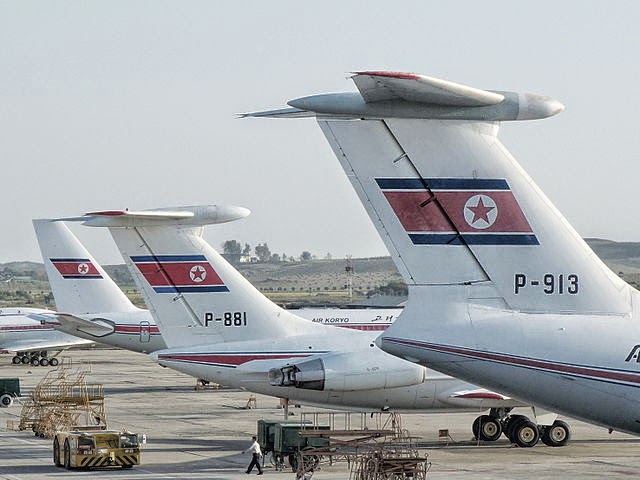
    Il-76, Il-62 & Tu-204
    No, not this Korea.
    As any tourist or resident in Japan knows, having a NFC card or phone to get around the city by subway is super convenient, sparing you the details of having to understand fare charts for complicated transportation systems. The card enables you to slip in and out of the stations without worrying about whether you've underpaid or overpaid for your fare; you can focus on catching the correct train at the correct time. Additionally, the touch-and-go payment allows you to quickly grab a quick snack at a nearby kiosk without having to fumble with currency you're not familiar with.

    The best part is: the technology is free with no fees or a required signup *. If you bought a card in Korea, you'd have to pay a deposit fee for the card (which is refunded when you return the card).

    As South Korea is one of the closest countries to Japan, it is one of the easiest (and cheapest) international destinations to visit. Before you visit, it'd probably be wise to set this app up if your phone specifications qualify.

    * Of course, using the app (rather than a charging station) to reload your NFC with more ROK won causes packets to be sent, and if you're overseas, depending on your broadband or Wi-Fi access (the app, unlike iD, works with either), might be significant. Additionally, your credit card company or bank, not the app, might card you a transaction fee for moving money into the NFC chip.

    Competing Technologies in South Korea


    Like Japan's pre-loaded cash options (Edy, nanaco, WAON, Suica), South Korea also has a variety of NFC solutions for paying via cash:
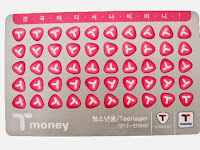
    many cards are branded
    t-money card (티머니 카드 {timeoni kadeu})
    In the past, t-money was one of the first major NFC payment cards (introduced around the year 2000) and it is the biggest and still the most popular: primarily used in Seoul. If you were outside of Seoul, you used cashBee. Similar to Kantō (East Japan)'s Suica/Pasmo card vs the cards in Kansai (Western Japan). Nowadays, there's not as much difference geographically as to whether a card is better or more accepted. A big drawback for t-money, from a foreign user's point-of-view, is the proprietary solutions for mobile use: In order for a South Korean resident to use t-money with his phone, they must apply for a non-standard (not a NFC Type A/B) SIM to insert into their phone.
    mobile cashBee (모바일 캐시비 {mobail kaesibi})
    In the past, cashBee was more predominant outside of Seoul, but this is no longer the case. cashBee is rapidly catching up in popularity and places where it is accepted thanks to its major corporate backing; cashBee is issued my the big Korean corporation Lotte, so much like how anything associated with JR East (such as atre malls) will accept Suica, anything associated with Lotte in Korea will probably accept cashBee. Relatively new, cashBee is an evolution of the Korean NFC system "Mybi", which began in 2000, and all the systems that were compatible with it such as KB Free Pass and KTX Family Cards. The old eB cards (the "B" is where the "Bee" in cashBee came from), UPass, and Mybi were acquired and evolved into cashBee in 2010. The Mybi family of cards is still accepted in places, but the technology has been deprecated.

    These are the two major payment systems in use today. Much like Japan, bigger companies are acquiring and re-branding other companies and technology all the time, so there are lots of other minor cards and special limited edition cards which are compatible with the two major ones listed here. And there are other, older systems which have fallen into disuse. Talking about all of them here, though, is outside of the scope of this blog and article. As a tourist, all you need to know is that the above two comprise most of the major offerings in 2014.

    How to set up your phone to use it

    cashBee, although very similar to Japanese preloaded cash systems used on FeliCa only, is a NFC Type A/B system. This means the same hardware/software requirements are needed that you would need for paying for things overseas with Visa/MasterCard payWave/PayPass:

    Desired requirements for maximum usefulness:
    • A Japanese phone with hybrid FeliCa/NFC hardware.
    • A USIM that supports NFC Type A/B
    Note that you can still install and use the cashBee app even if you do not meet the above requirements. However, the app will only work in "coupon mode", in that it will show you coupons you can use in Korea at participating cashBee stores, but you will not be able to purchase anything using your phone.

    And even if you don't have a credit card, you can still "charge" your cashBee (provided you've launched the app and it has installed itself in the NFC area of your USIM) at vending machine like "charging stations" (or at convenience stores) throughout major cities in South Korea.

    Both the NTT version and the KDDI version allow charging of the phone with Korean Won via credit card. The credit card will be billed in Japanese Yen.

    Softbank's dog mascot urinating at a press conference
    Softbank's mascot, otōsan, can't wait.

    Softbank

    There is a version of cashBee for both docomo and KDDI/au. The software is identical except that currently the au version is the only one that supports loading the cashBee via Japanese bank 振り込み {furikomi} (domestic wire transfer).

    A Softbank version of the app was scheduled to be released on June 30, 2014, but it has been delayed. As of July 10, 2014, it has not yet been released yet.

    iPhone and other unsupported app platforms
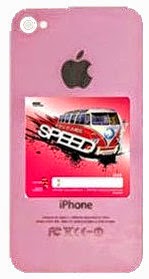
    pink iPhone 5c with a NFC sticker on the back
    The speed of Steve Jobs,
    spinning in his grave
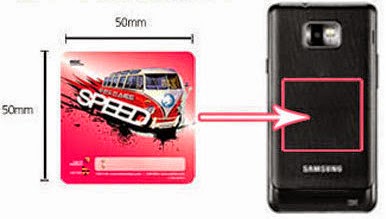
    25cm² NFC adhesive sticker
    You have a choice of designs to foul your phone
    In addition to key chains and other non-traditional (meaning non-rectangular plastic credit card) shapes, cashBee and other forms of e-Money in Korea are available in adhesive sticker form, which you can attach to the back of your phone and pretend you have NFC capability.

    You may have seen Japanese iPhone users do something similar to this by buying a case for their iPhone (so you can't really tell it's an iPhone anymore) and inserting their Japan mass transit IC card in between the back of the phone and the case that covers and protects the back. In fact, many iPhone "bumper" cases are sold which feature special slots where you can insert this card and pretend you have an Android phone.

    Don't put one of these stickers on a phone that already has NFC and/or FeliCa: by design, NFC and FeliCa won't work in combination with other cards or stickers at the same time. They cancel each other out.


    Where is cashBee accepted?
    cashBee logo
    Newer but heavily backed
    T-Money logo
    Older but more established
    T-Money is the older, and thus more widely accepted, form of e-Money in Korea. However, cashBee is catching up extremely rapidly. While it's unlikely you'll be able to use cashBee at old fashioned mom & pop restaurants or shops or very high end places, most of the places in major urban areas that offer common consumer day-to-day goods and services offer support for at least one -- and often more than one -- form of electronic cash payment.

    Public transportation (subway and buses)

    The NTT/docomo version of the cashBee application got the ability to touch & go with the subway and bus systems this summer (2014).

    The KDDI/au version of the cashBee will get the ability to tough & go with the subway and bus systems this Autumn (2014).

    Like most subway and train systems in Japan, most of the subways in Korea charge based on the the distance you travel, and buses charge a flat fee.

    Taxis

    Gangnam Style
    Probably has a cashBee in his pocket.
    Taxis in the following areas of Korea currently take NFC payments:
    • All of 서울 {Seoul}, including:
      • 明洞/명동 {Myeong-dong}
      • 江南/강남 {Gang-nam}
    • 釜山/부산 {Busan}
    • 済州/제주 {Jeju}

    Additionally, the taxi companies in these smaller areas also currently accept cashBee:
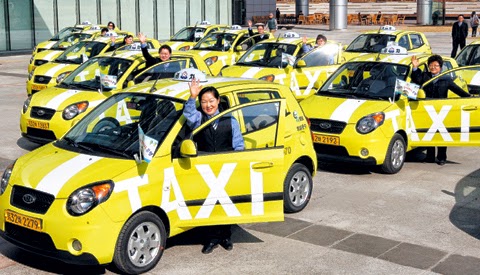
    Korean Taxis
    "Deluxe" taxis are black with a yellow sign on top.
    • 京畿/경기 {Gyeong-gi}
    • 仁川/인천 {In-cheon}
    • 江原/강원 {Gang-won}
    • 忠南/충남 {Chung-nam}
    • 蔚山/울산 {Ul-san}
    • 慶北/경북 {Gyeong-buk}
    • 慶南/경남 {Gyeong-nam}
    • 光州/광주 {Gwang-ju}

    However, just like in Japan there is an occasional cab that does not accept credit cards or FeliCa payments, there are hired drivers in Korea that do not take anything other than physical cash. So be sure to check before you start the fare.

    Convenience Stores

    7-Eleven vs. MINISTOP
    Residents of Japan are probably familiar with
    • 7-Eleven
    • MINISTOP
    which are ubiquitous in Japan. They are also all over Japan. In addition to making purchases, you can also charge (add money) to your NFC card or phone with cash via the register without using a unmanned charging station.

    In addition to the two above convenience stores, cashBee is accepted in at least the following "combini":
    • Buy the Way (a Lotte 7-Eleven franchise)
    • CU
    • GS25
    • StoryWay

    Fast Food & Family Restaurants

    『Q段チーズバーガー』
    The Lotteria Japan promotional 9 {Q}-level cheeseburger
    Residents of Japan are probably familiar with:

    • Lotteria: a fast food burger joint by Korean über conglomerate Lotte)
    • Baskin Robbins: better known by its official name in Japan as 『サーティワン』 {"sāti wan"} (31)
    • Krispy Kreme Doughnuts: seems to do better in Asia than its native North Carolina
    • Dunkin' Donuts: the smaller Massachusetts based rival to the more popular (in Japan) known affectionately by its Japanese nickname of ミスド {misudo} (Mister Donut).
    and Americans are probably familiar with:
    In addition to the above, cashBee is also accepted at:

    Lotte affiliated Shopping (Department Stores, etc.)

    Lotte Department Store (Myeongdong)

    Entertainment (movie theaters, etc)

    Sajik Baseball Stadium

    Other (Vending Machines, Universities, Toll Bridges & Tunnels)
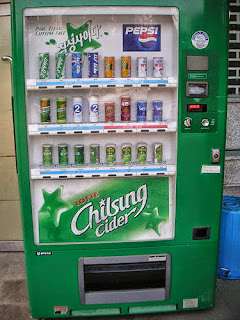
    Lotte "Seven Star" Vending Machine
    Chilsung Cider tastes like Sprite/7-Up.

    "Recharging" your cashBee

    MasterCard and Visa logos
    No JCB or AMEX yet.
    The convenient part of the Japanese app is it's ability to load money in by billing your credit card. Currently, only MasterCard and Visa are accepted.

    No fees are assessed on the cashBee side; whether your card charges you a fee or not depends on your card.

    You will be billed in Japanese yen based on standard exchange rates for the day between Korean Won and Japanese Yen.
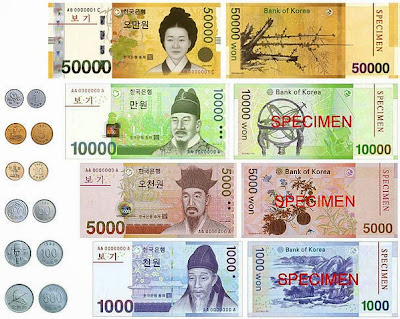
    South Korean Won bills and coins.
    Money used on the other side of the Sea of Japan ("East Sea")
    The amounts you can choose to load on the NFC UIM Card are:

    • ₩10,000
    • ₩20,000
    • ₩30,000
    • ₩40,000
    • ₩50,000
    • ₩100,000
    • ₩300,000
    • ₩500,000
    The credit card credentials are not saved, so your will need to enter the card number, cardholder name, expiration date, and CVC number every time.

    If you don't want to charge your NFC UIM by using the internet (perhaps because you are already overseas your international roaming or Wi-Fi is too expensive or limited), you can find a convenience store or charging station machine and charge it with (Korean Won) cash.

    Direct Bank Transfer with KDDI/au

    au by KDDI
    Something au does that DCM can't
    Transferring money into your UIM Card via a bank transfer is only slightly more complicated than transferring via credit card; both transactions are instantaneous. Depending on the terms of your credit card or bank, one method may be more advantageous than the other (depending on limits, fees, etc.)

    Currently, only three "net banks" (banks without physical branch locations and tellers and vaults) are supported:

    Changing phones and limitations

    From the application, the minimum amount you can charge (with Korean cash) your NFC UIM with is ₩10,000. The maximum is ₩500,000.

    Similar to how most 電子マネー {denshi manē} (e-Money) systems in Japan limit you to a maximum of ¥50,000 per system (for sanity and safety and fraud concerns), cashBee limits you to a maximum charge of ₩500,000.

    Money in the UIM card has an expiration date of 5 years from the last use or charge. If not used or charged after five years, the loaded money is voided and lost.

    One point Korean/Japanese/English language lesson

    『영어완전정복』 "Yeongeo wanjeonjeongbok"
    A great 2003 romcom about
    South Korea's English complex
    In Japanese, the foreign loanword 『チャージ』 {"chāji"} ("charge") is usually used with the nuance of loading money onto a contact-less card or FeliCa/NFC phone; a fancy more specific loanword for the proper/generic Japanese word 入金 {nyūkin} (insert/receive funds/payment).

    However, in Korean, the same imported English loanword has the nuance/meaning of "charging [the battery of a phone etc]".

    This may lead to a misunderstanding if you ask to "top up/off" (British English) or "load your prepaid card" (American English) your cashBee at a convenience store in South Korea, as charging the batteries of mobile devices actually is a service they provide at many convenience stores in Korea.

    It shouldn't be too hard to get your point across by saying "cashBee" and pointing to cash that you want put on your device, though.

    Here's how to say

    "Please reload 5000 won onto my mobile cashBee."
    모바일{mo-ba-il} 캐시비에 {kae-si-bi-e} 5000원 {o-cheo-nwon} 충전해 {chung-jeon-hae} 주세요 {ju-se-yo}.

    Sunday, July 6, 2014

    Part 2: How to pay for things overseas using your Galapágos Android NFC and PayWave

    This Verifone terminal does them all
    In the previous article I talked about how to pay for things outside of Japan using a Japanese phone and a NFC terminal. In particular, using iD required at least two things:
    1. a docomo phone (since the iD service, while available for a variety of plastic credit cards, is only currently offered on docomo as of July 2014)
    2. a Japanese MasterCard that supports PayPass
    But what if you have a Visa card? What if you have your phone/carrier isn't docomo? There are options.

    Minimum Requirements for any overseas NFC Use


    First of all, you will still need the bare hw/sw requirements that were mentioned in more detail in the previous post:
    • A docomo/au/Softbank phone that supports NFC types A/B/F (NFC Type F is the same thing as "FeliCa")
    • A USIM that supports NFC Type A/B. If you bought your phone recently your phone probably already has one of these and you don't need to talk to your carrier for an upgrade.
    • Your NFC R/W P2P needs to be "off" when using payment systems, which expect the NFC to be in client/master mode (the phone is the "client," the Point-of-Sale terminal is the "master")

    Bank Provided Apps for Japanese Galapágos Phones

    Finally, you will need a bank that supports NFC credit cards through its own app (or one that it partners with). Currently, there are two credit card companies that offer overseas credit card ability: Sumitomo-Mitsui Visa (PayWave) and Orico Visa (PayWave) & MasterCard (PayPass). Orico was the first in Japan to offer Visa's payWave.

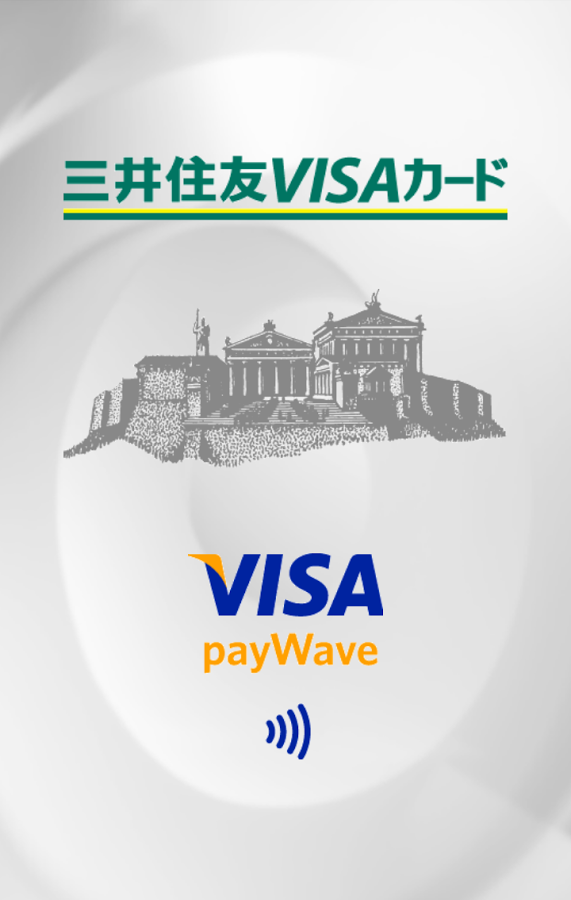
    三井住友VISAカード VISA payWave
    Sumitomo-Mitsui's Visa PayWave
    Orico VISA payWave / MasterCard PayPass
    Orico's payWave/PayPass


    These applications can be installed on compatible docomo, au, and Softbank phones. If you have a Orico MasterCard, you can choose to use the Orico app to set it up, or choose the iD app.

    Just like the instructions in the previous post, simply possessing the correct card and a working app/phone is not enough; you need to contact your credit card company (either at application or afterwards) and tell them to you wish to use this functionality, and they will send you a one-time use "access code" and password to activate it.

    As PayPass and PayWave services are still very new in Japan, it is likely that additional banks and cards will offer this service in the future.

    VISA payWave accepted mark
    Visa payWave (& most probably MasterCard payPass;
    maybe American Express expresspay/Discover zip OK

    Card Compatibility at the POS Terminal

    VISA payWave can be used almost anywhere MasterCard PayPass is accepted, especially in the United States. If you see the payWave mark, you can almost always use PayPass/MasterCard as well, the same way how almosty all stores that accept Visa also accept MasterCard. There are some rare exceptions.

    American Express' NFC service is called "expresspay". It too can be used where the "wave" mark is present and the merchant accepts it.

    Currently no American Express cards issued by Japanese banks support expresspay (that will probably change in the future).

    Discover Card's NFC system is called "zip". While Discover Card is not issued in Japan, Japanese Diner's Club and JCB cards can be used wherever Discover is accepted and vice-versa (normally there will be a small Discover logo on the back of these Japanese cards).

    NFC Credit Card Android Apps: set it up then forget/delete it


    One does not simply "Set It And Forget It"
    A dissenting opinion
    A note about all the Android apps: The iD App, Orico NFC Service, and Sumitomo-Mitsui Card Visa payWave apps do not have to be on your phone at all time to use NFC. These apps are used to "set up and program" the data block(s) on the UIM card, as well as query it (find out the card number, name, expiration date, etc) stored on it.

    Deleting the Android app that initialized the NFC type A/B/F record does not delete the corresponding NFC data.

    However, for some FeliCa/NFC apps, deleting the app — or doing a full reset of the phone, wiping user data — then re-installing may cause the new instance(s) of the app to not recognize or locate the old data. This depends on how the app is designed. Poor software design, yes. But caveat emptor.

    Don't forget to assess your personal balance between convenience and risk and set your phone's security (and your NFC's security) appropriately.

    Non NFC Credit Card Android apps: useful for balance, transaction history, etc.

    One app to set it (NFC), another app to check it (cloud).
    On the other hand, keeping the app around, especially for NFC apps that have a balance on them (pre-loaded cash or points), is handy so you can check to see how much money (often through custom Android widgets on your home screen) you have left and to top off the balance with more money. You can do this at specialized terminals and ATMs throughout the country too. As a credit card has no "balance" on the chip, these apps don't have as much value. There may be a side function (or a completely separate app for your credit card, or a mobile web site) that checks how much credit you have remaining. For example, Sumitomo-Mitsui has the Vpass app to check its credit card status and transaction details, American Express Japan has an app to check its Japan based AMEX cards, and Rakuten Card has an app to check its cards' balances and activity.

    Friday, July 4, 2014

    How to pay for things overseas using your Galapágos docomo Android NFC and PayPass

    PayPass™ point-of-sale terminal
    Japan adopting tech (NFC) that was originally adopted from Japan (FeliCa)
    In the Japanese 電子マネー {denshi manē} (e-cash) world, there are currently six main FeliCa (a Japan-based near-field communication system) based systems for paying for goods at stores and restaurants with Japanese yen using your Japanese mobile phone's おサイフケータイ {osaifu kētai} (Osaifu-Keitai "mobile wallet") app:
    #1. iD [credit]
    Affiliated with NTT's docomo, it ties primarily to Visa/MasterCard®, and docomo's DCMX credit service. (with some exceptions depending on the issuing bank). iD is not a smartphone-only technology; it can (and often is) embedded in Japanese credit cards standalone.
    QUICPay
    iD's credit-based competitor
    #2. QUICPay [credit]
    It ties primarily to JCB and AMEX credit/charge cards (with some exceptions depending on the issuing bank). It is a standalone technology that links existing credit cards to your phone; there are no credit cards that have "QUICPay" NFC chips in them.
    #3. WAON [pre-loaded cash]
    It is affiliated with JAL for miles; preferred payment system for ÆON (イオン {Ion}) owned businesses.
    楽天Edy
    logo after Bitwallet K.K. acquisition
    #4. Rakuten Edy [pre-loaded cash]
    It's affiliated with ANA for miles, and also Rakuten Super Points, Ponta (Lawson, KFC, …), Edy de COIN (GREE), T-POINT, Yodobashi Gold Points, EPOS Card, Belle Maison Points, Bic Points, NEXCO, Edy de Matsumoto Points, EDION Points; you can also pay with cash in your smartphone's Edy for goods over the internet — via smartphone or personal computer.
    #5. nanaco [pre-loaded cash]
    This is the preferred payment system for 7&i Holdings businesses: 7-Eleven, Denny's, Loft, Itō-Yōkadō supermarkets, Sogō-Seibu department stores, ….
    モバイル Suica
    The penguin sure is cute.
    #6. Mobile Suica [pre-loaded cash]
    This is the preferred payment system for JR (stores inside atré malls next to big JR stations) compatible nationwide with train and bus stations on the "IC" transportation network: Suica, PASMO, ICOCA, PiTaPa, TOICA, manaca, nimoca, SUGOCA, Kitaca, etc.
    Suica, Edy, WAON, nanaco
    None of these are directly linked to a credit card
    The first two systems, iD and QUICPay, are basically substitutes for credit card "swiping" as they are linked directly to a credit card — although all of the "pre-loaded cash" systems can be "charged" or "top off-ed" (transferring Japanese yen, or converting loyalty points, from one account into the secure separate storage in the phone) directly via various apps; Rakuten Edy also allows topping off from either a Rakuten Bank or a Rakuten account, which can be linked to many types of payment systems, including credit cards.

    イーバンク → 楽天銀行
    Rakuten allows direct transfers from its bank account to Edy.
    Not just any credit card can be linked to iD and QUICPay; both have a list of supported bank/card combinations.

    None of these systems, however, worked with the two most popular NFC based payment systems in the North America and Europe: MasterCard/Maestro's PayPass™ and Visa's payWave.

    Until recently.

    Getting PayPass ability for your Japanese phone

    The iD system now works with MasterCard's PayPass system. In addition to paying for things with a swipe of your phone in Japan, you can now also do the same overseas. In order to use PayPass, you must meet the following requirements:

    A. You need an Android phone that has hybrid FeliCa / NFC hardware.

    FeliCa is Sony developed "Japanese NFC" and is much older than the international NFC system that was inspired by it. Early Japanese phones (smartphone and feature phones) were FeliCa only; newer (all 2014 models and most 2013 models) Japanese market Android docomo phones with NFC are hybrid NFC+FeliCa. Non-Japanese phones are NFC only.

    As of July 2014, the docomo models that support hybrid FeliCa+NFC Type A/B are:
    NTT docomo NFC Demo Corner
    2012: inside or outside Japan NFC
    • ARROWS NX F-05F
    • GALAXY S5 SC-04F
    • AQUOS ZETA SH-04F
    • Disney Mobile on docomo SH-05F
    • Xperia Z2 SO-03F
    • Xperia A2 SO-04F
    • ARROWS NX F-01F
    • Disney Mobile on docomo F-03F
    • G2 L-01F
    • GALAXY Note 3 SC-01F
    • GALAXY J SC-02F
    • AQUOS PHONE ZETA SH-01F
    • SH-01F DRAGON QUEST
    • AQUOS PHONE EX SH-02F
    • Xperia Z1 SO-01F
    • Xperia Z1 f SO-02F
    • ARROWS NX F-06E
    • Disney Mobile on docomo F-07E
    • Optimus it L-05E
    • MEDIAS X N-06E
    • ELUGA P P-03E
    • AQUOS PHONE ZETA SH-06E
    • AQUOS PHONE si SH-07E
    • Xperia A SO-04E
    • Xperia feat. HATSUNE MIKU SO-04E
    • AQUOS PHONE EX SH-04E
    • Xperia AX SO-01E
    • Optimus G Pro L-04
    • EELUGA X P-02E
    • AQUOS PHONE ZETA SH-02E
    • Xperia Z SO-02E

    B. You need a miniUSIM that is compatible with NFC wallets (type A/B).

    ピンク色のドコモUIMカード
    Upgrade your early hybrid NFC/FeliCa with this for free.
    The early miniUSIMs for Docomo phones were usually colored in red livery. The new NFC wallet compatible miniUSIMs are pink. Any docomo shop will replace your legacy SIM for the new pink SIM free-of-charge, and you will be able to keep your phone number (but not any SIM-based contact lists or applications, which are obsolete in 2014 anyway).

    You will know when you have a pink Type A/B miniUSIM in your device because the おサイフケータイ {osaifu kētai} (Osaifu-Keitai "mobile wallet") app will have an additional third column (accessible by swiping left or right) in the マイサービス {mai sābisu} (My Service) & おすすめ {osusume} (Recommend) areas:
    • すべて {subete} | All
    • 本体 {hontai} | Phone(FeliCa)
    • UIMカード {yū ai emu kādo} | UIM card
    Android Osaifu-Keitai app
    Note the UIMカード column;
    モバイルcashbee is a NFC UIM app.
    If the third "UIM Card" column is not present (even if it is empty), then either your おサイフケータイ {osaifu kētai} (Osaifu-Keitai "mobile wallet") app is too old (version 4.1.1 is the newest version as of July 1st, 2014) or your USIM is not the pink type.

    To find out how many blocks of memory (which is completely separate from your phone's memory or USB memory or SD card storage) your FeliCa apps are using, press your phone's physical/virtual menu button while inside the おサイフケータイ {osaifu kētai} (Osaifu-Keitai "mobile wallet") app and select メモリ使用状況 {memori shiyō jōkyō} (Status of used memory). The 本体 {hontai} (FeliCa) / Phone(FeliCa) area will have two areas:
    1. a 共通領域 {kyōtsū ryōiki} (Common Area) that will have around 750 blocks
    2. a 鉄道・バス領域 {tetsudō basu ryōiki} (Transportation Area) that will have around 250 blocks.
    A nice feature of storing the data on the USIM card is that you do not need to do the complicated process of 機種変更 {kishu henkō} (model change [procedure]) for every valuable FeliCa application that has non-backed up cash or important data (that is only in the handset) when you need to turn in your phone for servicing or repair — or you are upgrading or replacing a mobile device; all you need to do is transfer your UIM to the new phone. There is no need to put the data in temporary escrow with the app provider or carrier.

    C. You need a PayPass compatible Japanese MasterCard.

    Orico PayPass MasterCard
    This is a compatible card (and one of the first)
    It's not enough to have a Japanese credit card that is iD compatible; it must be iD (meaning it's issued by a Japanese bank) and PayPass compatible.

    Before you apply for a card, it's best to load the latest app and check the list of support bank/card combinations so you don't get disappointed. If you get a card, you'll probably want one with a contact smart chip in it too, as using a PIN instead of a signature is getting to be pretty standard in Japan and Europe, although it still has a long way to go in America.

    D. You need version 8.0 or later of the "iDアプリ {aidī apuri}".

    iDアプリ アップデート
    PayPass enabled since Feb, 2014
    The official documentation says you need version 8.0 or later of the iD software, however, the app's Change Log in the Play Store claims that PayPass ability was added in version 7.0. As of July 1, 2014, the current version is 9.0.

    iDアプリ
    There are two ways to get the iD app: one is straight through the Google Play Store. Another way is through the おサイフケータイ {osaifu kētai} (Osaifu-Keitai "mobile wallet") app, which is usually built-in to your Galápagos firmware and will be in the おすすめ {osusume} (Recommend) section if it is not already installed. If it is installed, it will be in the マイサービス {mai sābisu} (My Service) Installed NFC/FeliCa applications do not appear in the installed apps section of your phone and vice-versa; the NFC/FeliCa applications are isolated from the Android system and the two use a bridge to communicate with each other.

    Note that both the おサイフケータイ {osaifu kētai} (Osaifu-Keitai "mobile wallet") app and the iD application are very security sensitive because they deal with money. If you root your phone or replace the firmware, it is unlikely these apps will be able to be downloaded. And even if they are side-loaded, they will refuse to work. The iD app won't even work if Wi-Fi is enabled.

    E. Your NFC R/W P2P functionality needs to be "off".

    Your PayPass will work even when your phone is off because it is designed to work in "client/slave" mode where the POS NFC/FeliCa terminal acts as the "host/master" providing the main power (by induction through the air). Counterintuitively though, when NFC is "turned on" on your phone, your PayPass/iD will not work.

    Fortunately, many phones include widgets and UIs that allow you to "temporarily" activate P2P NFC, disabling it (and saving battery life) after a preset amount of minutes. This way, you won't accidentally forget and have to fiddle with your phone to deactivate R/W P2P while there's a line behind you.
    NFC P2P example between two Android phones
    If you can do this, your NFC R/W P2P is "on" and NFC iD/Paypass (among other things) won't work.

    F. You need to apply (email/phone/postal mail) and register with your credit card company

    郵便差立箱14号
    "Huh? Am I living in the 20th century?!"
    Once you get the card, you will need to register it with the iD app. Unfortunately (or fortunately), for security reasons, this is not as simple as inputting the card number, CVC, and expiration date. You will need to tell your card company that you wish to use the service and they will send you a one-time use activation code etc. via certified mail.

    In the application, you may set limits for the use (max amount per transaction, max amount per day), as well as PINs to use for amounts over a certain threshold, PINs for the smart chip, and passwords for using or maintaining the status of the card over the internet. The details will depend on the card.

    Using your iD at PayPass & PayWave terminals overseas

    MasterCard paypass または [PayWave]
    Notice how this MasterCard ad doesn't label the right logo as "Visa PayWave".
    Even though you can't link your iD to a Visa PayWave card, you can still pretty much pay at any POS NFC terminal that accepts either MasterCard PayPass or Visa PayWave — just like how you can use MasterCard anywhere Visa is accepted and vice versa.

    Protecting your device from theft

    Android Device Manager
    Android Device Manager:
    don't leave home without it
    With all of the additional security features turned off, your e-money and NFC based credit cards are about as secure as an old fashioned credit card or cash: if somebody steals or you lose your phone, you have to deal with it the same way you deal with a lost or stolen credit card.

    However, depending on your preference between balancing convenience versus security, you can make the NFC based payments more secure than cash or credit. Depending on your device, you may be able to do one or more of the following:

    Using a plain non-mobile credit card

    Visa microtag PayWave keychain
    Non-traditional shape of a NFC credit "card"
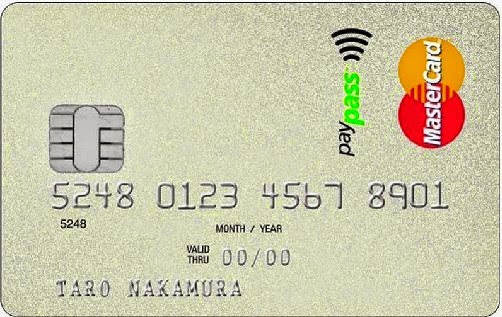
    Of course, you can always use a plain credit card with a PayPass chip in it. The PayPass "card" may not even be in the shape of a credit card; while they're not available yet in Japan, paying by PayPass can be done by a keychain, a bracelet, or a watch.

    It's nice to know that if you decide to switch from a phone which supports NFC to one that doesn't, you can continue to use your PayPass with a less high tech device that doesn't run on any power.

    Other Options

    つづく (to be continued...)
    ... when I get around to it.
    Many of you in Japan that travel overseas might not have a docomo but might use a phone from another carrier. Even more of you might not have a Japanese PayPass MasterCard.

    Are there ways to use your Japanese phone to pay for things outside of Japan.

    Yes, there are! I will be covering these methods in future posts.